BaseShift
6 bases, bitwise operations, ASCII table, text encoding & batch conversion — all with arbitrary-precision BigInt
Launch BaseShift →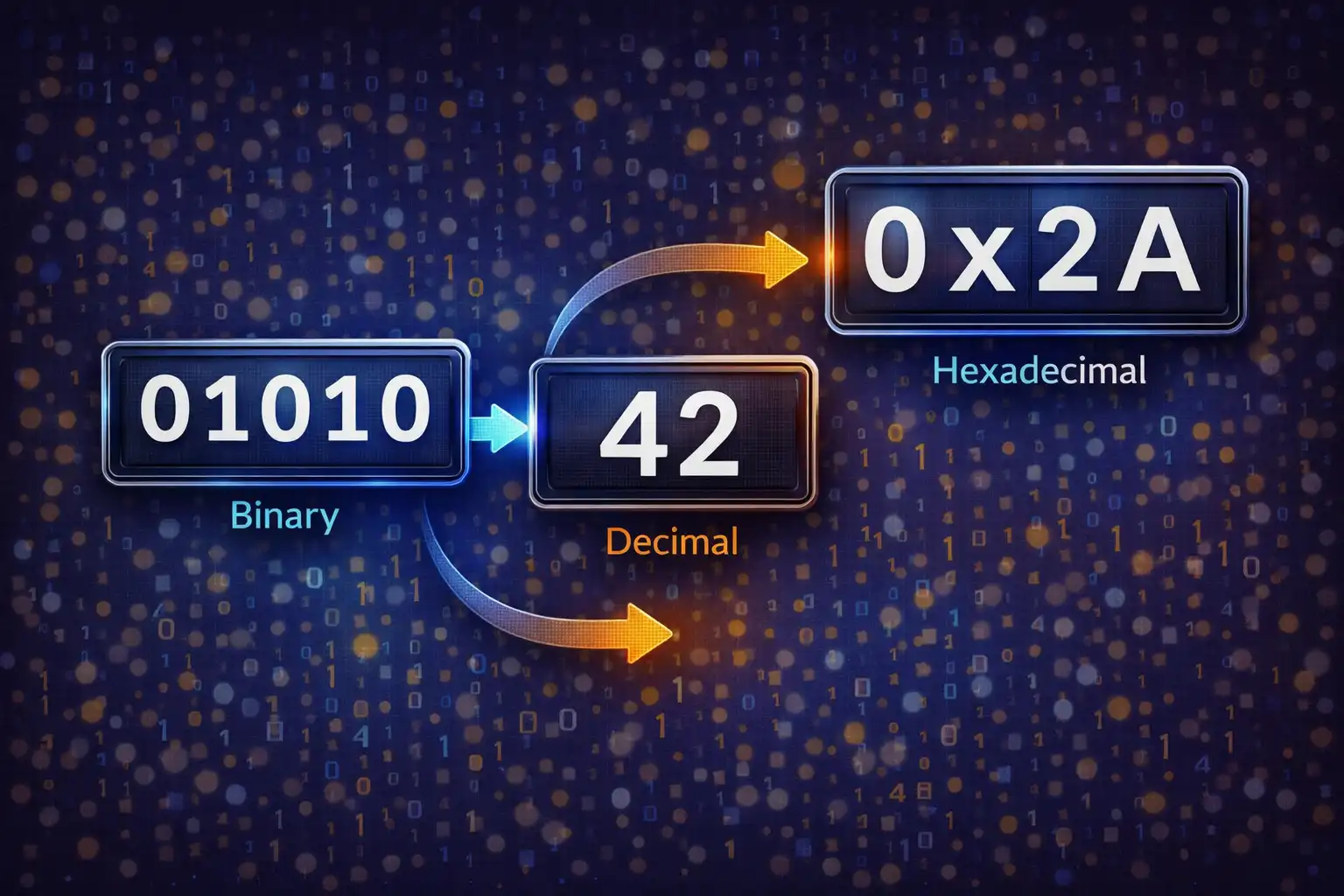
Table of Contents
Overview
BaseShift is a comprehensive number base converter that handles everything from single-value conversions across six number bases to bitwise logic operations, full Unicode text encoding, complete ASCII table browsing, and bulk file conversion — all running as pure client-side JavaScript with zero external libraries. At its core, BaseShift leverages JavaScript’s native BigInt type for arbitrary-precision integer arithmetic, eliminating the 253 precision ceiling that plagues standard Number operations and enabling accurate conversion of integers of any size.
The tool is organized into five purpose-built panels. The Single Converter panel converts between Binary (base 2), Octal (base 8), Decimal (base 10), Hexadecimal (base 16), Base32 (RFC 4648), and Base64 simultaneously — type a value in any base and see all six outputs update in real time. The Text↔Codes panel encodes and decodes text as numeric codes using codePointAt() and String.fromCodePoint(), supporting the full Unicode range including emoji and supplementary plane characters. The Bitwise Operations panel computes AND, OR, XOR, NOT, Left Shift, and Right Shift with an interactive 8-bit visual grid. The ASCII Table panel displays all 256 character codes with search and filtering. The Batch File panel accepts .txt, .csv, and .tsv uploads, auto-detects the source base by sampling content patterns, and converts values in bulk.
Number base systems are the foundation of computing. Every digital device ultimately operates in binary — ones and zeros — but programmers and engineers routinely work in hexadecimal (compact representation of binary data), octal (Unix file permissions), and decimal (human-readable values). Base32 and Base64 encodings extend this further for data serialization, URL-safe tokens, and email attachments. BaseShift unifies all of these conversions into a single interface, augmented by bitwise logic tools that are indispensable for low-level programming, networking, and hardware design.
Key Features
6 Number Bases
Binary, Octal, Decimal, Hex, Base32 (RFC 4648, charset 0-9A-V), and Base64 (A-Za-z0-9+/) — all displayed simultaneously for every input. Prefix auto-stripping for 0b, 0o, and 0x notation.
BigInt Arbitrary Precision
JavaScript BigInt handles numbers of unlimited size: no overflow at 253 (9,007,199,254,740,992), supports negative numbers with sign preservation, and validates characters per base before conversion.
Bitwise Operations
AND, OR, XOR, NOT (8-bit), Left Shift, and Right Shift with results in Decimal, Binary, Hex, and Octal. Interactive 8-bit visual grid renders MSB→LSB positions 7→0 with nibble separator after bit 4.
Complete ASCII Table
All 256 characters (0–255) with Dec, Hex, Oct, Binary, Char, and Description columns. Four filter modes (All, Control, Printable, Extended) and real-time cross-column search.
Text↔Codes
Full Unicode encoding via codePointAt() and String.fromCodePoint(), handling emoji, surrogates, and supplementary plane characters. Output in Binary (8-bit padded), Octal, Decimal, or Hex (2-char padded uppercase).
Batch File Conversion
Upload .txt, .csv, or .tsv files via drag-drop or browse. Auto-detects the source base by sampling the first 20 lines against regex patterns. Converts first column, preserves CSV structure, and downloads the result.
Endian Swap
Reverse byte order for little-endian↔big-endian conversion. Converts to hex, pads to even length, splits into 2-char byte pairs, reverses array, and re-interprets. Essential for cross-platform binary data work.
Smart Formatting
Digit grouping (4-bit binary, 3-digit decimal with commas, 4-digit hex), signed 32-bit integer display with overflow detection, Unicode character output for valid codepoints, and scientific notation for extreme values.
5 Panels Explained
Panel 1: Single Converter — 6 Bases Simultaneously
The Single Converter is the default panel and the heart of BaseShift. It presents six base selector buttons — BIN, OCT, DEC, HEX, B32, B64 — and a single input field. Select your source base, type or paste a value, and all six output fields update instantly. This simultaneous conversion eliminates the need to run separate tools for binary-to-hex, decimal-to-octal, or any other combination.
Under the hood, all arithmetic uses JavaScript’s BigInt type. The parseToBigInt() function processes the input string left-to-right using multiplication accumulation: for each digit, the running result is multiplied by the base and the digit’s value is added (result = result * base + digit). For Base32 and Base64, which use custom character sets, the parseBaseN() function performs index-based lookup against the RFC 4648 charset (0-9A-V for Base32, A-Za-z0-9+/ for Base64). This approach works for integers of any size, unlike parseInt() or Number() which silently lose precision beyond 253.
Negative numbers are fully supported: the sign prefix is parsed and preserved through all conversions, so entering -FF in hex correctly produces -255 in decimal and -11111111 in binary. Input cleaning strips whitespace, underscores, and commas via the regex /[\s_,]/g, allowing users to paste formatted values like 1,000,000 or 1111_0000 without errors. Prefix notation (0b for binary, 0o for octal, 0x for hex) is automatically detected and stripped before parsing.
The panel also provides a signed 32-bit integer display. The BigInt value is masked with 0xFFFFFFFFn to extract the lower 32 bits, then JavaScript’s bitwise OR with 0 ((u32 | 0)) reinterprets the result as a signed 32-bit integer, matching how C, Java, and other languages handle int32. If the input value exceeds 32 bits, the display shows “Overflow (>32-bit)” as a warning. Additionally, if the numeric value is at or below U+10FFFF (the maximum Unicode codepoint), the panel shows the corresponding character and its codepoint notation; non-printable characters display the codepoint only.
The Group Digits toggle activates the groupString() function, which inserts separators right-to-left: 4-bit groups for binary (e.g., 1010 0011), 3-digit groups for octal and decimal (e.g., 16,777,215), and 4-digit groups for hexadecimal (e.g., 00FF FFFF). This makes large values dramatically easier to read and verify at a glance.
Panel 2: Text↔Codes — Full Unicode Encoding
The Text↔Codes panel converts between human-readable text and numeric character codes. The encodeText() function iterates through each character using codePointAt(0) — critically, this handles the full Unicode range including supplementary plane characters (emoji, CJK extensions, mathematical symbols) that occupy two JavaScript UTF-16 code units (surrogate pairs). Using codePointAt() instead of charCodeAt() is essential because charCodeAt() would split emoji and other characters above U+FFFF into two meaningless surrogate values.
The encoded output is formatted in the user’s selected base: Binary produces 8-bit zero-padded codes (e.g., the letter “A” becomes 01000001), Octal produces standard octal values, Decimal produces plain numeric codes, and Hexadecimal produces uppercase 2-character padded values (e.g., 41 for “A”). Each character’s code is space-separated in the output for readability.
Decoding works in reverse: the decodeText() function parses a string of space-separated or comma-separated numeric codes, converts each to an integer in the selected base, and reconstructs the original text using String.fromCodePoint(). This function correctly reassembles supplementary plane characters from their codepoint values. A swap button calls decodeText() to instantly reverse the direction, making it easy to verify round-trip encoding integrity.
Panel 3: Bitwise Operations — Logic with Visual Feedback
The Bitwise Operations panel provides a calculator for the six fundamental bitwise operations used in low-level programming, networking, and hardware design. Two input fields accept values A and B, with the parseSafe() function auto-detecting the input format: plain numbers are treated as decimal, 0x-prefixed values as hexadecimal, 0b-prefixed as binary, and 0o-prefixed as octal.
The six operations are:
- AND (a & b) — produces a 1 bit only where both inputs have 1. Used for masking specific bits, checking flags, and clearing bits.
- OR (a | b) — produces a 1 bit where either or both inputs have 1. Used for setting flags and combining bit fields.
- XOR (a ^ b) — produces a 1 bit where inputs differ. Used for toggling bits, simple encryption, and detecting changes.
- NOT (~a & 0xFF) — inverts all 8 bits. The mask with 0xFF constrains the result to 8 bits, so NOT of 00000101 (5) produces 11111010 (250), not a 32-bit or 64-bit inversion.
- SHL (a << b) — shifts bits left by b positions, filling with zeros on the right. Each left shift effectively multiplies by 2.
- SHR (a >> b) — shifts bits right by b positions. Each right shift effectively divides by 2 (integer division).
Each result is displayed in four representations: Decimal, Binary, Hexadecimal, and Octal. Below the numeric results, the renderBits() function generates an 8-bit visual grid showing the binary state of the result. The grid displays positions from MSB (bit 7) to LSB (bit 0), with a visual nibble separator between bit 4 and bit 3. Active bits (value 1) receive a blue .on CSS class, while inactive bits (value 0) receive a muted .off class. This visualization makes it immediately obvious which bits are set, which is invaluable when debugging bitmasks, network subnet calculations, or register values.
For reference, the fundamental bitwise truth tables are:
- AND: 0&0=0, 0&1=0, 1&0=0, 1&1=1
- OR: 0|0=0, 0|1=1, 1|0=1, 1|1=1
- XOR: 0^0=0, 0^1=1, 1^0=1, 1^1=0
- NOT: ~0=1, ~1=0
Panel 4: ASCII Table — 256 Characters with Search & Filter
The ASCII Table panel presents all 256 character codes (0–255) in a comprehensive, searchable table with six columns: Decimal, Hexadecimal, Octal, Binary, Character, and Description. This is a complete reference that covers the original 7-bit ASCII standard and the extended 8-bit range.
The table is organized into logical ranges:
- Control characters (0–31 + 127): These 33 non-printable codes have standardized names — NUL (0), SOH (1), STX (2), ETX (3), EOT (4), ENQ (5), ACK (6), BEL (7), BS (8), HT (9), LF (10), VT (11), FF (12), CR (13), SO (14), SI (15), DLE (16), DC1 (17), DC2 (18), DC3 (19), DC4 (20), NAK (21), SYN (22), ETB (23), CAN (24), EM (25), SUB (26), ESC (27), FS (28), GS (29), RS (30), US (31), and DEL (127). Many of these originated from telegraph and teletype communication protocols.
- Printable ASCII (32–126): The 95 visible characters including space (32), punctuation marks (“Exclamation mark” at 33, “At sign” at 64, “Tilde” at 126), digits 0–9, uppercase A–Z, and lowercase a–z. Each has a human-readable description.
- Extended ASCII (128–255): The upper half of the 8-bit range. These characters vary by encoding (Latin-1, Windows-1252, etc.) and historically caused significant fragmentation before Unicode standardized multilingual character support.
Four filter modes let you narrow the table: “All” shows all 256 entries, “Control” shows only codes 0–31 plus 127, “Printable” shows codes 32–126, and “Extended” shows codes 128–255. A real-time search field filters across all columns simultaneously — type a decimal number, hex value, character, or partial description and matching rows appear instantly.
Historical context: ASCII (American Standard Code for Information Interchange) was published in 1963 as ANSI X3.4, developed with significant input from Bell Labs engineers. It established a 7-bit encoding scheme (128 characters) that became the universal foundation for digital text. The 8th bit was originally reserved as a parity bit for error detection during transmission. When the industry moved to 8-bit bytes, the upper 128 codes were used for extended characters, but different manufacturers and regions created incompatible extensions (ISO 8859-1, Windows-1252, Mac Roman, etc.), leading to the “mojibake” problem of garbled text across systems. This fragmentation was ultimately resolved by Unicode, which subsumed ASCII as its first 128 codepoints while extending to over 149,000 characters across 161 scripts.
Panel 5: Batch File Conversion — Bulk Processing with Auto-Detection
The Batch File panel handles bulk conversion of numeric data in files. Users upload a .txt, .csv, or .tsv file via drag-and-drop or the file browse dialog. The panel supports four bases for batch operations: Binary, Octal, Decimal, and Hexadecimal (Base32 and Base64 are excluded from batch mode due to ambiguity in line-by-line detection).
The auto-detection engine samples the first 20 non-empty lines of the file and tests each against a series of regex patterns in order: /^[01]+$/ for binary, /^[0-7]+$/ for octal, /^-?\d+$/ for decimal, and /^[0-9a-f]+$/i for hexadecimal. The detection favors the most restrictive match — a line containing only 0s and 1s is classified as binary even though it could also be valid decimal. This heuristic works reliably for typical data files.
For CSV files, the converter intelligently processes only the first column of each row while preserving all remaining columns unchanged. This allows users to convert numeric identifiers or values in structured data without destroying the surrounding context. Each converted line replaces the original first-column value with its equivalent in the target base.
Error handling is built into every line: if a value fails to parse (invalid characters for the detected base, empty fields, or malformed data), the original line is preserved with a /* ERROR */ comment appended, ensuring that the output file always has the same number of lines as the input. The converted file is downloaded as converted_base{N}.txt where N is the target base number.
A file preview displays the first 2,000 characters of the uploaded file with a “(truncated)” indicator if the file exceeds that length, giving users a quick visual confirmation of what they uploaded before initiating conversion.
Endian Swap — Byte Order Reversal
Endianness refers to the order in which bytes of a multi-byte value are stored in memory. Big-endian (also called network byte order or Motorola byte order) stores the most significant byte first: the value 0x12345678 is stored as bytes 12 34 56 78. Little-endian (Intel x86 byte order) stores the least significant byte first: the same value is stored as 78 56 34 12. The terminology comes from Danny Cohen’s 1980 paper “On Holy Wars and a Plea for Peace” (IEN 137), which borrowed from Jonathan Swift’s Gulliver’s Travels where factions warred over which end of an egg to crack.
The swapEndian() function works in four steps: first, it converts the numeric value to its hexadecimal string representation; second, it pads the hex string to an even length (ensuring complete byte pairs); third, it splits the string into 2-character byte pairs; fourth, it reverses the array of byte pairs and re-joins them for reinterpretation. This operation is essential when working with binary file formats, network protocols, embedded systems firmware, or any scenario where data crosses between architectures with different endianness.
Number Formatting — Intelligent Display
BaseShift applies context-sensitive formatting to make numeric outputs as readable as possible. Very large values (≥1015) or very small values (<10-6) are displayed in scientific notation with 6 decimal places. Large values (≥106) use precision formatting with locale-aware comma grouping. Normal-range values display 8–10 significant figures. Division by zero edge cases display the infinity symbol (∞). The groupString() function handles base-specific grouping: binary digits are grouped in fours, octal and decimal digits in threes, and hexadecimal digits in fours, with separators inserted right-to-left from the least significant digit.
BigInt vs. Number: Why Precision Matters
JavaScript’s standard Number type uses IEEE 754 double-precision floating-point representation, which provides 53 bits of integer precision. This means any integer larger than 253 (9,007,199,254,740,992) cannot be represented exactly — operations silently round to the nearest representable value. For example, Number(9007199254740993) evaluates to 9007199254740992, silently losing the last digit. In a number base converter, this kind of silent precision loss would produce incorrect results for large values — cryptographic keys, blockchain addresses, 64-bit identifiers, and large binary masks would all convert incorrectly.
BigInt, introduced in ES2020, represents integers with arbitrary precision. There is no upper limit on the number of digits, and arithmetic operations (+, -, *, /, %, **) produce exact results regardless of magnitude. BaseShift uses BigInt throughout its conversion pipeline, from parsing input strings to computing intermediate results to formatting output strings. The parseToBigInt() function processes each digit of the input left-to-right, accumulating the result with result = result * BigInt(base) + BigInt(digitValue), ensuring that no precision is lost at any stage. This makes BaseShift suitable for converting values of any size — 128-bit UUIDs, 256-bit cryptographic hashes, 512-bit keys, or even larger numbers are all handled accurately.
How to Use
- Open BaseShift — The Single Converter panel is active by default, presenting six base selector buttons (BIN, OCT, DEC, HEX, B32, B64) and a text input field. No installation, login, or setup is needed.
- Select a Base and Enter a Number — Click one of the base buttons to set your input base, then type or paste a number. All other five base outputs update instantly. You can use prefix notation (0b, 0o, 0x) and the base will be auto-detected. Input with commas, underscores, or spaces is automatically cleaned.
- Enable Digit Grouping — Toggle the “Group Digits” option for readable formatting: 4-bit groups in binary (1010 0011), comma-separated thousands in decimal (16,777,215), and 4-digit groups in hex (00FF FFFF). This makes large values much easier to read and verify.
- Use the Bitwise Tab — Switch to the Bitwise Operations panel and enter values A and B (in decimal, hex, binary, or octal using prefix notation). Select an operation (AND, OR, XOR, NOT, SHL, SHR) and see results in all four bases plus the 8-bit visual grid showing exactly which bits are set.
- Encode or Decode Text — Switch to the Text↔Codes panel. Type text in the input field to encode it as numeric codes in your chosen base (Binary, Octal, Decimal, or Hex). Paste numeric codes in the output field and click Swap to decode back to text. Full Unicode support means emoji and international characters work correctly.
- Browse the ASCII Table — Switch to the ASCII Table panel to view all 256 characters. Use the filter buttons (All, Control, Printable, Extended) to narrow the view, and type in the search box to find characters by decimal value, hex code, character, or description.
- Upload a File for Batch Conversion — Switch to the Batch File panel, then drag-and-drop or browse to upload a
.txt,.csv, or.tsvfile. BaseShift auto-detects the source base from the content, lets you choose the target base, and downloads the converted file with CSV structure preserved.
Frequently Asked Questions
Number type uses 64-bit floating-point representation, which can only represent integers exactly up to 253 (9,007,199,254,740,992). Beyond that threshold, values are silently rounded — 9007199254740993 becomes 9007199254740992. BigInt is a newer JavaScript type (ES2020) that represents integers with arbitrary precision: there is no upper limit, and all arithmetic is exact. BaseShift uses BigInt for all conversions, which means it correctly handles 64-bit identifiers, 128-bit UUIDs, 256-bit cryptographic hashes, and numbers of any size without overflow or precision loss.renderBits() function creates a grid of 8 cells representing bit positions from MSB (bit 7, leftmost) to LSB (bit 0, rightmost). A visual nibble separator appears between bit 4 and bit 3, dividing the byte into its upper and lower nibbles. Each cell receives either a blue .on class (bit value 1) or a muted .off class (bit value 0). This makes it immediately clear which bits are set in any bitwise operation result — especially useful when working with bitmasks, flags, or subnet calculations.~a & 0xFF. So NOT of 00000101 (decimal 5) produces 11111010 (decimal 250), not the 32-bit or 64-bit inversion that JavaScript’s raw ~ operator would produce. This 8-bit constraint matches the visual grid and is the most common use case for bitwise NOT in embedded and hardware contexts.0x12345678 becomes 0x78563412 after swapping./^[01]+$/ (binary — only 0s and 1s), /^[0-7]+$/ (octal — only digits 0-7), /^-?\d+$/ (decimal — digits 0-9 with optional negative sign), and /^[0-9a-f]+$/i (hexadecimal — digits and letters a-f). The most restrictive matching pattern wins. For CSV and TSV files, only the first column is tested. This heuristic is reliable for typical data files but can be overridden if the auto-detected base is incorrect.-FF in hex or -255 in decimal), the sign prefix is parsed separately, the magnitude is converted via BigInt, and the sign is preserved in all output bases. So -255 in decimal correctly produces -FF in hex, -11111111 in binary, and -377 in octal. The signed 32-bit display also correctly shows two’s complement interpretation for negative values.int type in C, Java, C#, and most programming languages. It works by masking the BigInt value with 0xFFFFFFFFn to extract the lower 32 bits, then applying JavaScript’s bitwise OR with 0 (u32 | 0) which triggers sign extension — values with bit 31 set become negative. For example, 0xFFFFFFFF displays as -1 in signed 32-bit. If the input value requires more than 32 bits to represent, the display shows “Overflow (>32-bit)” to alert you that the 32-bit interpretation is truncated.Privacy & Security
BaseShift uses pure JavaScript mathematical operations — BigInt for arbitrary-precision integer arithmetic, parseInt() and toString() for base conversion, and native bitwise operators (&, |, ^, ~, <<, >>) for logic operations. No external libraries are loaded, no APIs are called, and no data is transmitted. Your numbers, text, calculations, ASCII lookups, and uploaded files for batch conversion are processed entirely in your browser’s JavaScript engine. The conversion algorithms are implemented from first principles using BigInt multiplication accumulation and index-based charset lookup — there is nothing between your data and the math except pure JavaScript.
Ready to try BaseShift? It's free, private, and runs entirely in your browser.
Launch BaseShift →Related

Last Updated: March 26, 2026