BaseShift: Convert Numbers Between Binary, Hex, Octal & More with BigInt Precision
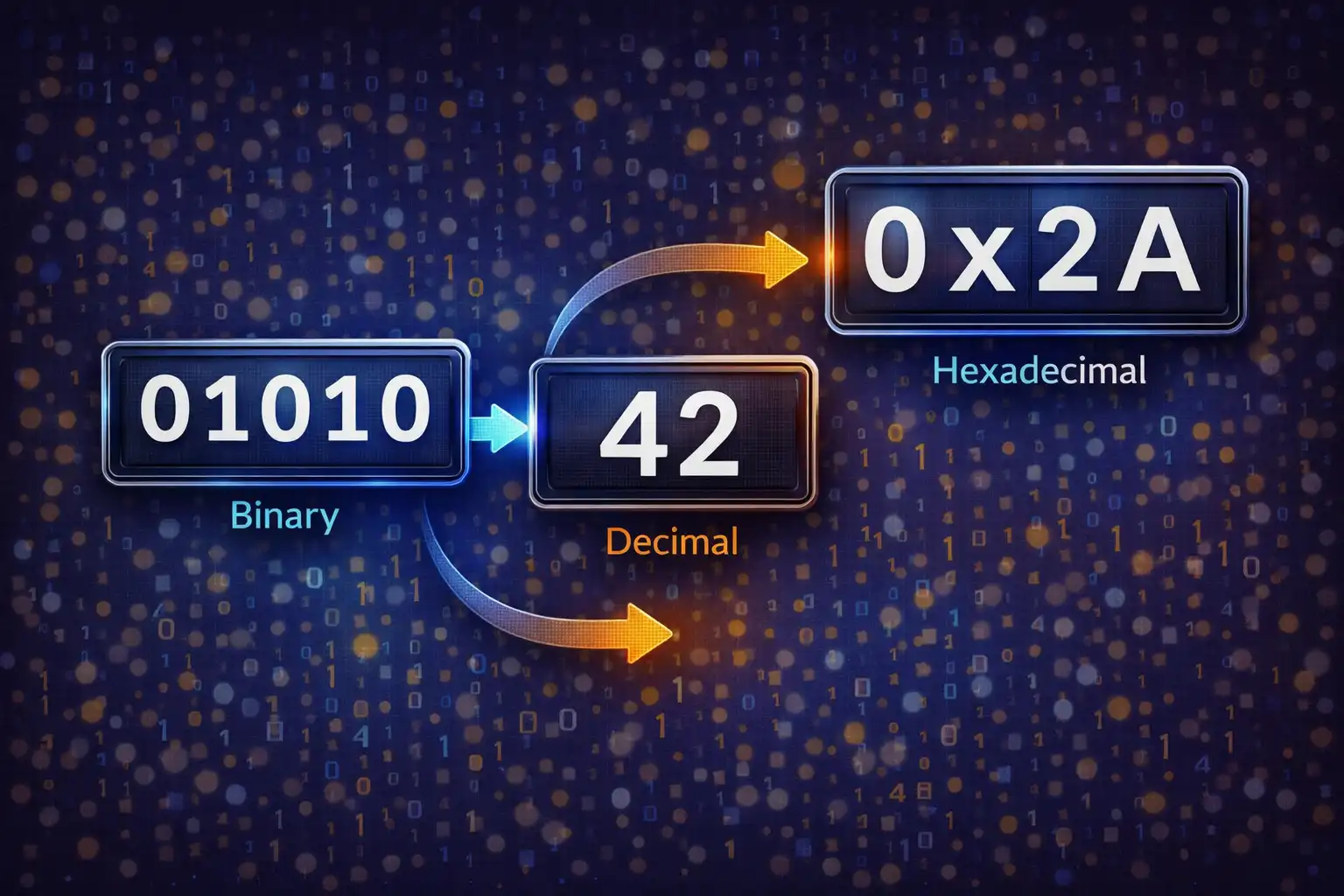
Table of Contents
- What Is BaseShift?
- 6 Number Bases Explained
- Why Number Bases Matter
- BigInt: Arbitrary Precision Without Overflow
- The Conversion Algorithm
- Bitwise Operations: AND, OR, XOR, NOT, Shift
- 8-Bit Visualization
- Text to Codes: Character Encoding
- The Complete ASCII Table
- Batch File Conversion with Auto-Detection
- Endian Swap & Digit Grouping
- Privacy: Zero Data Transmission
- vs. RapidTables, ConvertBinary & Programmer’s Calculator
- Frequently Asked Questions
- Conclusion
1. What Is BaseShift?
BaseShift is a browser-based number base converter that translates values between six number systems — Binary, Octal, Decimal, Hexadecimal, Base32, and Base64 — using JavaScript’s native BigInt type for arbitrary-precision arithmetic. It runs entirely on your device with zero data transmitted to any server.
The tool is organized into five panels, each addressing a different facet of number system work. The Single Converter panel handles one-to-all conversion across six bases with instant output. The Text ↔ Codes panel encodes and decodes text as numeric code points in any supported base. The Bitwise Operations panel computes AND, OR, XOR, NOT, left shift, and right shift with an interactive 8-bit visualization grid. The ASCII Table panel displays all 256 characters (0–255) with search, filtering, and multi-column detail. And the Batch File panel converts entire files of numbers between bases with automatic base detection.
BaseShift was built for a specific audience: developers debugging hex dumps, students learning binary arithmetic, network engineers reading subnet masks, embedded programmers working with register values, and anyone who needs to move between number systems quickly without trusting a third-party server with their data. Every conversion, every bitwise operation, and every file export happens inside your browser’s JavaScript engine.
2. 6 Number Bases Explained
A number base (or radix) defines how many unique digits are available to represent values in a positional numeral system. In base 10, you have digits 0–9. In base 2, you have only 0 and 1. BaseShift supports six bases, each with its own prefix convention and digit grouping.
Binary (Base-2)
Binary uses two symbols: 0 and 1. Each position represents a power of 2, reading right to left: 1, 2, 4, 8, 16, 32, and so on. The conventional prefix is 0b, so the decimal number 214 is written as 0b11010110. BaseShift groups binary output into 4-bit nibbles for readability: 1101 0110. Binary is the native language of digital logic — every transistor in your CPU is either on (1) or off (0).
Octal (Base-8)
Octal uses digits 0–7 and prefixes values with 0o. Each octal digit maps to exactly 3 binary bits, which made it popular on early computers with 12-bit, 24-bit, and 36-bit word sizes (all multiples of 3). The number 214 in octal is 0o326, and BaseShift groups octal output in 3-digit clusters. Octal survives today in Unix file permissions: chmod 755 sets rwxr-xr-x because 7 = 111, 5 = 101 in binary.
Decimal (Base-10)
Decimal is the base humans use daily, with digits 0–9. It has no prefix convention. BaseShift formats decimal output with 3-digit comma grouping (1,000,000) for large numbers. While natural for human reading, decimal has no clean mapping to binary bit boundaries, which is why programmers prefer hex or octal for low-level work.
Hexadecimal (Base-16)
Hexadecimal uses digits 0–9 and letters A–F (representing 10–15), prefixed with 0x. Each hex digit maps to exactly 4 binary bits — one nibble — making it the most compact human-readable representation of binary data. The byte value 214 is 0xD6: D = 1101, 6 = 0110, concatenated as 11010110. BaseShift outputs uppercase hex grouped in 4-digit clusters: 0000 00D6. Hex is ubiquitous in memory addresses, color codes (#FF5733), MAC addresses (AA:BB:CC:DD:EE:FF), and protocol dumps.
Base32
Base32 uses a 32-character alphabet: digits 0–9 and letters A–V, as defined in RFC 4648. Each character encodes 5 bits of data. Base32 is used in TOTP two-factor authentication secrets (Google Authenticator), Tor onion addresses (.onion v3 uses 56 Base32 characters), and file systems that are case-insensitive. BaseShift implements the standard RFC 4648 character set for encoding integer values into Base32 representation.
Base64
Base64 uses 64 characters: A–Z, a–z, 0–9, +, and /. Each character encodes 6 bits. It is the standard encoding for binary data in text contexts: email attachments (MIME), data URIs in HTML (data:image/png;base64,...), JSON Web Tokens (JWT), and API payloads. BaseShift converts integer values to their Base64 representation, complementing the text-oriented Base64 encoding available in other ZeroDataUpload tools.
3. Why Number Bases Matter
Number bases are not academic curiosities — they are the practical language of computing, networking, and digital engineering. Understanding when and why to use each base is fundamental to working with technology at any level below the surface.
Computer Science
Every value in a computer is stored as binary. When a developer reads a memory dump, it appears as hexadecimal because each hex digit compresses 4 bits into one character. A 64-bit memory address like 0x00007FFE3A2B4C80 would be 64 characters long in binary but only 16 in hex. Color values in CSS (#8B5CF6) are three hex bytes: R=8B (139), G=5C (92), B=F6 (246). Unicode code points are expressed in hex: U+1F600 is the grinning face emoji.
Networking
IPv4 addresses are four decimal octets (192.168.1.1), but subnet masks make more sense in binary: 255.255.255.0 is 11111111.11111111.11111111.00000000 — a clean 24-bit prefix. Network engineers think in binary when designing subnets. MAC addresses use hex (AA:BB:CC:DD:EE:FF). TCP flags are bit fields where each bit (SYN, ACK, FIN, RST) toggles a specific behavior, understood through binary and bitwise AND masking.
Embedded Systems
Microcontroller programmers constantly work in hex and binary. A GPIO register value like 0x3F means pins 0–5 are set high (binary 00111111). An SPI command byte of 0xA5 is 10100101 in binary — the individual bit positions carry specific meanings defined by the hardware datasheet. Debugging embedded firmware without fluency in hex-to-binary conversion is essentially impossible.
Cryptography and Security
Hash digests are displayed in hex (SHA-256 produces 64 hex characters = 256 bits). Encryption keys, initialization vectors, and nonces are all represented in hexadecimal. Certificate fingerprints, Bitcoin addresses, and Ethereum transaction hashes all use hex or Base58/Base64 encodings. Working in security means reading hex fluently.
4. BigInt: Arbitrary Precision Without Overflow
JavaScript’s standard Number type is a 64-bit IEEE 754 double-precision floating point value. It can represent integers exactly only up to 253 − 1, which is 9,007,199,254,740,991 (about 9 quadrillion). Beyond that limit, precision is silently lost:
9007199254740992 === 9007199254740993   // true (!)
// Both resolve to the same floating-point representation
This is catastrophic for a number base converter. A 64-bit memory address like 0xFFFFFFFFFFFFFFFF equals 18,446,744,073,709,551,615 in decimal — far beyond the safe integer limit. A SHA-256 hash interpreted as a single integer has 256 bits, which is a 78-digit decimal number. Converting these values using Number would produce silently wrong results.
BaseShift solves this by using JavaScript’s BigInt type throughout its entire conversion pipeline. BigInt is an arbitrary-precision integer type introduced in ES2020 that can represent integers of unlimited size without overflow or precision loss. A BigInt literal is written with an n suffix: 9007199254740993n is a valid, exact value.
BaseShift’s parseToBigInt() function implements left-to-right multiplication accumulation to convert any input string into a BigInt value:
// Simplified algorithm for parsing "D6" in base 16:
let result = 0n;
result = result * 16n + 13n;   // D = 13 → result = 13
result = result * 16n + 6n;    // 6 = 6  → result = 214
The function first strips recognized prefixes (0x, 0b, 0o), detects a negative sign if present, validates each character against the base’s allowed digit set, then accumulates the result digit by digit. For Base32 and Base64, each character is mapped to its numeric value (0–31 or 0–63) before accumulation. The result is a BigInt that can be losslessly converted to any other base, regardless of magnitude.
This means you can paste a 256-bit number into BaseShift and get a correct conversion across all six bases — something that most online converters (which use parseInt() or Number()) cannot do.
5. The Conversion Algorithm Explained
At its core, base conversion is the process of re-expressing a quantity in a different positional notation. Every number base uses the same fundamental principle: the value of a numeral is the sum of each digit multiplied by its positional weight (the base raised to the power of the digit’s position, counting from zero on the right).
Let’s trace a complete conversion of the hexadecimal value 0xD6 through BaseShift’s pipeline.
Step 1: Parse to BigInt (Hex → Internal)
The input 0xD6 is stripped of its 0x prefix, leaving D6. Each character is converted to its numeric value: D = 13, 6 = 6. The left-to-right accumulation proceeds:
result = 0n
result = 0n × 16n + 13n  = 13n     // process 'D'
result = 13n × 16n + 6n  = 214n    // process '6'
The internal BigInt value is 214n.
Step 2: Convert to Decimal (214)
BigInt natively converts to decimal via toString(10). The result is 214. With digit grouping enabled, this would remain 214 (grouping applies only to numbers of four or more digits).
Step 3: Convert to Binary (11010110)
The BigInt value 214n is converted via repeated division by 2, collecting remainders from least significant to most significant bit:
214 ÷ 2 = 107 remainder 0
107 ÷ 2 = 53  remainder 1
 53 ÷ 2 = 26  remainder 1
 26 ÷ 2 = 13  remainder 0
 13 ÷ 2 = 6   remainder 1
  6 ÷ 2 = 3   remainder 0
  3 ÷ 2 = 1   remainder 1
  1 ÷ 2 = 0   remainder 1
Reading the remainders bottom-to-top gives 11010110. With 4-bit grouping: 1101 0110.
Step 4: Convert to Octal (326)
The same division process with base 8: 214 ÷ 8 = 26 remainder 6, 26 ÷ 8 = 3 remainder 2, 3 ÷ 8 = 0 remainder 3. Reading bottom-to-top: 326. With 3-digit grouping: 326.
Step 5: Signed 32-bit Integer
BaseShift also displays the signed 32-bit integer interpretation. It computes BigInt(value) & 0xFFFFFFFFn to get the unsigned 32-bit value, then applies u32 | 0 (bitwise OR with zero) to reinterpret it as a signed 32-bit integer via two’s complement. For 214, the unsigned 32-bit value is 214, and 214 | 0 = 214 (positive, no sign change). For a value like 0xFFFFFFFF (4,294,967,295 unsigned), the signed interpretation is −1.
Step 6: ASCII/Unicode Character
If the value is within the Unicode range (0 to U+10FFFF, or 1,114,111 decimal), BaseShift displays the corresponding character using String.fromCodePoint(). For 214, the character is “Ö” (Latin capital O with diaeresis, U+00D6) — displayed alongside the code point notation.
6. Bitwise Operations: AND, OR, XOR, NOT, Shift
The Bitwise Operations panel accepts two inputs (A and B) and computes six fundamental bitwise operations. These operations work on the binary representation of numbers, manipulating individual bits — the lowest level of data in computing. BaseShift auto-detects the input format: values starting with 0x are parsed as hex, 0b as binary, 0o as octal, and unadorned numbers as decimal.
AND (&)
Bitwise AND compares each bit position of two operands. The result bit is 1 only if both input bits are 1. The truth table:
| A | B | A AND B |
|---|---|---|
| 0 | 0 | 0 |
| 0 | 1 | 0 |
| 1 | 0 | 0 |
| 1 | 1 | 1 |
Practical use — bit masking: To check if bit 3 of a register is set, AND the value with 0b00001000 (mask = 8). If the result is non-zero, bit 3 is high. This is how Unix file permissions are checked: mode & 0o100 tests the owner-execute bit. Network engineers use AND to compute network addresses: IP 192.168.1.100 AND mask 255.255.255.0 gives network 192.168.1.0.
OR (|)
Bitwise OR produces a 1 if either or both input bits are 1. It is used to set specific bits: flags | 0x04 sets bit 2 regardless of its previous state. Hardware initialization routines use OR to enable peripheral features in control registers without disturbing other bits.
XOR (^)
Exclusive OR produces a 1 only if the inputs differ. XOR has a remarkable property: it is its own inverse. A ^ B ^ B = A. This makes it invaluable in cryptography (one-time pads, stream ciphers), error detection (CRC checksums), and the classic swap-without-temporary-variable trick: a ^= b; b ^= a; a ^= b;. Graphics engines use XOR to draw and erase cursors without saving the background.
NOT (~)
Bitwise NOT inverts every bit. BaseShift implements 8-bit NOT: ~a & 0xFF, meaning it flips all 8 bits and discards higher bits. NOT 0b11010110 = 0b00101001 (214 becomes 41). NOT is used to create bitmask complements: if you know which bits to keep, NOT gives you the bits to clear.
Left Shift (<<)
Left shift moves all bits toward the most significant position by the number of places specified in B, filling vacated positions with zeros. 1 << 3 = 8 (binary: 0001 becomes 1000). Each left shift by one position multiplies the value by 2. This is used for fast multiplication by powers of two and for constructing bitmasks: 1 << n creates a mask with only bit n set.
Right Shift (>>)
Right shift moves bits toward the least significant position, discarding bits that fall off the right end. 8 >> 2 = 2 (binary: 1000 becomes 0010). Each right shift by one position divides by 2 (integer division, rounding down). Embedded systems use right shift to extract specific bit fields from packed register values: (register >> 4) & 0x0F extracts the upper nibble of a byte.
Every result in the Bitwise panel is simultaneously displayed in four representations: Decimal, Binary, Hexadecimal, and Octal — letting you see the same operation from every angle.
7. 8-Bit Visualization: See the Bits
Understanding bitwise operations by reading numbers is one thing. Seeing the bits is another. BaseShift’s bitwise panel includes an 8-bit visual grid that renders each operation’s result as a row of eight cells, one per bit, from MSB (bit 7) on the left to LSB (bit 0) on the right.
The renderBits() function converts the result to an 8-bit binary string, pads it with leading zeros if necessary, and generates a cell for each bit. Cells containing 1 receive the .on CSS class (highlighted, typically a bright accent color), while cells containing 0 receive the .off class (dimmed). A visual nibble separator appears between bit 4 and bit 3, splitting the byte into its upper and lower nibbles — the same boundary that separates the two hex digits of a byte.
For example, the result of 0xD6 AND 0x0F is 0x06 = 00000110. The grid shows:
[0][0][0][0] | [0][1][1][0]
 off off off off   off ON  ON  off
This makes it immediately obvious that AND with 0x0F zeroed out the upper nibble and preserved the lower nibble — a classic mask operation. For students learning bitwise logic, this visual feedback transforms abstract operations into something tangible and intuitive.
8. Text to Codes: Character Encoding Made Visual
The Text ↔ Codes panel bridges the gap between human-readable text and its numeric representation in any base. When you type a word or sentence, BaseShift converts each character to its Unicode code point and displays it in the selected output base.
Encoding: Text → Codes
The encodeText() function iterates through each character of the input string, calls codePointAt(0) to get the Unicode code point (a non-negative integer), and converts that integer to the selected base. The word “Hi” in hexadecimal becomes 48 69 (H = 72 = 0x48, i = 105 = 0x69). In binary, it becomes 01001000 01101001.
Crucially, BaseShift uses codePointAt() rather than charCodeAt(). The difference matters for characters outside the Basic Multilingual Plane (code points above U+FFFF), such as emoji and rare CJK ideographs. JavaScript strings use UTF-16 internally, where these characters are represented as surrogate pairs — two 16-bit code units. charCodeAt() returns individual surrogate values (meaningless numbers in the 0xD800–0xDFFF range), while codePointAt() correctly returns the full code point. The emoji 🚀 (rocket, U+1F680) has code point 128,640, which in hex is 1F680 — BaseShift handles this correctly.
Decoding: Codes → Text
The reverse operation parses space-separated numeric codes in the selected base, converts each to an integer, and reconstructs the text using String.fromCodePoint(). Pasting 48 65 6C 6C 6F with hexadecimal selected produces “Hello.” String.fromCodePoint() correctly handles values above U+FFFF, generating the appropriate surrogate pairs in the underlying UTF-16 string.
9. The Complete ASCII Table (256 Characters)
ASCII — the American Standard Code for Information Interchange — was first published in 1963 as ANSI standard X3.4, developed by a committee of the American Standards Association (now ANSI) with significant input from Bell Telephone Laboratories. It defined a 7-bit encoding for 128 characters: 33 non-printing control characters (codes 0–31 and 127) and 95 printable characters (codes 32–126, including space).
The 7-bit limitation was deliberate: telecommunications equipment of the 1960s reserved the eighth bit for parity checking (error detection). When 8-bit bytes became standard in the 1970s and 1980s, the upper half (codes 128–255) was used for various “extended ASCII” character sets — IBM Code Page 437 for DOS, ISO 8859-1 (Latin-1) for Western European languages, Windows-1252 for Windows — each defining different characters for the same code points. This fragmentation was eventually resolved by Unicode, but the original 128 ASCII characters remain the foundation of virtually every modern character encoding, including UTF-8.
BaseShift’s ASCII Table panel displays all 256 characters (0–255) in a six-column table:
| Column | Description | Example (code 65) |
|---|---|---|
| Dec | Decimal value | 65 |
| Hex | Hexadecimal value | 41 |
| Oct | Octal value | 101 |
| Binary | 8-bit binary value | 01000001 |
| Char | Rendered character | A |
| Description | Human-readable name | Latin Capital Letter A |
The 32 control characters (codes 0–31) are identified by their standard abbreviations: NUL (null), SOH (start of heading), STX (start of text), ETX (end of text), EOT (end of transmission), ENQ (enquiry), ACK (acknowledge), BEL (bell), BS (backspace), HT (horizontal tab), LF (line feed), VT (vertical tab), FF (form feed), CR (carriage return), and so on through US (unit separator) at code 31. Code 127 is DEL (delete). BaseShift also provides descriptive names for 30 punctuation and symbol characters — “Exclamation Mark” for ! (33), “Commercial At” for @ (64), “Tilde” for ~ (126).
Filtering and Search
The table supports four filter modes: All (0–255), Control (0–31 plus 127), Printable (32–126), and Extended (128–255). A real-time search field matches against all columns simultaneously — typing “tab” highlights the HT (horizontal tab) row, typing “41” highlights both decimal 41 (the “)” character) and hex 41 (the letter “A” at decimal 65). This dual-column matching is intentional and useful: it helps developers quickly resolve the common confusion between decimal and hex representations of the same byte.
10. Batch File Conversion with Auto-Detection
Converting numbers one at a time is fine for quick lookups. But when you have a file full of hex values that need to become decimal — a memory dump, a register trace, a CSV of sensor readings — you need batch conversion. BaseShift’s Batch File panel handles this.
Input Methods
The panel accepts .txt, .csv, and .tsv files via either drag-and-drop or a file browse button. Files are read entirely in the browser using the FileReader API with readAsText(). No data leaves your device.
Auto-Detection Algorithm
When a file is loaded, BaseShift attempts to automatically detect the number base of its contents. The algorithm samples the first 20 lines of the file and tests each line’s first value against a series of pattern checks:
- If values contain only
0and1and are 4+ characters long, the base is likely binary. - If values start with
0xor contain characters A–F, the base is likely hexadecimal. - If values start with
0oor contain only digits 0–7, the base is likely octal. - If values contain only digits 0–9, the base is likely decimal.
The user can override the auto-detected base before running the conversion.
CSV Column Handling
For CSV and TSV files, BaseShift converts only the first column (the one assumed to contain the numeric values) and preserves all remaining columns intact. If your CSV has columns for address, value, and description, only the address column is converted; the value and description columns pass through unchanged. This is critical for maintaining data integrity in structured files.
Output and Error Handling
The converted file is available for download as converted_base{N}.txt, where N is the target base (e.g., converted_base10.txt for decimal output). Lines that fail to parse — perhaps due to invalid characters or mixed bases — are included in the output with /* ERROR */ appended, so you can easily identify and fix problematic entries without losing your place in a large file.
11. Endian Swap & Digit Grouping
Endianness Explained
Endianness defines the byte order used to store multi-byte values in memory. The terms come from Jonathan Swift’s Gulliver’s Travels (1726), where two factions of Lilliputians wage war over which end of a boiled egg to crack first — a satirical commentary on trivial disputes that Danny Cohen applied to computer architecture in his 1980 paper “On Holy Wars and a Plea for Peace” (IEN 137).
Big-endian stores the most significant byte first (at the lowest memory address). The 32-bit value 0x0A0B0C0D is stored in memory as bytes 0A 0B 0C 0D, reading left to right. This is the byte order used by network protocols (TCP/IP), which is why it is also called network byte order. Motorola 68000 processors, IBM mainframes, and SPARC architectures use big-endian.
Little-endian stores the least significant byte first. The same value 0x0A0B0C0D is stored as 0D 0C 0B 0A. This is the byte order used by Intel x86 and x86-64 processors — meaning every PC, laptop, and most servers in the world. ARM processors are bi-endian (configurable) but typically run in little-endian mode on consumer devices.
BaseShift’s endian swap feature converts a value to hexadecimal, pads it to an even number of digits (so each byte is represented by exactly two hex characters), splits the string into 2-character byte pairs, reverses the order of those pairs, and re-interprets the result. For example:
Input:  0x0A0B0C0D
Hex:    0A 0B 0C 0D
Swap:   0D 0C 0B 0A
Result: 0x0D0C0B0A  (decimal: 219,902,218)
This is essential when reading binary file formats, network packet captures, or memory dumps from a system with different endianness than your own.
Digit Grouping
Large numbers are hard to read without visual separators. BaseShift’s groupString() function inserts separators from right to left based on the output base:
- Binary: 4-bit groups (
1101 0110 1010 0011) — each group is one hex digit - Decimal: 3-digit comma groups (
1,073,741,824) — standard human convention - Hexadecimal: 4-digit groups (
DEAD BEEF) — each group is a 16-bit word - Octal: 3-digit groups (
377 777 777 777)
Grouping is a display-only feature — it does not change the underlying value. It can be toggled on or off depending on whether you need human readability or a clean, separator-free string for pasting into code.
12. Privacy: Zero Data Transmission
BaseShift is part of the ZeroDataUpload platform, and the name is literal. Here is what it means in practice:
- No server processing. Every conversion algorithm —
parseToBigInt(), the bitwise operations, the ASCII table generation, the batch file parser — runs as client-side JavaScript. The page makes nofetch()orXMLHttpRequestcalls to any conversion API. - No data storage. There is no database, no session, no cookies that record your input. Numbers you convert exist only in the browser’s DOM and are discarded when you close the tab or navigate away.
- No authentication. There is no login, no account, no user profile. You open the page and start converting.
- Offline capable. Once the page loads, all five panels work without an internet connection. BigInt arithmetic is a browser-native feature that requires no external library or API.
- Inspectable source. Every line of JavaScript that touches your data is visible in the browser’s DevTools. There is no minified backend, no WebAssembly module, no third-party library phoning home.
This is particularly important when converting sensitive values — internal IP addresses, cryptographic keys, memory addresses from proprietary firmware, financial identifiers. With BaseShift, you do not have to trust anyone’s privacy policy because there is no one to trust. The conversion happens on your machine and stays on your machine.
13. BaseShift vs. RapidTables, ConvertBinary & Programmer’s Calculator
Several established tools offer number base conversion. Here is how they compare to BaseShift.
RapidTables (rapidtables.com)
RapidTables is a popular online conversion site with separate pages for binary-to-decimal, hex-to-decimal, and so on. The conversions are server-based: your input is sent to their backend, processed, and the result is returned. This means your data leaves your browser. RapidTables also displays heavy advertising (multiple ad blocks per page), splits each conversion pair onto its own page (navigating between them is tedious), and uses JavaScript’s Number type, limiting precision to 253. It has no bitwise operations panel, no ASCII table, no batch file conversion, and no BigInt support.
ConvertBinary (convertbinary.com)
ConvertBinary is a simpler tool focused on binary and text conversions. It converts text to binary and back, with some hex and decimal support. The interface is clean but limited: there is no Base32 or Base64, no bitwise operations, no 8-bit visualization, no ASCII table, no batch processing, and no support for numbers beyond JavaScript’s safe integer limit. Conversions appear to be client-side, which is good for privacy, but the feature set is narrow compared to BaseShift’s five panels.
Windows Calculator (Programmer Mode)
Windows 10 and 11 include a built-in Programmer mode in the Calculator app that converts between binary, octal, decimal, and hexadecimal. It supports bitwise operations and displays a bit grid. However, it is limited to 64-bit integers (no arbitrary precision), has no Base32 or Base64, no ASCII table, no text-to-codes conversion, no batch file processing, and is available only on Windows. It also cannot be bookmarked, shared, or used on mobile devices.
Where BaseShift Fits
BaseShift occupies a specific niche: it combines the breadth of a full conversion suite (six bases, bitwise ops, ASCII table, text encoding, batch files) with the precision of BigInt and the privacy guarantee of 100% client-side processing. It runs on any device with a modern browser — Windows, macOS, Linux, Android, iOS — and never sends your data anywhere. If you need a single tool that handles every common base conversion task without compromise, BaseShift is built for that.
14. Frequently Asked Questions
1. Is BaseShift free to use?
Yes, completely free. There is no premium tier, no usage limits, and no account required. You open the page and start converting immediately.
2. Does my data get sent to a server?
No. Every conversion, bitwise operation, and file processing task runs as client-side JavaScript in your browser. Your data never leaves your device. You can verify this by opening the Network tab in DevTools — no API requests are made when you convert.
3. What is the largest number BaseShift can handle?
There is no practical limit. BaseShift uses JavaScript’s BigInt type, which supports arbitrary-precision integers. You can convert 256-bit numbers, 512-bit numbers, or even larger values without overflow or precision loss. The only constraint is your browser’s available memory.
4. Why does BaseShift show a signed 32-bit integer value?
Many programming contexts (C/C++ int, Java int, register values) use 32-bit signed integers. BaseShift shows this interpretation so you can quickly see how a hex value like 0xFFFFFFFF maps to −1 in two’s complement, or how 0x80000000 maps to −2,147,483,648 (the minimum 32-bit signed value).
5. What is the difference between Base32 and Base64?
Base32 uses 32 characters (0–9, A–V) and encodes 5 bits per character. Base64 uses 64 characters (A–Z, a–z, 0–9, +, /) and encodes 6 bits per character. Base64 is more space-efficient (fewer characters for the same data) but is case-sensitive. Base32 is case-insensitive and avoids visually ambiguous characters, making it better for human-readable contexts like TOTP secrets and onion addresses.
6. How does the bitwise NOT operation work in BaseShift?
BaseShift implements 8-bit NOT: it inverts all bits and masks the result with 0xFF to keep only the lowest 8 bits. So NOT 214 (11010110) gives 41 (00101001). This 8-bit scope matches the visual grid and is the most intuitive representation for learning bitwise logic.
7. Can I convert entire files of numbers?
Yes. The Batch File panel accepts .txt, .csv, and .tsv files. BaseShift auto-detects the input base by sampling the first 20 lines, converts the first column of each line to the target base, preserves remaining CSV columns, and lets you download the result. Lines that fail to parse are marked with /* ERROR */.
8. What does the endian swap feature do?
Endian swap reverses the byte order of a value. The hex value 0x0A0B0C0D becomes 0x0D0C0B0A. This is essential when working across architectures: Intel x86 uses little-endian byte order while network protocols (TCP/IP) use big-endian. If you are reading a packet capture or binary file from a different-endian system, the swap converts the value to your native byte order.
9. Does BaseShift support negative numbers?
Yes. BaseShift detects a negative sign prefix and handles it throughout the conversion pipeline. The value -214 converts correctly across all bases with the sign preserved. The signed 32-bit integer display also correctly interprets values in two’s complement notation.
10. Can I use BaseShift offline?
Yes. Once the page has loaded in your browser, all five panels — Single Converter, Text ↔ Codes, Bitwise Operations, ASCII Table, and Batch File — work without an internet connection. BigInt, bitwise operators, and the FileReader API are all built-in browser features that require no external resources.
15. Conclusion
Number base conversion sits at the foundation of computing. Every memory address, every register value, every network packet, every color code, and every cryptographic hash is ultimately a number expressed in a particular base. Moving fluently between binary, octal, decimal, hexadecimal, Base32, and Base64 is not a niche skill — it is a daily necessity for developers, engineers, students, and security professionals.
BaseShift brings all of these conversions together in a single browser-based tool with five focused panels. The Single Converter handles one-to-all base translation with BigInt precision that goes far beyond JavaScript’s 253 safe integer limit. The Bitwise Operations panel computes AND, OR, XOR, NOT, and shifts with an 8-bit visual grid that makes abstract logic tangible. The Text ↔ Codes panel encodes and decodes Unicode characters in any base. The ASCII Table panel provides a searchable, filterable reference for all 256 characters. And the Batch File panel converts entire files with auto-detection and error handling.
Everything runs client-side. No server sees your data. No account is required. No installation is needed. You open the page in any modern browser and start converting — whether you are debugging a hex dump at 2 AM, teaching a student how binary works, reading a firmware register map, or checking the endianness of a network packet capture.
Related Articles

Published: March 26, 2026