CipherBox
15 text encodings with Morse audio playback — Binary, Braille, NATO, ROT13, Caesar, Atbash & more
Launch CipherBox →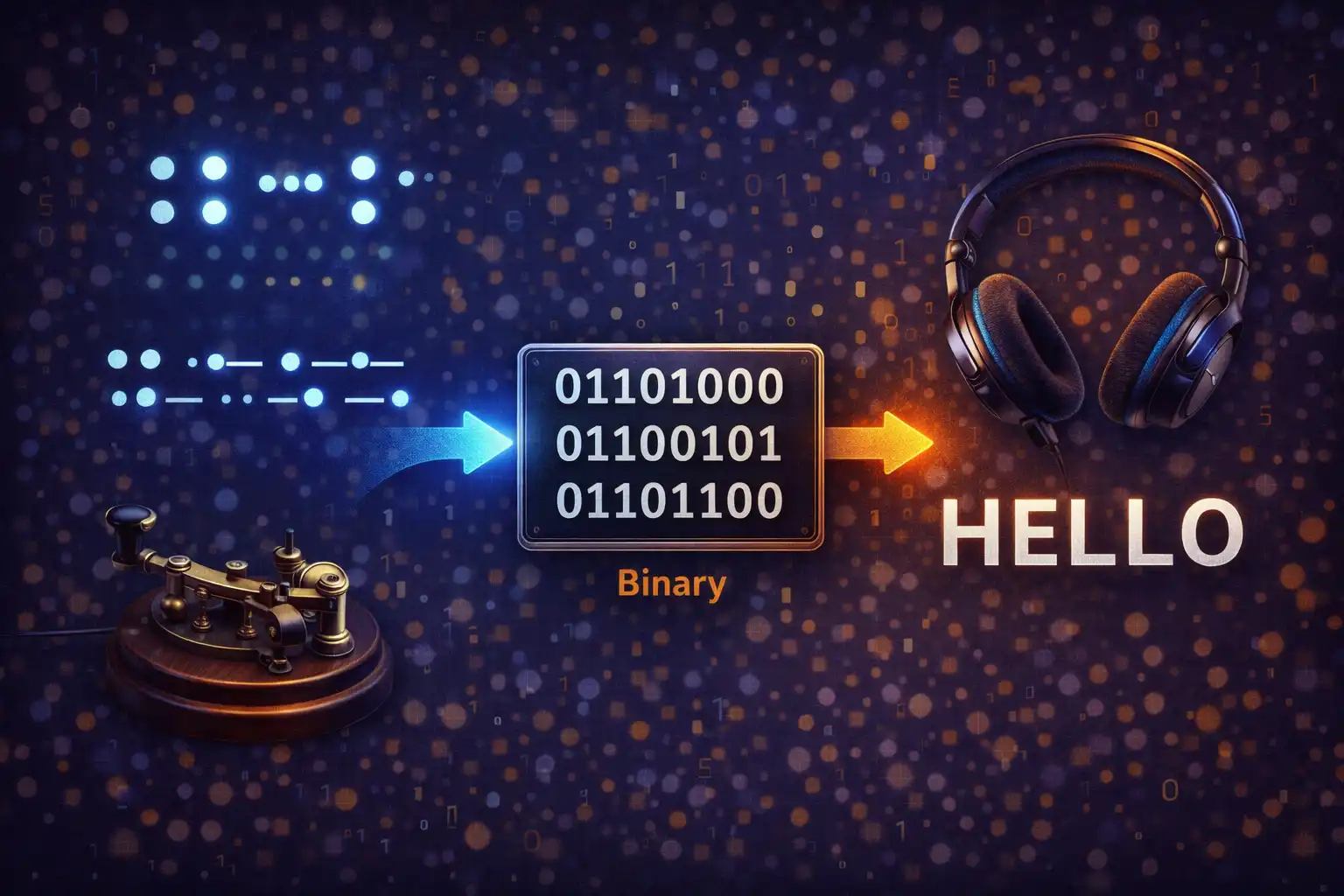
Table of Contents
Overview
CipherBox is a text encoding converter that supports 15 distinct encoding formats, from classical ciphers rooted in ancient history to modern computing standards. It converts text bidirectionally and in real time — every keystroke triggers an instant conversion between any two of its supported formats. The tool includes a full Morse code audio synthesizer built on the Web Audio API, producing a 600Hz sine wave with precise international timing standards and adjustable speed from 5 to 30 words per minute.
Every encoding in CipherBox operates as a pure JavaScript string operation running entirely in your browser. There are no external libraries, no server calls, and no data transmission of any kind. The tool handles 57 Morse characters (A–Z, 0–9, and 21 punctuation marks), Grade 1 literary Braille using Unicode Patterns from the U+2800 block, the complete NATO phonetic alphabet with correct military pronunciation (including “Niner” instead of “Nine”), three classical ciphers with deep historical roots (ROT13, Caesar, and Atbash), and modern encodings like Base64, Hexadecimal, and Octal.
CipherBox also includes a collapsible encoding reference table that displays A–Z and 0–9 across five encoding columns (Morse, Binary, Braille, NATO, A1Z26), file upload support for seven text formats up to 2MB, clipboard integration with paste and copy functionality, and a download option for saving encoded output as a .txt file. Whether you are learning about historical ciphers, encoding messages for a puzzle, or converting data formats for a project, CipherBox provides every tool you need in a single, zero-dependency interface.
All 15 Encodings Explained
1. Morse Code
Morse code was developed in the 1830s by Samuel Morse and Alfred Vail for use with the electric telegraph, fundamentally transforming long-distance communication. CipherBox supports the full International Morse Code standard with 57 characters: 26 letters (A–Z), 10 digits (0–9), and 21 punctuation marks. Each character is represented as a sequence of dots (.) and dashes (-), where a dash is three times the duration of a dot. Letter gaps are three dot-lengths, and word gaps are seven dot-lengths. CipherBox includes full audio synthesis for Morse output — a 600Hz sine wave generated through the Web Audio API with precise timing control and adjustable speed from 5 to 30 WPM. See the Morse Audio Pipeline section below for the complete technical breakdown.
2. Binary
Binary encoding converts each character to its 8-bit UTF-8 representation, producing space-separated byte strings like 01001000 01100101 for “He”. CipherBox uses the TextEncoder API for encoding and TextDecoder for decoding, ensuring correct handling of the full UTF-8 character set. Each byte is zero-padded to exactly 8 bits using toString(2).padStart(8, '0'). Binary is the fundamental language of all computing — every file, every instruction, and every piece of data on your computer ultimately reduces to sequences of zeros and ones.
3. Braille
Louis Braille invented the Braille writing system in 1824 at age 15, while a student at the Royal Institute for Blind Youth in Paris. CipherBox implements Grade 1 (literary) Braille using Unicode Braille Patterns from the U+2800 to U+28FF block. This is uncontracted Braille, meaning each letter maps to a single Braille cell without abbreviations. Numbers require the Braille number indicator prefix ⠼ (dots 3-4-5-6), which signals that the following characters should be interpreted as digits rather than letters. CipherBox supports 26 letters, 10 digits, and 13 punctuation marks. The decoder uses a two-pass approach to correctly handle multi-character patterns like the number prefix, scanning ahead to determine whether a Braille cell represents a letter or a digit based on context.
4. NATO Phonetic Alphabet
The NATO phonetic alphabet was formally adopted in 1956 by NATO and the International Civil Aviation Organization (ICAO) after extensive testing across speakers of dozens of languages. It assigns code words to each letter to prevent confusion during voice communication — Alpha, Bravo, Charlie through Zulu. CipherBox maps all 26 letters and 10 digits, using the standard military digit pronunciations: Zero, One, Two, Three, Four, Five, Six, Seven, Eight, and notably “Niner” instead of “Nine.” The substitution of “Niner” prevents radio confusion with “Five,” which sounds similar in noisy or distorted transmissions. Spaces between words are encoded as forward slashes (/). Decoding is case-insensitive, matching each code word back to its corresponding character.
5. ROT13
ROT13 is a Caesar cipher with a fixed shift of 13 positions, making it self-inverse — applying ROT13 twice returns the original text. The algorithm is simple: (charCode - base + 13) % 26 + base, where base is 65 for uppercase or 97 for lowercase. It preserves letter case and leaves non-alphabetic characters unchanged. ROT13 gained widespread popularity on Usenet in the 1980s as a way to obscure spoilers, puzzle answers, and potentially offensive jokes. It is explicitly not encryption — anyone who recognizes ROT13 output can decode it instantly. CipherBox includes it as both a standalone encoding and as an educational stepping stone to understanding the Caesar cipher.
6. Caesar Cipher
The Caesar cipher is one of the oldest known encryption techniques, used by Julius Caesar around 58 BC to protect military correspondence during the Gallic Wars. According to Suetonius, Caesar used a shift of 3, replacing each letter with the one three positions later in the alphabet (A becomes D, B becomes E, and so on). CipherBox implements the Caesar cipher with a configurable shift value from 0 to 25, controlled by a UI slider that appears when the Caesar encoding is selected. Encoding shifts each letter forward by the chosen amount, while decoding shifts backward by 26 - shift. Like ROT13, the operation is case-preserving and leaves non-alphabetic characters untouched. When the shift is set to 13, the Caesar cipher becomes identical to ROT13.
7. Atbash
The Atbash cipher is an ancient Hebrew substitution cipher that reverses the alphabet: A maps to Z, B maps to Y, C maps to X, and so on. Its name derives from the first, last, second, and second-to-last letters of the Hebrew alphabet (Aleph-Tav-Beth-Shin). The cipher appears in the Hebrew Bible, notably in the Book of Jeremiah, where “Sheshach” is an Atbash encoding of “Babel” (Babylon). The algorithm is base + 25 - (charCode - base), which maps each letter to its mirror position in the alphabet. Like ROT13, Atbash is self-inverse — encoding and decoding are the same operation. CipherBox preserves letter case and passes non-alphabetic characters through unchanged.
8. A1Z26
A1Z26 is a simple letter-to-number cipher where A=1, B=2, C=3, and so on through Z=26. CipherBox formats the output with dashes separating numbers within a word and forward slashes separating words, producing output like 3-1-20 / 4-15-7 for “cat dog.” The decoder validates that each number falls within the 1–26 range, rejecting invalid values. A1Z26 is frequently used in geocaching puzzles, escape rooms, and educational settings as an introduction to substitution ciphers. It is also known as the “letter number code” or “alphabet number cipher.”
9. Reverse
The Reverse encoding simply reverses the entire input string. CipherBox implements this using the JavaScript spread operator for full Unicode safety: [...input].reverse().join(''). The spread operator correctly handles multi-byte Unicode characters (such as emojis and characters outside the Basic Multilingual Plane) that would be incorrectly split by a naive split('') approach. Reverse is self-inverse — reversing a reversed string returns the original. While trivial in concept, it serves as a quick obfuscation method and is a component in more complex encoding schemes like the Upside Down transformation.
10. Upside Down
The Upside Down encoding flips text so it appears to be read from an inverted orientation. CipherBox maps 76 character pairs to their visual inverses: A becomes ɐ, B becomes q, C becomes ɔ, and so on, including digits (6 swaps with 9, 1 becomes Ɩ) and punctuation (? becomes ¿, ! becomes ¡). After character substitution, the entire string is reversed so the text reads correctly when the screen is flipped upside down. The mapping uses Unicode characters from multiple blocks, including Latin Extended, IPA Extensions, and various symbol ranges to find the closest visual match for each rotated character.
11. Pig Latin
Pig Latin is a language game with rules that vary by dialect; CipherBox implements the most common North American variant. The rules are: if a word begins with a vowel (a, e, i, o, u), append “way” (so “apple” becomes “appleway”); if a word begins with one or more consonants, move the entire initial consonant cluster to the end and append “ay” (so “string” becomes “ingstray”). CipherBox recognizes 35 valid English consonant clusters, sorted from longest to shortest for greedy matching: three-letter clusters like “chr,” “phr,” “sch,” “scr,” “shr,” “spl,” “spr,” “squ,” “str,” and “thr” are checked before two-letter clusters like “bl,” “br,” “ch,” “cl,” “cr,” “dr,” “fl,” “fr,” “gl,” “gr,” “kn,” “ph,” “pl,” “pr,” “qu,” “sc,” “sh,” “sk,” “sl,” “sm,” “sn,” “sp,” “st,” “sw,” “th,” “tr,” “tw,” “wh,” and “wr.” This longest-first approach ensures “str” is matched as a single cluster in “string” rather than splitting into “s” + “tring.” The encoder preserves the case of the original word and handles trailing punctuation by stripping it before transformation and reattaching it afterward.
12. Base64
Base64 is the standard encoding defined in RFC 4648 for representing binary data as ASCII text using a 64-character alphabet (A–Z, a–z, 0–9, +, /) with = padding. CipherBox encodes using btoa(unescape(encodeURIComponent(input))), a pipeline that first converts the JavaScript string to UTF-8 byte sequences via encodeURIComponent, then decodes the percent-encoding with unescape to produce a byte string suitable for btoa. Decoding uses the inverse atob function with error handling for invalid Base64 input. Base64 is ubiquitous in web development for embedding images in CSS, encoding email attachments (MIME), and transmitting binary data in JSON APIs.
13. Hexadecimal
Hexadecimal (base-16) encoding converts each character to its Unicode code point expressed as a two-digit uppercase hex string, space-separated. CipherBox uses charCodeAt(0).toString(16).toUpperCase().padStart(2, '0') for encoding, ensuring consistent two-character output for all ASCII values. The decoder strips any 0x prefix, splits on spaces, and parses each token with parseInt(tok, 16). Invalid hex tokens produce a ? placeholder rather than crashing the conversion. Hexadecimal is fundamental in computing — it is used for memory addresses, color codes (#FF5733), MAC addresses, and byte-level data inspection in hex editors.
14. Octal
Octal (base-8) encoding converts each character to its Unicode code point in base 8, zero-padded to three digits and space-separated. CipherBox encodes using charCodeAt(0).toString(8).padStart(3, '0') and decodes by parsing each space-separated token with parseInt(tok, 8). Octal has historical significance in computing — it was the preferred number base for early systems like the PDP-8 and is still used today in Unix file permissions (e.g., chmod 755) and C/JavaScript string escape sequences (\077).
15. Plain Text
The Plain Text encoding is a pass-through mode that performs no conversion. It outputs the input text exactly as entered. This serves as the default output format and is useful as a baseline when comparing how the same text appears across different encodings. It also acts as the “identity” encoding, making the swap feature behave predictably when one side is set to Plain Text.
Morse Code Audio Pipeline
CipherBox includes a complete Morse code audio synthesizer built entirely on the Web Audio API, with no external audio libraries or pre-recorded sound files. The audio pipeline creates a 600Hz sine wave with precise timing based on international Morse code standards and a smooth gain envelope to prevent audible clicking artifacts.
Audio Architecture
Each playback session creates a fresh AudioContext instance, closing any previously active context to prevent resource leaks. The audio graph consists of two nodes: an OscillatorNode configured as a sine wave at 600Hz (the standard Morse code practice frequency), connected to a GainNode that controls the amplitude envelope. The GainNode output connects directly to the AudioContext.destination (the user's speakers or headphones).
Timing Calculations
All timing derives from a single value: the dot length, calculated as dotLen = 1.2 / WPM seconds, where WPM is the words-per-minute speed set by the UI slider (range 5–30, default 15). At 15 WPM, one dot lasts 80 milliseconds. From this base unit, all other durations follow the international standard: a dash is 3 × dotLen, the gap between symbols within a letter is 1 × dotLen, the gap between letters is 3 × dotLen, and the gap between words is 7 × dotLen. This ensures that Morse timing scales proportionally at any speed setting.
Gain Envelope
To prevent the hard clicks that occur when a sine wave starts or stops abruptly, CipherBox applies a 5-millisecond fade envelope to each tone. The GainNode ramps from 0 to 0.4 over the first 5ms using linearRampToValueAtTime(0.4, time + 0.005), sustains at 0.4 for the tone duration, then ramps back to 0 over the final 5ms using linearRampToValueAtTime(0, time + duration - 0.005). The 0.4 amplitude (40% of maximum) provides a comfortable listening volume without distortion.
Timeline Scheduling
Playback begins at ctx.currentTime + 0.05 (a 50ms initial delay to allow the AudioContext to stabilize). The scheduler iterates through each character of the Morse string: a . schedules a tone of dotLen duration, a - schedules a tone of 3 × dotLen, a space between Morse characters adds a letter gap minus the symbol gap already elapsed, and a / (word separator) adds a word gap minus the letter gap. The total playback duration is calculated during scheduling, and a setTimeout callback stops the oscillator and closes the AudioContext after the final tone completes.
Playback Controls
An isMorsePlaying flag prevents double-play if the user clicks the Play button while audio is already running. The Play button toggles between a ▶ (play) and ❚❚ (pause) icon to indicate state. The Stop button (■) immediately closes the AudioContext, halting playback and resetting the UI. A new AudioContext is created from scratch for each subsequent playback, ensuring clean state without audio artifacts from prior sessions.
Key Features
15 Text Encodings
Morse Code, Binary, Braille, NATO Phonetic, ROT13, Caesar, Atbash, A1Z26, Reverse, Upside Down, Pig Latin, Base64, Hexadecimal, Octal, and Plain Text — all in one tool with instant conversion.
Morse Code Audio
600Hz sine wave synthesized via the Web Audio API using an OscillatorNode and GainNode with a 5ms fade envelope. Adjustable speed from 5 to 30 WPM with international Morse timing standards.
Braille Unicode Patterns
Grade 1 literary Braille from the Unicode U+2800 block. Numbers use the ⠼ prefix indicator, and the two-pass decoder correctly handles multi-character patterns in context.
Classical Ciphers
ROT13 (self-inverse, popularized on Usenet in the 1980s), Caesar (variable 0–25 shift, used by Julius Caesar circa 58 BC), and Atbash (Hebrew reverse alphabet from the Book of Jeremiah).
Pig Latin Engine
Recognizes 35 valid English consonant clusters with longest-first greedy matching. Case-preserving transformation with punctuation-aware decode heuristics for accurate round-trip conversion.
Encoding Reference Table
A–Z and 0–9 displayed across Morse, Binary, Braille, NATO, and A1Z26 columns. Collapsible panel with 400px max-height scroll and row hover highlights for quick lookup.
Real-Time Bidirectional
Every keystroke triggers instant conversion with no debounce delay. The swap button exchanges both the selected formats and the text content simultaneously for true bidirectional workflow.
File Upload & Download
Upload text files in 7 formats (.txt, .csv, .json, .md, .html, .xml, .log) up to 2MB. Copy output to clipboard with Clipboard API fallback, or download as a named .txt file.
How to Use
- Open CipherBox — The tool loads in text mode immediately with Plain Text as the default input encoding. No account, installation, or configuration is required. The interface is ready for instant use.
- Select your input and output encodings — Choose your source format (e.g., “Text”) from the left dropdown and your target format (e.g., “Morse Code”) from the right dropdown. All 15 encodings are available in both directions.
- Type or paste your text — Conversion happens instantly on every keystroke with no delay. You can also paste text from your clipboard using Ctrl+V (or Cmd+V on Mac), or use the paste button in the input area.
- Play Morse audio — When the output encoding is set to Morse Code, use the Play button (▶) to hear the Morse sequence as a 600Hz tone. Adjust the WPM speed slider between 5 and 30 to control playback speed. Click Stop (■) to halt playback at any time.
- Swap direction — Click the Swap button (⇄) to reverse the conversion direction. Both the encoding format selections and the text content are exchanged simultaneously, so your previous output becomes the new input.
- Explore the Reference Table — Click the “📖 Encoding Reference Table” toggle to expand a scrollable panel showing all 36 characters (A–Z, 0–9) across five encoding columns: Morse, Binary, Braille, NATO, and A1Z26. Hover over any row for accent-colored highlighting.
- Export your results — Copy the output to your clipboard with the Copy button, download it as a
cipherbox-{format}-output.txtfile, or upload a text file (.txt, .csv, .json, .md, .html, .xml, or .log, up to 2MB) for batch encoding of larger content.
Frequently Asked Questions
OscillatorNode set to a 600Hz sine wave, connected to a GainNode that applies a 5ms fade-in/fade-out envelope (ramping from 0 to 0.4 amplitude and back) to prevent clicking artifacts. Timing follows the international standard: a dot lasts 1.2 / WPM seconds, a dash is three times that duration, letter gaps are three dot-lengths, and word gaps are seven dot-lengths. The speed slider lets you adjust playback from 5 to 30 WPM (default 15). A fresh AudioContext is created for each playback session to ensure clean audio state..txt, .csv, .json, .md, .html, .xml, and .log. The maximum file size is 2MB. Files are read using the FileReader.readAsText() API as UTF-8, and the file contents are loaded into the input text area for immediate conversion. This is useful for encoding entire documents, log files, data exports, or any large block of text without manual copy-paste. The output can then be copied to the clipboard or downloaded as a .txt file.Privacy & Security
CipherBox processes text using pure JavaScript string operations — character mapping, bitwise conversions, and Audio API synthesis. No text content, encoded output, or audio data is ever transmitted to any server. The only browser APIs used are the Web Audio API (for Morse playback), the Clipboard API (for copy/paste), and the FileReader API (for file upload). Your messages, codes, and ciphers remain entirely on your device. There are no external libraries, no tracking of input content, and no server-side processing of any kind. CipherBox embodies the zero-data-upload principle: everything happens locally, everything stays local.
Ready to encode, decode, and listen? CipherBox is free, private, and runs entirely in your browser.
Launch CipherBox →Related

Last Updated: March 26, 2026