CodeForge: Convert Between JSON, XML, CSV, YAML & 15 More Formats
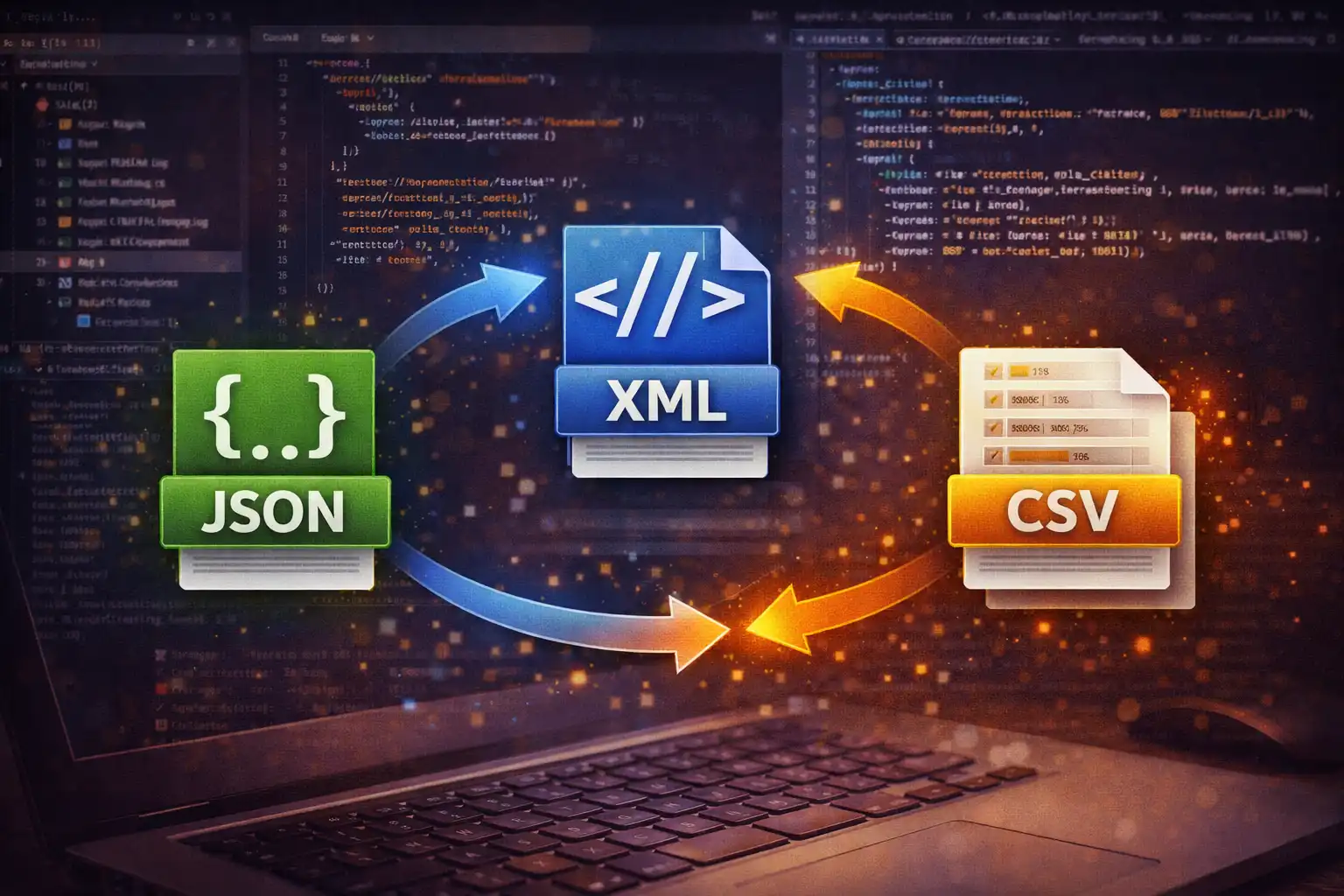
Table of Contents
- What Is CodeForge?
- All 19 Supported Formats
- Structured Data: JSON, XML, CSV, YAML, TOML & TSV
- Markup Conversions: Markdown & HTML
- Database Integration: SQL INSERT Statements
- Text Encoding: Base64, Hex, Binary, Morse & More
- JSON Minification & Pretty-Printing
- Under the Hood: 4 Parsing Libraries
- File Upload & Auto-Detection
- Developer Workflows & Use Cases
- Privacy: Zero Server Contact
- CodeForge vs. Online Alternatives
- Frequently Asked Questions
- Conclusion
Every developer, data analyst, and system administrator hits the same wall: data arrives in one format, and you need it in another. A REST API returns JSON but your reporting tool wants CSV. Your configuration management expects YAML but the vendor documentation only shows TOML. A legacy database export produces SQL INSERT statements but your analytics pipeline ingests JSON. CodeForge is a universal code and data format converter that handles all of these conversions — and dozens more — entirely in your browser, with no server contact and no data uploads.
1. What Is CodeForge?
CodeForge is the code and data format converter on ZeroDataUpload. It supports 19 distinct formats and over 100 conversion paths between them, making it one of the most comprehensive format converters available anywhere. It converts structured data formats like JSON, XML, CSV, YAML, and TOML; markup languages like Markdown and HTML; database statements like SQL INSERT; and encoding schemes like Base64, Hexadecimal, Binary, Octal, ASCII Codes, Morse Code, URL Encoding, and HTML Entities.
What separates CodeForge from the dozens of single-purpose converters scattered across the internet is its unified interface and its architecture. Instead of opening one tab for JSON-to-XML, another for CSV-to-SQL, and a third for Markdown-to-HTML, you use a single tool with dropdown selectors for source and target formats. Select your input format, select your output format, paste or upload your data, and the conversion happens instantly. Under the hood, CodeForge uses four battle-tested open-source libraries — js-yaml, marked, PapaParse, and Turndown — combined with custom parsers for formats like TOML, SQL INSERT, and Morse Code.
Every conversion runs 100% client-side in your browser's JavaScript engine. Your data never leaves your device, which makes CodeForge safe for converting API keys, database credentials, proprietary configuration files, and any other sensitive data you would not want passing through a third-party server.
2. All 19 Supported Formats
CodeForge handles 19 formats organized into four logical categories:
Structured Data Formats
- JSON — JavaScript Object Notation. The dominant data interchange format for web APIs, configuration files, and NoSQL databases.
- XML — Extensible Markup Language. Used in SOAP APIs, RSS feeds, SVG graphics, Android layouts, and enterprise integrations.
- CSV — Comma-Separated Values. The universal tabular data format for spreadsheets, database imports, and data analysis.
- TSV — Tab-Separated Values. Preferred for datasets containing commas in field values, common in bioinformatics and linguistics.
- YAML — YAML Ain't Markup Language. The configuration format of choice for Kubernetes, Docker Compose, Ansible, and GitHub Actions.
- TOML — Tom's Obvious Minimal Language. Used by Rust's Cargo, Python's pyproject.toml, Hugo, and Netlify.
Markup & Document Formats
- Markdown — Lightweight markup for documentation, READMEs, technical writing, and static site content.
- HTML — HyperText Markup Language. The rendered output of web content.
- SQL INSERT — Database insertion statements. Used for seeding databases, migrations, and data portability.
- Plain Text — Unformatted text content.
Encoding Formats
- Base64 — Binary-to-text encoding used in email attachments, data URIs, and JWT tokens.
- URL Encoded — Percent-encoding for safe URL transmission of special characters.
- HTML Entities — Character entity references for safe embedding of special characters in HTML.
Numeric & Signal Encodings
- Hexadecimal — Base-16 representation used in color codes, memory addresses, and binary file inspection.
- Binary — Base-2 representation used in networking, bitwise operations, and low-level computing.
- Octal — Base-8 representation used in Unix file permissions and some legacy systems.
- ASCII Codes — Decimal character code representation for examining and debugging text encoding.
- Morse Code — Dot-dash telegraph encoding with a 37-character map covering A-Z, 0-9, and punctuation.
- JSON Minified — Whitespace-stripped JSON for production payloads and reduced bandwidth.
3. Structured Data: JSON, XML, CSV, YAML, TOML & TSV
The structured data conversions are the heart of CodeForge, and they involve the most sophisticated parsing logic. These formats represent data in fundamentally different ways — JSON uses nested objects and arrays, XML uses a tree of tagged elements with attributes, CSV uses flat rows and columns, YAML uses indentation-based hierarchy, and TOML uses section headers with key-value pairs. Converting between them requires intelligent decisions about how to flatten, nest, map, and transform data structures.
JSON to XML uses a recursive descent algorithm that walks the JSON object tree and generates corresponding XML elements. Object keys become element tag names, and the algorithm sanitizes keys to produce valid XML tags — removing spaces, replacing special characters, and ensuring tag names start with a letter or underscore. Arrays produce repeated sibling elements. The entire output is wrapped in a <root> container element. Here is a concrete example:
// JSON Input
{
  "user": {
    "name": "Alice",
    "roles": ["admin", "editor"],
    "address": {
      "city": "Mumbai",
      "zip": "400001"
    }
  }
}

// XML Output
<root>
  <user>
    <name>Alice</name>
    <roles>admin</roles>
    <roles>editor</roles>
    <address>
      <city>Mumbai</city>
      <zip>400001</zip>
    </address>
  </user>
</root>
XML to JSON uses the browser's native DOMParser to parse XML into a DOM tree, then walks the tree to build a JSON object. Attributes are preserved with an @ prefix convention — for example, an XML element <item id="5"> becomes {"@id": "5"} in JSON. When the parser encounters multiple sibling elements with the same tag name, it automatically converts them into a JSON array, preventing data loss from duplicate keys.
JSON/XML to CSV requires flattening nested structures into a two-dimensional table. CodeForge uses dot-notation flattening for nested objects: a JSON path like user.address.city becomes a column header user.address.city. Arrays of objects become rows. This approach preserves the full hierarchy in column names while producing valid tabular output that spreadsheet applications and data analysis tools can ingest directly.
CSV parsing is handled by PapaParse, which implements full RFC 4180 compliance. This means it correctly handles quoted fields containing commas ("New York, NY"), escaped double quotes within quoted fields ("She said ""hello"""), newlines embedded within quoted fields, and various line ending styles (CRLF, LF, CR). PapaParse also provides automatic type detection, recognizing numbers and booleans within CSV cells.
YAML conversion uses the js-yaml library (version 4.1.0), which implements the full YAML 1.2 specification. It handles multi-line strings with | (literal) and > (folded) block scalars, anchors and aliases for data deduplication, flow collections, tagged values, and all YAML's type inference rules — including the often-surprising treatment of bare words like yes, no, on, and off as booleans.
TOML conversion uses a custom line-by-line parser built into CodeForge. It processes section headers (both [section] and nested [section.subsection] forms), key-value pairs with automatic type inference for strings, integers, floats, booleans, and dates, and inline tables. The parser reads each line sequentially, maintains the current section context, and builds a nested JavaScript object that mirrors TOML's hierarchical structure.
Not all conversions are direct. CodeForge uses JSON as an intermediate representation for many paths. For example, CSV-to-YAML first parses CSV into JSON (via PapaParse), then serializes JSON to YAML (via js-yaml). This means any format that can be converted to JSON can be converted to any format that can be produced from JSON. The full chain is: CSV/TSV/XML/TOML/SQL INSERT → JSON → CSV/TSV/XML/YAML/TOML/SQL INSERT.
4. Markup Conversions: Markdown & HTML
CodeForge supports bidirectional conversion between Markdown and HTML using two specialized libraries.
Markdown to HTML uses marked.js (version 12.0.1), one of the most established Markdown parsers in the JavaScript ecosystem. Marked implements the full CommonMark specification plus popular extensions including GitHub Flavored Markdown (GFM) tables, task lists, strikethrough text, and fenced code blocks with language identifiers. When you paste a Markdown document into CodeForge and convert to HTML, you get semantically correct, standards-compliant HTML output:
// Markdown Input
## API Response Codes

| Code | Meaning       |
|------|---------------|
| 200  | OK            |
| 404  | Not Found     |
| 500  | Server Error  |

**Note:** Always handle `500` errors with retry logic.

// HTML Output
<h2>API Response Codes</h2>
<table>
<thead><tr><th>Code</th><th>Meaning</th></tr></thead>
<tbody>
<tr><td>200</td><td>OK</td></tr>
<tr><td>404</td><td>Not Found</td></tr>
<tr><td>500</td><td>Server Error</td></tr>
</tbody>
</table>
<p><strong>Note:</strong> Always handle
<code>500</code> errors with retry logic.</p>
HTML to Markdown uses Turndown (version 7.1.3), which performs the reverse transformation. Turndown parses an HTML DOM tree and produces clean, readable Markdown. It handles headings, paragraphs, lists (ordered and unordered), links, images, emphasis, strong text, code blocks, blockquotes, and horizontal rules. The output Markdown is human-readable and round-trips cleanly — converting it back to HTML with marked.js produces semantically equivalent output.
This bidirectional Markdown-HTML pipeline is particularly useful for developers who write documentation in Markdown but need HTML snippets for email templates, CMS content areas, or static site generators that require raw HTML blocks. It also helps when you receive HTML content (for example, scraped from a web page) and want to convert it to Markdown for storage in a Git repository or a documentation system.
5. Database Integration: SQL INSERT Statements
One of CodeForge's most practical conversion paths is the ability to convert between structured data formats and SQL INSERT statements. This bridges the gap between data interchange formats and relational databases.
JSON/CSV to SQL INSERT takes tabular data and generates valid SQL INSERT statements. Given an array of JSON objects (or CSV rows), CodeForge produces one INSERT statement per row with proper SQL escaping of string values, NULL handling, and numeric type preservation:
// JSON Input
[
  {"id": 1, "name": "Alice", "email": "alice@example.com", "active": true},
  {"id": 2, "name": "Bob", "email": null, "active": false}
]

// SQL INSERT Output
INSERT INTO data (id, name, email, active) VALUES (1, 'Alice', 'alice@example.com', true);
INSERT INTO data (id, name, email, active) VALUES (2, 'Bob', NULL, false);
Notice how null in JSON becomes SQL NULL (without quotes), strings are wrapped in single quotes, and numeric and boolean values remain unquoted. The table name defaults to data, and column names are extracted from the object keys of the first row.
SQL INSERT to JSON/CSV performs the reverse conversion using a regex-based parser. The parser extracts the column names from the INSERT INTO table (col1, col2, ...) VALUES clause and the values from each VALUES (...) clause. It handles single-quoted strings, escaped quotes within strings (''), unquoted numeric values, the NULL keyword, and boolean literals. Each INSERT statement becomes one object in the output JSON array or one row in the output CSV.
This conversion path is invaluable for database seeding workflows. Export a CSV from a spreadsheet, paste it into CodeForge, convert to SQL INSERT, and you have ready-to-run seed statements. Going the other direction, paste a set of INSERT statements from a database dump and convert to CSV for review in Excel or Google Sheets — without needing database access.
6. Text Encoding: Base64, Hex, Binary, Morse & More
Beyond structured data, CodeForge handles seven text encoding and numeric representation formats. These conversions operate on raw text — the input is treated as a character sequence rather than a parsed data structure.
Base64 encoding converts text to the 64-character alphabet (A-Z, a-z, 0-9, +, /) defined in RFC 4648. This is the same encoding used in email MIME attachments, data URIs in CSS and HTML, HTTP Basic authentication headers, and the payload section of JWT tokens. CodeForge uses the browser's native btoa() and atob() functions for encoding and decoding, ensuring compatibility with standard Base64 implementations.
URL Encoding (percent-encoding) replaces unsafe characters with %XX hex sequences. A space becomes %20, an ampersand becomes %26, and a forward slash becomes %2F. This is essential when embedding user-generated content in URLs, query parameters, and form data. CodeForge uses encodeURIComponent() for encoding and decodeURIComponent() for decoding.
HTML Entities conversion replaces characters that have special meaning in HTML — such as <, >, &, and " — with their named entity references (<, >, &, "). This is critical for safely embedding user content in HTML without creating cross-site scripting (XSS) vulnerabilities.
Hexadecimal converts each character to its two-digit hex code. The text Hello becomes 48 65 6c 6c 6f. This representation is used in color codes, memory dumps, binary file editors, and network packet analysis.
Binary converts each character to its 8-bit binary representation. The letter A (ASCII 65) becomes 01000001. Binary representation is fundamental to understanding bitwise operations, network protocols, and data encoding at the hardware level.
Octal converts each character to its base-8 representation. This encoding is most commonly encountered in Unix file permissions — the familiar chmod 755 uses octal to represent read/write/execute flags.
Morse Code uses a 37-character map covering A through Z, digits 0 through 9, and common punctuation marks. Letters are encoded as sequences of dots (.) and dashes (-), separated by spaces. Words are separated by forward slashes (/). The text SOS becomes ... --- ... — three dots, three dashes, three dots.
ASCII Codes converts each character to its decimal ASCII value. The letter A becomes 65, a space becomes 32, and a newline becomes 10. This is useful for debugging encoding issues, inspecting invisible characters, and understanding how text is represented at the byte level.
7. JSON Minification & Pretty-Printing
CodeForge treats JSON Minified as a distinct format, which enables two commonly needed operations in a single interface.
JSON to JSON Minified strips all whitespace, newlines, and indentation from a JSON document. A 50-line formatted JSON configuration file becomes a single line with no wasted bytes. This is essential for production API payloads, configuration values stored in environment variables, and reducing bandwidth consumption in data-intensive applications.
JSON Minified to JSON (pretty-printing) takes a compressed single-line JSON string and formats it with proper indentation and line breaks. This is the operation developers perform dozens of times a day when inspecting API responses, debugging webhook payloads, or reading configuration values from environment variables and secrets managers.
// Minified Input (single line)
{"users":[{"id":1,"name":"Alice","roles":["admin","editor"]},{"id":2,"name":"Bob","roles":["viewer"]}],"meta":{"total":2,"page":1}}

// Pretty-Printed Output
{
  "users": [
    {
      "id": 1,
      "name": "Alice",
      "roles": [
        "admin",
        "editor"
      ]
    },
    {
      "id": 2,
      "name": "Bob",
      "roles": [
        "viewer"
      ]
    }
  ],
  "meta": {
    "total": 2,
    "page": 1
  }
}
CodeForge uses JSON.parse() followed by JSON.stringify(input, null, 2) for pretty-printing, and JSON.stringify(input) with no spacing arguments for minification. This ensures the output is always valid JSON — if the input contains syntax errors, CodeForge catches the parse exception and displays a clear error message in the status bar rather than producing malformed output.
8. Under the Hood: 4 Parsing Libraries
CodeForge's conversion engine is built on four open-source libraries, each chosen for a specific domain:
- js-yaml 4.1.0 — Handles all YAML parsing and serialization. Implements the YAML 1.2 specification with safe schema loading (no arbitrary code execution). Used for JSON-to-YAML, YAML-to-JSON, and any conversion path that passes through YAML.
- marked 12.0.1 — Parses Markdown into HTML. Supports CommonMark and GitHub Flavored Markdown extensions including tables, task lists, strikethrough, and fenced code blocks. The fastest pure-JavaScript Markdown parser available.
- PapaParse 5.4.1 — The CSV/TSV parsing engine. RFC 4180 compliant with support for custom delimiters, quoted fields, header row detection, dynamic typing, and streaming for large files. Handles edge cases like embedded newlines and escaped quotes that trip up simple split-based parsers.
- Turndown 7.1.3 — Converts HTML DOM trees back to Markdown. Handles all standard HTML elements and produces clean, readable Markdown output. Paired with marked.js, it enables lossless round-trip Markdown-HTML-Markdown conversion.
In addition to these four libraries, CodeForge includes custom-built parsers for TOML, SQL INSERT, and all encoding formats (Morse, Hex, Binary, Octal, ASCII). The TOML parser reads input line by line, tracks section context through bracket-delimited headers, and infers value types from syntax (quoted strings, bare numbers, boolean keywords, date patterns). The SQL INSERT parser uses regex patterns to extract column lists and value tuples, handling escaped single quotes and the NULL keyword.
All libraries are loaded locally — no CDN requests, no external fetches after the initial page load. This means CodeForge works offline after the first visit and makes zero network requests during any conversion.
9. File Upload & Auto-Detection
While you can paste content directly into CodeForge's input panel, the tool also supports file upload with automatic format detection. Click the upload button or drag a file onto the input area, and CodeForge reads the file using the browser's File API, extracts its content, and automatically sets the source format dropdown based on the file extension.
CodeForge recognizes 12 file extensions: .json, .xml, .csv, .tsv, .yaml, .yml, .toml, .md, .html, .htm, .sql, and .txt. When you upload a .yaml file, the source format automatically switches to YAML. When you upload a .csv file, it switches to CSV. This eliminates the manual step of selecting the source format and reduces the chance of mismatched format selection causing parse errors.
The swap button allows you to reverse the conversion direction instantly. If you have just converted JSON to XML, clicking swap moves the XML output to the input panel, sets the source format to XML and the target format to JSON, and validates that the reverse conversion path exists before executing. This is particularly useful for round-trip testing — convert your data to a new format, swap, and verify that converting back produces the original data.
The status bar at the bottom of the interface provides real-time feedback. A color-coded dot indicates the conversion status: green for successful conversion, red for errors (with a descriptive message), and yellow for warnings. Byte counts for both input and output are displayed alongside the conversion time measured with performance.now(), giving you precise benchmarks for how long each conversion takes.
10. Developer Workflows & Use Cases
CodeForge fits naturally into several common developer workflows:
API Development & Testing. When building REST APIs, you constantly move between JSON responses, XML SOAP endpoints, and CSV data exports. Paste a JSON API response into CodeForge to convert it to CSV for import into a spreadsheet for QA review. Convert XML from a legacy SOAP service to JSON for use in a modern frontend. Generate SQL INSERT statements from JSON test fixtures to seed a development database.
Configuration Management. Modern DevOps involves a dizzying mix of configuration formats. Kubernetes uses YAML, Rust projects use TOML, Node.js uses JSON, and legacy Java systems use XML. CodeForge lets you convert between all four, which is invaluable when migrating configuration between systems, comparing settings across different format conventions, or porting a project from one ecosystem to another.
Documentation Workflows. Technical writers and developers who maintain documentation frequently need to convert between Markdown (used in GitHub READMEs, static site generators, and wikis) and HTML (used in email newsletters, CMS platforms, and embedded documentation widgets). The bidirectional Markdown-HTML conversion handles this without leaving the browser.
Data Migration. Moving data between systems often requires format translation. Export a CSV from PostgreSQL, convert to JSON for ingestion into MongoDB. Take a YAML configuration from a Kubernetes deployment, convert to TOML for a Rust application. Parse SQL INSERT statements from a MySQL dump, convert to CSV for review, edit in a spreadsheet, and convert back to SQL INSERT for import into the target database.
Debugging & Inspection. The encoding conversions are particularly useful for debugging. Convert a Base64-encoded JWT token payload to plain text to inspect its claims. Convert a URL-encoded query string to readable text. View the hex representation of a text string to diagnose encoding issues. Convert a garbled HTML entity string back to readable text.
CodeForge measures conversion time using performance.now() and displays it in the status bar. For most conversions, execution time is under 10 milliseconds. Large CSV files (10,000+ rows) may take 50-200ms depending on your device. If you need to benchmark parsing performance for a specific format, CodeForge gives you real-world measurements without needing to set up a test harness.
11. Privacy: Zero Server Contact
CodeForge processes everything in your browser. When you paste a JSON configuration file containing database credentials, API keys, or internal service URLs, that data is parsed, converted, and output entirely within your browser's JavaScript runtime. It is never serialized into an HTTP request, never written to a remote log, and never stored outside your device's memory.
This architectural guarantee matters because the data developers convert often contains sensitive information. Configuration files contain secrets. Database exports contain user data. API responses contain authentication tokens. SQL INSERT statements contain real production records. Using a server-side converter for any of these creates a data exposure risk that no privacy policy can fully mitigate. CodeForge eliminates that risk by design — your data cannot be intercepted, logged, or retained by a server that never receives it.
You can verify this claim at any time. Open your browser's Developer Tools, switch to the Network tab, and perform any conversion. You will see zero outgoing requests containing your data. The only network activity is the initial page load. After that, CodeForge runs entirely offline.
12. CodeForge vs. Online Alternatives
Most online format converters fall into one of two categories: single-purpose tools (one site for JSON-to-XML, another for CSV-to-JSON, another for YAML validation) or server-side multi-format tools that require you to upload your data.
Single-purpose converters like json2xml.com, csvjson.com, or convertcsv.com each handle one or two conversion paths. You end up with a dozen bookmarks, each with a different interface, different limitations, and different privacy policies. None of them handle the full range of conversions CodeForge supports, and few of them process data client-side.
Multi-format server-side converters like FreeFormatter.com or ConvertSimple handle more formats but require your data to be sent to their servers for processing. For non-sensitive data this may be acceptable, but for configuration files, database exports, or anything containing credentials or user data, it creates an unnecessary risk.
CodeForge combines the breadth of a multi-format converter with the privacy of client-side processing. Nineteen formats, over 100 conversion paths, four robust parsing libraries, file upload with auto-detection, a swap button for round-trip testing, and a performance-measuring status bar — all running entirely in your browser with zero server contact.
The trade-off is that extremely large files (hundreds of megabytes) are limited by your browser's available memory rather than a server's resources. For the vast majority of real-world use cases — configuration files, API responses, database exports, documentation, encoded strings — CodeForge handles the conversion instantly with no practical size constraints.
13. Frequently Asked Questions
Is CodeForge really free?
Yes. All 19 formats and 100+ conversion paths are free to use with no limits, no watermarks, and no account required.
Are my files uploaded to any server?
No. All conversions happen in your browser using client-side JavaScript. Your data never leaves your device. Verify by checking the Network tab in Developer Tools during any conversion.
What happens if my input has a syntax error?
CodeForge catches parse exceptions and displays a descriptive error message in the status bar with a red indicator dot. It will not produce malformed output from invalid input.
Can I convert nested JSON to flat CSV?
Yes. CodeForge flattens nested objects using dot notation. A field at user.address.city in JSON becomes a column header user.address.city in CSV. Arrays of objects become rows.
Does the XML converter preserve attributes?
Yes. When converting XML to JSON, element attributes are preserved with an @ prefix. For example, <item id="5"> produces {"@id": "5"}. Duplicate sibling elements with the same tag name are automatically grouped into arrays.
Which CSV standard does CodeForge follow?
PapaParse implements RFC 4180, the definitive CSV specification. It correctly handles quoted fields, embedded commas, escaped double quotes, embedded newlines, and mixed line endings.
Can I convert SQL INSERT back to CSV?
Yes. CodeForge's regex-based SQL parser extracts column names and row values from INSERT statements, handling quoted strings, escaped quotes, NULL values, and numeric literals. The result is a standard CSV with headers.
Does it work offline?
Yes. After loading CodeForge once, all four libraries and the conversion engine are cached in your browser. You can disconnect from the internet and continue converting.
How accurate is the Morse Code conversion?
CodeForge maps 37 characters: the 26 English letters, 10 digits, and common punctuation. Unrecognized characters are passed through as-is. The encoding uses dots and dashes separated by spaces for characters and forward slashes for word boundaries, following the International Morse Code standard.
What browsers are supported?
CodeForge works in all modern browsers: Chrome, Firefox, Safari, Edge, and Brave. It requires JavaScript to be enabled.
14. Conclusion
CodeForge solves a universal developer problem — data format conversion — with a tool that is broader, faster, and more private than the alternatives. Nineteen formats covering structured data, markup, database statements, and text encoding. Over 100 conversion paths connecting them. Four battle-tested parsing libraries handling the complex formats, with custom parsers filling in the gaps for TOML, SQL INSERT, and signal encodings. Automatic file detection, bidirectional swap, performance measurement, and a color-coded status bar providing real-time feedback.
Most importantly, every conversion runs entirely in your browser. Your configuration files, database exports, API responses, and encoded credentials never leave your device. The privacy guarantee is not a policy statement — it is an architectural fact enforced by client-side JavaScript that makes zero server contact.
Whether you are a backend developer converting JSON API responses to CSV for a product manager, a DevOps engineer translating YAML configurations to TOML for a Rust project, a technical writer converting Markdown documentation to HTML for an email newsletter, or a data analyst generating SQL INSERT statements from a CSV spreadsheet, CodeForge handles the conversion in seconds — privately, accurately, and for free.
CodeForge is available now on ZeroDataUpload. Open it in your browser and start converting between 19 data formats with complete privacy — no sign-up, no uploads, no limits.
Related Articles

Published: March 25, 2026