Encode, Decode & Hash: The Complete Guide to Browser-Based Data Encoding
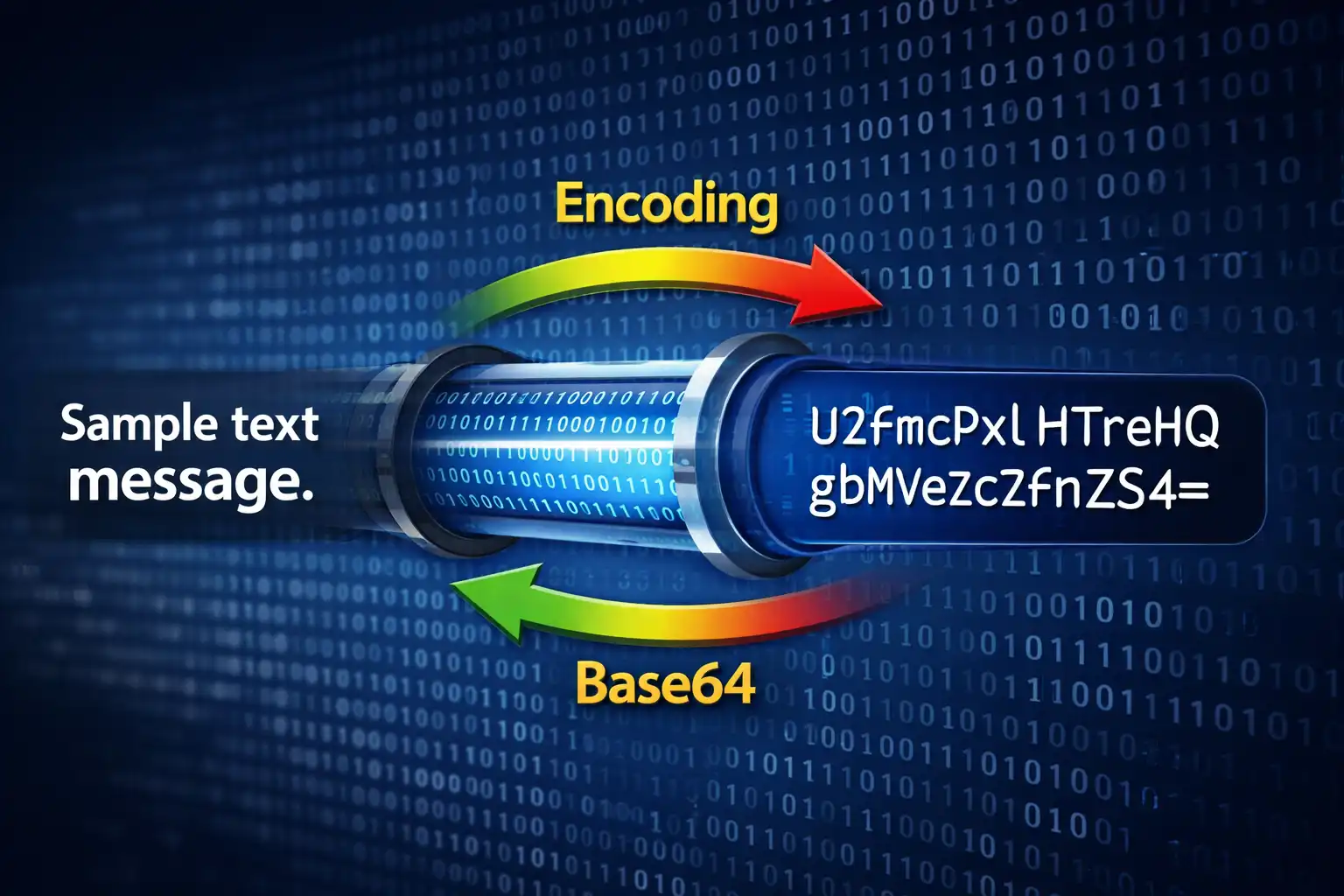
Table of Contents
- What Is the Encode / Decode Tool?
- 10 Text Encoding Formats Explained
- Base64: The Universal Data Format
- URL, HTML & Unicode Encodings for Web Developers
- Hex, Binary & Morse: Low-Level Data Representations
- ROT13, Punycode & ASCII85: Specialized Encodings
- File to Base64: Embed Files Anywhere
- JWT Decoder: Inspect Tokens Without Verification
- Hash Generator: MD5 to SHA-512
- When to Use Each Encoding
- Privacy & Security: Everything Stays in Your Browser
- Developer Workflow Integration
- Comparison with Online Alternatives
- Frequently Asked Questions
- Conclusion
Data encoding is one of those invisible pillars of software development. Every time a browser sends a form submission, every time an API returns a JSON Web Token, every time an email includes an inline image — encoding schemes are silently converting data from one representation to another. Developers encounter Base64, URL encoding, HTML entities, and hexadecimal on a daily basis, yet most reach for a random online tool, paste in potentially sensitive data, and hope for the best. The Encode / Decode tool on ZeroDataUpload changes that equation entirely. It is a universal encoding toolkit with 10 text encoding formats, file-to-Base64 conversion, JWT token decoding, and cryptographic hash generation — all running 100% in your browser with zero data uploads.
1. What Is the Encode / Decode Tool?
The Encode / Decode tool is not a single-purpose Base64 converter. It is a four-tab encoding workstation that consolidates the most common data transformation tasks developers perform into a single, privacy-respecting interface. The four tabs are:
- Text Encodings — 10 encoding formats including Base64, URL encoding, HTML entities, Hexadecimal, Binary, Unicode escapes, ROT13, Punycode, ASCII85, and Morse Code. Each supports both encode and decode directions with a single-click swap button.
- File to Base64 — Convert any file to Base64 with drag-and-drop support and 6 output formats (Raw Base64, Data URI, CSS background, HTML img tag, Markdown image, JSON object). Also handles the reverse: paste a Base64 string and download it as a file with auto-detected extension.
- JWT Decoder — Paste a JSON Web Token and instantly inspect its header, payload, and signature. Automatically detects expiration status and displays issued-at timestamps.
- Hash Generator — Generate MD5, SHA-1, SHA-256, SHA-384, and SHA-512 hashes for any text input. All SHA hashes are computed in parallel using the Web Crypto API, with a custom MD5 implementation for legacy compatibility.
The entire tool runs client-side in your browser. The encoding logic is plain JavaScript — no WebAssembly runtime, no server calls, no external API dependencies. Your data never leaves the browser tab. The interface features dark/light theme support, keyboard shortcuts (Ctrl+Enter to convert), live character counts on both input and output, and full ARIA accessibility with proper tablist, tabpanel, and aria-selected attributes.
2. 10 Text Encoding Formats Explained
The Text Encodings tab provides 10 distinct encoding formats. Each format exists because it solves a specific problem — transforming data so it can safely travel through a channel that would otherwise corrupt, misinterpret, or reject the original representation. Here is every format the tool supports, grouped by their primary use case:
Web transport encodings: Base64, URL Encoding, HTML Entities
Low-level data representations: Hexadecimal, Binary, Unicode Escapes
Specialized encodings: ROT13, Punycode (IDN), ASCII85 / Base85, Morse Code
Every encoding in the tool works bidirectionally. Select your format from the dropdown, choose Encode or Decode, type or paste your input, and click Convert (or press Ctrl+Enter). The swap button exchanges the input and output text areas and simultaneously toggles the direction, so you can instantly verify a round-trip conversion without manually copying text back and forth.
3. Base64: The Universal Data Format
Base64 is the most widely used binary-to-text encoding in computing. It converts arbitrary byte sequences into a string of 64 printable ASCII characters: A-Z, a-z, 0-9, +, and /. The equals sign (=) is used for padding. Every developer encounters Base64 regularly — in data URIs, email attachments (MIME), API authentication headers, and embedded resources.
The encoding algorithm works by grouping input bytes into blocks of three (24 bits total), then splitting each 24-bit block into four 6-bit groups. Each 6-bit group (values 0-63) maps to one character in the Base64 alphabet. Since 3 input bytes produce 4 output characters, Base64 encoding always increases data size by exactly 33%.
// Base64 encoding: 3 bytes → 4 characters

Input text:  "Hi"
ASCII bytes: 72 (H), 105 (i)
Binary:      01001000 01101001

// Group into 6-bit chunks (pad with zeros to complete last group):
010010 000110 100100
  S      G      k     =    (= padding since input wasn't multiple of 3)

Result: "SGk="

// The "=" padding indicates 1 byte of padding was added.
// "==" means 2 bytes of padding. No "=" means the input was
// an exact multiple of 3 bytes.
The tool's Base64 implementation is UTF-8 aware, which is a critical detail most simple implementations get wrong. The standard JavaScript btoa() function only handles characters in the Latin-1 range (code points 0-255). Passing a string containing emoji, Chinese characters, or any code point above 255 throws an error. The tool wraps the encoding with btoa(unescape(encodeURIComponent(input))), which first converts the Unicode string to a UTF-8 byte sequence via percent-encoding, then decodes those percent-encoded bytes back into a Latin-1 string that btoa() can safely process.
Base64 is not encryption. It is a reversible encoding that anyone can decode. Never use Base64 alone to "protect" sensitive data — it provides zero confidentiality. Its purpose is transport safety, not security.
4. URL, HTML & Unicode Encodings for Web Developers
URL Encoding (Percent-Encoding) ensures that special characters in URLs do not break the URL structure. The tool uses JavaScript's encodeURIComponent(), which implements RFC 3986. This function encodes every character except unreserved characters: A-Z, a-z, 0-9, hyphen (-), underscore (_), period (.), and tilde (~). All other characters, including spaces, ampersands, equals signs, and non-ASCII characters, are converted to their UTF-8 byte values prefixed with %.
// URL Encoding examples
"Hello World"    → "Hello%20World"
"price=10&qty=5" → "price%3D10%26qty%3D5"
"cafe-münchen" → "cafe-m%C3%BCnchen" (ü = 2 UTF-8 bytes: C3 BC)The older RFC 2396 specification left tilde (~) as a character that could be encoded. RFC 3986 explicitly classifies it as unreserved, meaning it should not be percent-encoded. JavaScript's encodeURIComponent() follows RFC 3986, so tildes pass through unchanged. If you are debugging URL encoding issues with legacy systems, tilde handling is often the culprit.
HTML Entity Encoding converts characters that have special meaning in HTML into safe entity references. The tool produces named entities for the five most common characters — & for &, < for <, > for >, " for double quotes, and ' for single quotes — and falls back to numeric entities (ö) for all non-ASCII characters. This dual approach gives you maximum compatibility: named entities are readable by humans, while numeric entities handle the full Unicode range.
// HTML Entity Encoding examples
'<script>alert("XSS")</script>'
→ '<script>alert("XSS")</script>'

'Ölpreis: 5€ pro Liter'
→ 'Ölpreis: 5€ pro Liter'
Unicode Escape Sequences convert characters to their JavaScript/JSON escape notation. Characters in the Basic Multilingual Plane (code points up to U+FFFF) use the \uXXXX format with exactly four hex digits. Characters in the astral planes (emoji, rare scripts, mathematical symbols) use the ES6 extended syntax \u{XXXXX} with variable-length hex. ASCII characters (0-127) pass through unescaped for readability.
// Unicode Escape examples
"café"    → "caf\u00e9"
"Tokyo 東京" → "Tokyo \u6771\u4eac"
"Hello 👋"  → "Hello \u{1f44b}"   (astral plane, code point > U+FFFF)
5. Hex, Binary & Morse: Low-Level Data Representations
Hexadecimal Encoding converts each byte of the UTF-8 representation to a two-digit hex value separated by spaces. This is the same format you see in hex editors, network packet dumps, and debugging tools. The tool encodes using TextEncoder to get true UTF-8 bytes, so multibyte characters produce the correct number of hex pairs.
// Hexadecimal examples
"Hello"  → "48 65 6c 6c 6f"
"ABC123" → "41 42 43 31 32 33"
"ñ"      → "c3 b1"              (2-byte UTF-8 sequence)
Binary Encoding works identically to hex but outputs each byte as an 8-bit binary string separated by spaces. This is useful for understanding bit-level data representations, teaching binary arithmetic, or inspecting bitwise operations.
// Binary examples
"Hi"    → "01001000 01101001"
"A"     → "01000001"
"9"     → "00111001"
Morse Code converts letters and numbers to International Morse Code using dots (.) and dashes (-). Letters are separated by spaces, and words are separated by forward slashes (/). The implementation supports the full alphanumeric set plus common punctuation marks including period, comma, question mark, exclamation point, slash, parentheses, colon, semicolon, equals, plus, at sign, and apostrophe.
// Morse Code examples
"SOS"      → "... --- ..."
"HELLO"    → ".... . .-.. .-.. ---"
"HI THERE" → ".... .. / - .... . .-. ."
6. ROT13, Punycode & ASCII85: Specialized Encodings
ROT13 is the simplest Caesar cipher — it shifts each letter 13 positions forward in the alphabet. Because there are 26 letters, applying ROT13 twice returns the original text, making it self-reversing. The implementation is case-preserving: uppercase letters stay uppercase, lowercase stay lowercase, and non-alphabetic characters pass through unchanged. ROT13 is traditionally used to obscure spoilers, puzzle answers, and mildly sensitive text in forums and email. It provides zero actual security but is useful as a lightweight obfuscation.
// ROT13 examples
"Hello World" → "Uryyb Jbeyq"
"Uryyb Jbeyq" → "Hello World"   (self-reversing)
"ABCxyz"       → "NOPklm"
Punycode (Internationalized Domain Names) converts Unicode domain names to the ASCII-compatible encoding used by the Domain Name System. When you type münchen.de into a browser, the DNS system actually resolves xn--mnchen-3ya.de. The tool uses the browser's built-in URL API for Punycode conversion, which handles the full IDNA 2008 specification including label validation and normalization.
// Punycode examples
"münchen.de"    → "xn--mnchen-3ya.de"
"日本語.jp"       → "xn--wgv71a309e.jp"
"café.example"  → "xn--caf-dma.example"
ASCII85 (Base85) is a more space-efficient alternative to Base64. Where Base64 encodes 3 bytes into 4 characters (33% expansion), ASCII85 encodes 4 bytes into 5 characters (25% expansion). This 8-percentage-point improvement comes from using a larger character set: 85 printable ASCII characters (code points 33-117, which are ! through u) instead of Base64's 64. The output is wrapped in <~ and ~> delimiters. ASCII85 was originally designed for Adobe's PostScript format and is still used in PDF files for embedded binary data. The tool also implements the special "z" shorthand, which represents four consecutive zero bytes as a single character — a significant space saving for data with many null bytes.
// ASCII85 examples
"Hello"      → "<~87cURD]j~>"
"test"       → "<~FCfN8~>"
"\0\0\0\0" → "<~z~>" (4 null bytes → single 'z')ASCII85 produces output that is 7% smaller than Base64 for the same input. For a 1 MB binary file, Base64 produces 1.33 MB of text while ASCII85 produces 1.25 MB — saving about 80 KB. The tradeoff is that ASCII85 uses characters like backslash and angle brackets that can cause escaping issues in JSON, XML, and some programming languages. Use ASCII85 when space efficiency matters and you control the transport format (like PostScript or PDF). Use Base64 everywhere else.
7. File to Base64: Embed Files Anywhere
The File to Base64 tab converts any file into a Base64 text representation that can be embedded directly in code, stylesheets, HTML documents, or API payloads. Drag a file onto the drop zone (or click to browse), and the tool reads it using the FileReader API — entirely in browser memory, with no upload.
The tool offers six output formats, each targeting a different embedding context:
- Raw Base64 — The pure Base64 string with no wrapping. Use this when you need to embed the data in a JSON payload, database field, or custom protocol.
- Data URI — The complete
data:[mime];base64,[data]string. This is the format browsers natively understand for inline resources. - CSS Background — Wraps the Data URI in
background-image: url(...);syntax, ready to paste into a stylesheet. Useful for embedding small icons and textures directly in CSS to eliminate HTTP requests. - HTML img Tag — A complete
<img src="data:..." alt="filename" />element. Paste directly into HTML. - Markdown Image — The
syntax for embedding images in Markdown documents that will be rendered in contexts supporting Data URIs. - JSON Object — A structured JSON object containing the filename, MIME type, file size, and Base64 data. Useful for API payloads and data storage.
For image files, the tool generates a visual thumbnail preview so you can confirm you selected the correct file before converting. The reverse direction — Base64 to File — accepts either raw Base64 or a full Data URI. When a Data URI is detected, the tool automatically extracts the MIME type and maps it to the correct file extension (PNG, JPG, GIF, WEBP, SVG, PDF, TXT, JSON, or ZIP). You can override the filename and extension manually before downloading.
Embedding files as Base64 in HTML or CSS increases the encoded size by 33% compared to serving the file separately. This is a worthwhile tradeoff for small assets (icons under 5 KB, SVGs under 10 KB) where eliminating an HTTP request improves page load performance. For larger files, serve them as separate resources.
8. JWT Decoder: Inspect Tokens Without Verification
JSON Web Tokens (JWTs) are the standard authentication mechanism for modern web applications. A JWT consists of three parts separated by dots: a header, a payload, and a signature. Each part is Base64url-encoded — a variant of Base64 that replaces + with - and / with _ to make the token URL-safe without percent-encoding.
// JWT structure
eyJhbGciOiJIUzI1NiIsInR5cCI6IkpXVCJ9.     ← Header (Base64url)
eyJzdWIiOiIxMjM0NTY3ODkwIiwibmFtZSI6Ik.     ← Payload (Base64url)
pvaG4gRG9lIiwiZXhwIjoxNzExMjAwMDAwfQ.       ← (Payload continued)
SflKxwRJSMeKKF2QT4fwpMeJf36POk6yJV_adQssw5c ← Signature

// Decoded header:
{ "alg": "HS256", "typ": "JWT" }

// Decoded payload:
{
  "sub": "1234567890",
  "name": "John Doe",
  "exp": 1711200000        ← Expiration timestamp (Unix epoch)
}
The JWT Decoder tab parses all three sections. It handles the Base64url-to-standard-Base64 conversion automatically by replacing - with + and _ with / before decoding. The header and payload are pretty-printed as formatted JSON. The signature is displayed as-is (a raw Base64url string), since verifying it would require the signing secret or public key, which the tool intentionally does not ask for.
After decoding, the tool checks for an exp (expiration) claim in the payload. If present, it compares the expiration timestamp against the current time and displays a clear warning if the token has expired, including the exact expiration date and time. It also checks for an iat (issued at) claim and displays when the token was created. This makes the JWT Decoder invaluable for debugging authentication issues — you can instantly see whether a 401 response is caused by an expired token, a misconfigured claim, or a missing field.
The JWT Decoder intentionally does not verify signatures. Signature verification requires the server's secret key (for HMAC algorithms) or public key (for RSA/ECDSA). The decoder is a debugging and inspection tool — it shows you what is inside a token, not whether the token is trustworthy. Never make authorization decisions based on an unverified JWT payload.
9. Hash Generator: MD5 to SHA-512
The Hash Generator tab computes five cryptographic hash digests for any text input: MD5, SHA-1, SHA-256, SHA-384, and SHA-512. All hashes are generated in parallel and displayed simultaneously, each with its own copy button.
The four SHA algorithms are computed using the browser's Web Crypto API (crypto.subtle.digest()). This API is implemented natively in the browser engine, often with hardware acceleration, making it both fast and cryptographically correct. The Web Crypto API is asynchronous and non-blocking — computing a SHA-512 hash of a large input will not freeze the browser tab.
MD5 is computed using a custom JavaScript implementation because the Web Crypto API deliberately excludes MD5 due to its known cryptographic weaknesses. The tool includes MD5 for practical compatibility — many legacy systems, file integrity checks, and database schemas still use MD5 checksums. The implementation follows the original RFC 1321 specification with four rounds of 16 operations each (FF, GG, HH, II functions), processing the input in 512-bit (64-byte) blocks.
Here is how the five algorithms compare:
- MD5 — 128-bit output (32 hex characters). Block size: 512 bits. Cryptographically broken since 2004 (collision attacks). Still used for non-security checksums and legacy compatibility.
- SHA-1 — 160-bit output (40 hex characters). Block size: 512 bits. Deprecated for security use since 2017 (SHAttered collision attack). Still found in older Git commits and certificate chains.
- SHA-256 — 256-bit output (64 hex characters). Block size: 512 bits. 64 rounds of compression. The workhorse of modern cryptography — used in TLS, Bitcoin, code signing, and most security protocols.
- SHA-384 — 384-bit output (96 hex characters). Block size: 1024 bits. Truncated version of SHA-512. Used in government and financial applications requiring higher security margins.
- SHA-512 — 512-bit output (128 hex characters). Block size: 1024 bits. 80 rounds of compression. The strongest hash in the SHA-2 family. Faster than SHA-256 on 64-bit processors because it uses 64-bit arithmetic natively.
// Hash outputs for the input "Hello, World!"
MD5:    65a8e27d8879283831b664bd8b7f0ad4
SHA-1:  0a0a9f2a6772942557ab5355d76af442f8f65e01
SHA-256: dffd6021bb2bd5b0af676290809ec3a53191dd81c7f70a4b28688a362182986f
SHA-384: 5485cc9b3365b4305dfb4e8c6a8e…  (96 hex chars total)
SHA-512: c1527cd893c124773d811911970c8fe…  (128 hex chars total)
SHA-512 is actually faster than SHA-256 on modern 64-bit processors. SHA-256 uses 32-bit word operations (requiring extra instructions on 64-bit CPUs), while SHA-512 operates natively on 64-bit words. If you are choosing a hash algorithm and security margin matters, SHA-512 gives you both more security and more speed on contemporary hardware.
10. When to Use Each Encoding
With 10 text encodings, 1 file encoder, 1 token decoder, and 5 hash algorithms, the natural question is: which one should I use? Here is a decision guide organized by task:
- Embedding binary data in JSON, XML, or HTML — Use Base64. It is universally supported and safe for text-only contexts.
- Building or parsing URL query strings — Use URL Encoding. It is the standard for HTTP parameters and form submissions.
- Displaying user-generated content in HTML safely — Use HTML Entity Encoding. It prevents XSS by neutralizing script-injection characters.
- Debugging byte-level data, network packets, or file headers — Use Hexadecimal. Hex is the standard representation in every debugger and hex editor.
- Teaching or learning binary arithmetic — Use Binary. Seeing the raw bits makes bit operations, masks, and shifts intuitive.
- Working with internationalized domain names — Use Punycode. It is required for registering and resolving non-ASCII domains.
- Escaping non-ASCII characters in JavaScript or JSON source code — Use Unicode Escapes. The \u notation is valid in both JS strings and JSON values.
- Hiding casual spoilers or trivial obfuscation — Use ROT13. It is the traditional lightweight text scrambler.
- Compact binary embedding in PostScript or PDF — Use ASCII85. It is 7% more compact than Base64.
- Novelty, education, or ham radio practice — Use Morse Code.
- Embedding images directly in CSS, HTML, or email — Use File to Base64 with the appropriate output format.
- Debugging API authentication failures — Use the JWT Decoder to inspect token claims and expiry.
- Verifying file integrity or generating checksums — Use SHA-256 (or SHA-512 for maximum security margin).
- Matching legacy systems that require MD5 — Use MD5, but only for compatibility, never for new security applications.
11. Privacy & Security: Everything Stays in Your Browser
This is the most important section for anyone handling sensitive data. The Encode / Decode tool processes everything using client-side JavaScript. There is no server, no API endpoint, no WebSocket connection, and no background network request. The encoding functions are pure JavaScript functions — btoa(), encodeURIComponent(), TextEncoder, crypto.subtle.digest() — that operate on data held in browser memory.
This is not a privacy policy claim. It is an architectural fact. You can verify it yourself: open your browser's Developer Tools, switch to the Network tab, and perform any encoding, decoding, or hashing operation. You will see zero network requests generated by the tool. The only requests on the page are the initial HTML, CSS, and JavaScript file loads, plus analytics and ad scripts. Your actual input data — the text you encode, the files you convert, the JWTs you decode, the strings you hash — never touches a network socket.
This matters because encoding tools routinely handle sensitive material. Developers paste JWT tokens that contain user IDs, roles, and session data. They encode API keys for inclusion in configuration files. They hash passwords during debugging. They convert files containing proprietary data into Base64 for embedding. With a server-based encoding tool, every one of these operations sends your data to a third-party server where it may be logged, cached, or intercepted. With ZeroDataUpload's tool, the data exists only in your browser tab's memory and is garbage-collected when you close the tab.
12. Developer Workflow Integration
The tool is designed to fit into a developer's daily workflow without friction. Here are the features that make it practical for repeated use:
- Ctrl+Enter shortcut — Triggers the active panel's primary action (Convert, Decode JWT, or Generate Hashes) without reaching for the mouse. Works from any text area in the active panel.
- Swap button — Exchanges the input and output text areas and toggles the encode/decode direction simultaneously. This lets you immediately verify a round-trip: encode your input, click swap, and the tool decodes it back. If the result matches your original input, the encoding is correct.
- Live character count — Both input and output areas display real-time character counts. This is essential for debugging size-constrained contexts like URL length limits (2,083 characters in Internet Explorer, 8,192 in most modern browsers), HTTP header size limits, and database column widths.
- Download as .txt — One-click export of the output to a text file. Useful for saving hash digests, Base64 strings too large for clipboard, or encoded output you need to include in a build artifact.
- Clipboard fallback — The copy button first attempts the modern
navigator.clipboard.writeText()API. If that fails (due to browser permissions or insecure context), it falls back to the olderdocument.execCommand('copy')method. - Persistent theme — Your dark/light preference is saved to
localStorageand restored on subsequent visits. The default follows your operating system's color scheme preference viaprefers-color-scheme.
After every text encoding operation, the tool displays ratio tags showing the encoding type, direction, size ratio (as a percentage), and character count transformation. For example, "BASE64 | Encode | Ratio: 133% | 12 → 16 chars" instantly tells you the overhead of the encoding — invaluable when working with size-constrained transports.
13. Comparison with Online Alternatives
Most developers have bookmarked one or more of these tools: base64encode.org, urlencoder.org, jwt.io, or md5hashgenerator.com. Each handles one encoding type and requires a separate bookmark, a separate tab, and a separate trust decision about where your data goes. Here is how ZeroDataUpload's tool compares:
Breadth: One tool replaces at least a dozen single-purpose websites. You do not need separate bookmarks for Base64, URL encoding, JWT decoding, and hash generation. Everything is two clicks away within the same interface.
Privacy: Tools like jwt.io and base64encode.org operate as web applications that could log input data on the server side, even if they claim not to. ZeroDataUpload's tool has no server-side component to log anything. The distinction is between "we promise not to look at your data" and "we architecturally cannot look at your data."
Offline capability: Since all logic is client-side JavaScript with no API dependencies, the tool works offline once the page has loaded. Open the page, disconnect from the internet, and every encoding, decoding, and hashing operation continues to work. Server-based tools fail immediately without a network connection.
Speed: There is no upload delay, no server processing queue, and no download step. The conversion executes in microseconds on your local CPU. For hash generation, the Web Crypto API leverages hardware acceleration, computing SHA-256 at speeds of several hundred megabytes per second.
Consistency: A single interface with consistent keyboard shortcuts, theme preferences, and interaction patterns across all encoding types. You learn the workflow once and apply it to every encoding task.
14. Frequently Asked Questions
Is Base64 encoding the same as encryption?
No. Base64 is a reversible encoding that anyone can decode without a key. It transforms binary data into a text-safe format for transport purposes. Encryption (like AES-256) uses a secret key to make data unreadable without that key. Base64 provides no confidentiality whatsoever — it is as easy to reverse as it is to apply.
Why does my Base64 output end with = or == signs?
Base64 processes input in 3-byte (24-bit) blocks. If your input length is not a multiple of 3, padding is added: one = means 1 byte of padding was needed (input length mod 3 = 2), and == means 2 bytes of padding were needed (input length mod 3 = 1). The padding ensures that the decoder knows the exact original byte count. Some implementations (like Base64url used in JWTs) strip the padding since the length can be inferred.
Can I encode files larger than 100 MB as Base64?
Technically, the tool can handle files up to several hundred megabytes depending on your browser's available memory. The FileReader API loads the entire file into memory, and the Base64 output will be 33% larger than the original. For a 100 MB file, that means approximately 133 MB of Base64 text in memory. Modern browsers with 4+ GB of available memory handle this without issue, but extremely large files may cause the tab to become sluggish. For files over 500 MB, consider using a command-line tool like base64 on Linux/macOS.
What is the difference between Base64 and Base64url?
Standard Base64 uses + and / as characters 62 and 63, with = for padding. Base64url (used in JWTs and URL-safe contexts) replaces + with - and / with _, and typically omits padding. The JWT Decoder in this tool automatically converts Base64url to standard Base64 before decoding by replacing those characters.
Is MD5 safe to use for password hashing?
No. MD5 is cryptographically broken — collision attacks can be performed in seconds on modern hardware, and rainbow tables for common passwords are freely available online. For password hashing, use bcrypt, scrypt, or Argon2. The tool includes MD5 for non-security purposes: verifying file integrity against legacy checksums, matching old database schemas, and compatibility with systems that still require MD5.
How does the JWT Decoder handle expired tokens?
When the decoded payload contains an exp (expiration) claim, the tool compares that Unix timestamp to the current system time. If the token has expired, a visible warning is displayed with the exact expiration date and time. It also parses the iat (issued at) claim to show when the token was originally created. This makes it easy to determine whether an authentication failure is caused by token expiry.
Can I use the tool offline?
Yes. Once the page has loaded in your browser, all encoding, decoding, hashing, and file conversion functions work without an internet connection. The tool has no server-side dependencies — every operation is executed by JavaScript running in your browser tab. You can even bookmark the page, go offline, and use it on an airplane.
Why are SHA-384 and SHA-512 faster than SHA-256 on my machine?
SHA-256 uses 32-bit word operations, while SHA-384 and SHA-512 use 64-bit word operations. On modern 64-bit processors (which is virtually every computer and smartphone made in the last decade), 64-bit operations execute in a single clock cycle. SHA-256 requires extra instructions to simulate 32-bit arithmetic on a 64-bit ALU. Additionally, SHA-512 processes data in 1024-bit blocks (vs. 512-bit for SHA-256), so it processes more data per round despite doing more rounds (80 vs. 64).
What happens to my data after I close the browser tab?
It ceases to exist. Your input text, encoded output, file data, JWT tokens, and hash results are held in the browser tab's JavaScript heap memory. When you close or navigate away from the tab, the browser's garbage collector reclaims that memory. No data is written to disk, cookies, IndexedDB, or any persistent storage. The only thing saved to localStorage is your theme preference (dark or light mode).
Does the tool support emoji and non-Latin scripts in all encoding formats?
Yes. The tool uses TextEncoder (which produces UTF-8 byte sequences) for hex, binary, and ASCII85 encoding. The Base64 implementation wraps btoa() with a UTF-8 conversion layer so it handles any Unicode character, including emoji, CJK characters, Arabic script, and astral plane symbols. URL encoding naturally handles Unicode through UTF-8 percent-encoding. Morse Code is limited to Latin letters, digits, and common punctuation — non-mappable characters pass through unchanged.
15. Conclusion
Data encoding is a daily task for developers, and it deserves a tool that matches the sensitivity of the data being processed. The Encode / Decode tool consolidates 10 text encoding formats, bidirectional file-to-Base64 conversion, JWT token inspection, and 5 cryptographic hash algorithms into a single browser-based interface. Every operation executes client-side with zero network transmission — not because of a privacy policy, but because the tool simply has no server to send data to.
Whether you are debugging a percent-encoded URL, embedding an icon as a Data URI in CSS, inspecting the claims in an expired JWT, or generating a SHA-512 checksum for a configuration file, the tool handles it without asking you to install software, create an account, or trust a third-party server with your data. Open the tool, perform your encoding, close the tab, and your data disappears with it.
Related Articles

Published: March 25, 2026