ColorForge: The Complete Guide to Color Conversion, Palettes & Accessibility
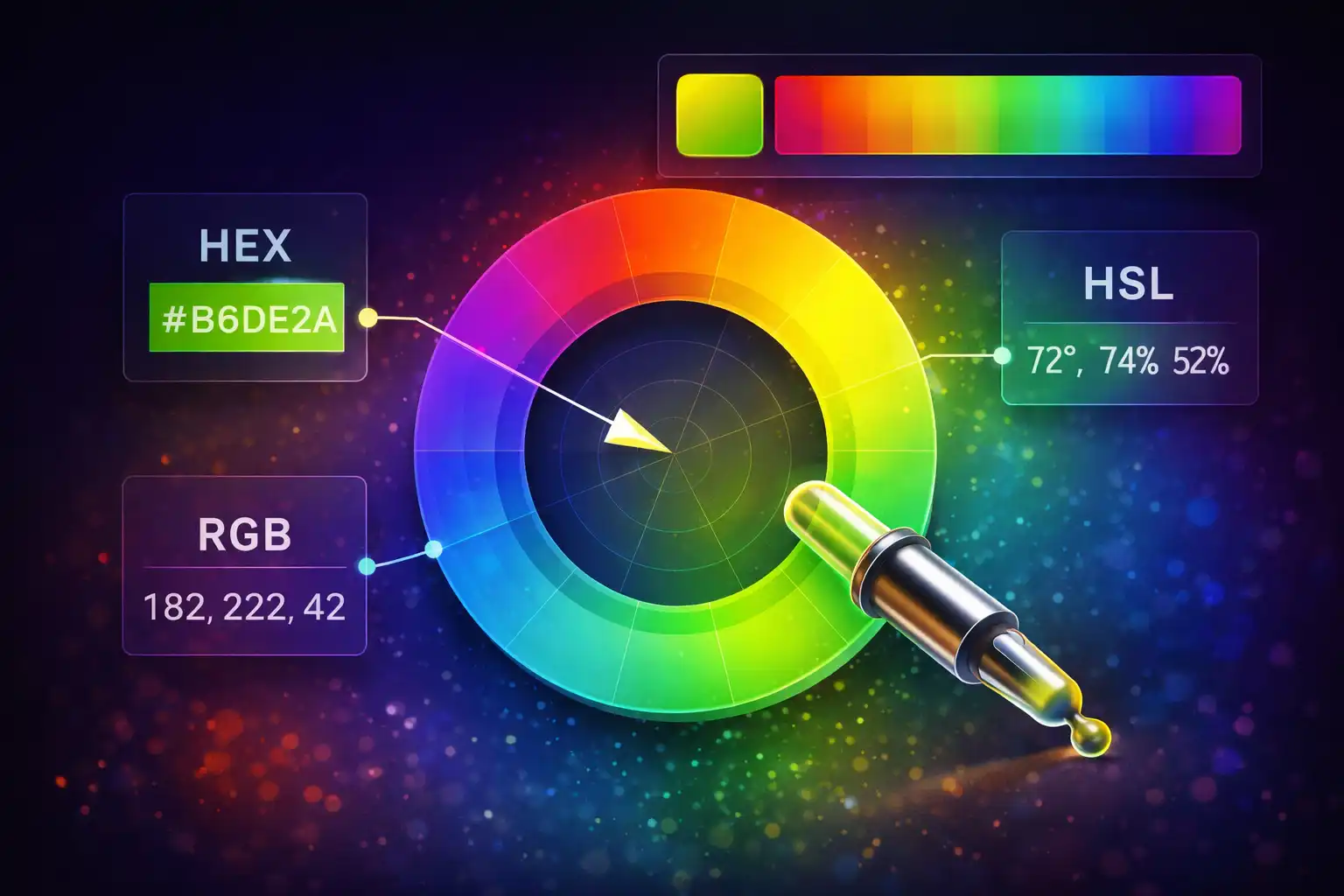
Table of Contents
- What Is ColorForge?
- 6 Color Spaces Explained
- HEX & RGB: The Web Foundations
- HSL & HSV: Designing with Intuition
- CMYK & HWB: Print and CSS4
- The Math Behind Color Conversion
- 8 Palette Types for Every Design Need
- WCAG Contrast Checker: Designing for Accessibility
- Image Color Picker: Extract Colors from Any Image
- 148 CSS Named Colors
- Ready-to-Use CSS Output
- Eyedropper API: Pick Colors from Your Screen
- Who Is ColorForge For?
- Frequently Asked Questions
- Conclusion
Color is the silent language of every digital interface. A button's shade of blue signals trust, a warning banner's red demands attention, and a brand's signature purple creates instant recognition. Yet working with color across different formats, tools, and accessibility requirements has always been a fragmented experience. Designers copy HEX codes from Figma, developers need HSL for CSS animations, print teams demand CMYK values, and accessibility auditors want WCAG contrast ratios. The ColorForge tool on ZeroDataUpload consolidates all of these workflows into a single, privacy-first interface. It converts between 6 color spaces, generates 8 palette types using color theory, checks WCAG 2.1 contrast compliance, extracts colors from images, and provides instant access to all 148 CSS named colors — entirely in your browser with zero data uploads.
1. What Is ColorForge?
ColorForge is a comprehensive color conversion and design tool organized into five tabs, each addressing a distinct part of the color workflow. Unlike scattered online converters that handle one format at a time, ColorForge provides a unified environment where every color operation feeds into every other. Pick a color from an image, and it instantly populates all six format fields. Generate a palette, click any swatch, and it loads into the converter for fine-tuning. Check a contrast ratio, and adjust the foreground or background in real time until it passes WCAG thresholds.
The five tabs are:
- Converter — Bidirectional conversion between HEX, RGB, HSL, HSV/HSB, CMYK, and HWB. Includes a native color picker, browser eyedropper (Chrome/Edge), random color generator, and CSS output in four formats with copy buttons.
- Palette Generator — Eight palette algorithms based on color theory: Complementary, Analogous, Triadic, Tetradic (Square), Split-Complementary, Monochromatic, Shades, and Tints. Every generated swatch is clickable and loads directly into the converter.
- Contrast Checker — WCAG 2.1 AA and AAA compliance testing for both normal and large text. Live preview panel shows your foreground text on your chosen background, with real-time contrast ratio calculation.
- Image Picker — Drag-and-drop any image, then use a crosshair cursor to sample individual pixels. Uses the Canvas API's
getImageDatato extract exact RGB values from any coordinate. - Named Colors — A searchable gallery of all 148 CSS named colors, from
alicebluetoyellowgreen. Click any color to load it into the converter with all six formats populated instantly.
The entire tool is client-side JavaScript. No color data is transmitted to any server, no images are uploaded for processing, and a color history of your last 24 selections is stored locally in your browser's localStorage under the key cf_history. Dark and light themes are supported via the theme toggle.
2. 6 Color Spaces Explained
A color space is a mathematical model that describes how colors are represented as numbers. Different color spaces exist because different industries, devices, and use cases need different ways of thinking about color. A screen emits light in red, green, and blue channels, so RGB is natural for displays. A printer mixes cyan, magenta, yellow, and black inks, so CMYK is natural for print. A designer who wants to "make this blue a bit lighter" finds it far more intuitive to adjust the Lightness channel in HSL than to figure out which combination of R, G, and B values will achieve the same result.
ColorForge supports six color spaces, covering web development, graphic design, print production, and modern CSS authoring:
- HEX — Hexadecimal notation using 0-9 and A-F. Supports 3-digit shorthand (
#F0F), standard 6-digit (#FF00FF), 4-digit with alpha (#F0F8), and 8-digit with alpha (#FF00FF80). - RGB — Red, Green, Blue channels, each ranging from 0 to 255. This is the native format of every digital display.
- HSL — Hue (0-360 degrees on the color wheel), Saturation (0-100%), Lightness (0-100%). The CSS-preferred format for color manipulation.
- HSV/HSB — Hue (0-360 degrees), Saturation (0-100%), Value/Brightness (0-100%). Used in Photoshop, Illustrator, and most native color pickers.
- CMYK — Cyan, Magenta, Yellow, Key/Black, each 0-100%. The subtractive color model used in printing.
- HWB — Hue (0-360 degrees), Whiteness (0-100%), Blackness (0-100%). A CSS Color Level 4 specification designed to be more intuitive than HSL for humans.
Each color space optimizes for a different human task. RGB maps directly to hardware. HSL makes it easy to create lighter or darker variants. CMYK matches physical ink mixing. HWB is the most intuitive for describing a color as "blue with some white mixed in." ColorForge lets you work in whichever model fits your thinking, and all other fields update instantly.
3. HEX & RGB: The Web Foundations
HEX and RGB are two representations of the same underlying data. An RGB color defines three channels — Red, Green, and Blue — each with an integer value from 0 (no light) to 255 (maximum intensity). HEX is simply those same three values written in base-16 notation. The color rgb(59, 130, 246) becomes #3B82F6 because 59 in decimal is 3B in hexadecimal, 130 is 82, and 246 is F6.
HEX has been the dominant format in web development since the early days of HTML because it is compact and easy to copy. The 3-digit shorthand #F0F expands to #FF00FF by doubling each digit. The 8-digit variant #FF00FF80 adds an alpha channel where 80 (128 in decimal) represents roughly 50% opacity. ColorForge handles all four notations — 3, 4, 6, and 8 digits — and converts between them seamlessly.
RGB is the native language of digital screens. Every pixel on your monitor is a cluster of three tiny sub-pixels — one red, one green, one blue — each driven at a specific intensity. When you set rgb(255, 255, 0), you are telling the red and green sub-pixels to fire at full intensity and the blue to stay dark, producing yellow. Understanding this additive model is fundamental: mixing all three channels at maximum produces white (#FFFFFF), and all three at zero produces black (#000000).
HEX is the format you paste. RGB is the format you think in. HSL is the format you design in. ColorForge lets you switch between all three without opening a calculator.
4. HSL & HSV: Designing with Intuition
While RGB describes how a screen produces a color, HSL and HSV describe how humans perceive it. Both models use a cylindrical coordinate system built around the color wheel, where Hue is the angular position (0 degrees is red, 120 degrees is green, 240 degrees is blue), and the other two channels control how vivid or muted, and how bright or dark the color appears.
HSL (Hue, Saturation, Lightness) is the model adopted by CSS. Saturation controls the purity of the color from gray (0%) to fully vivid (100%). Lightness controls the brightness from black (0%) through the pure hue (50%) to white (100%). This makes HSL extremely practical for design systems: to create a hover state, you can simply increase the Lightness by 10%. To create a disabled state, reduce the Saturation. The hue stays constant, so the color identity is preserved.
HSV/HSB (Hue, Saturation, Value/Brightness) is the model used in Adobe Photoshop, Illustrator, and most native operating system color pickers. The difference from HSL is subtle but important. In HSV, Value = 100% gives you the purest version of the hue (not white), while Saturation = 0% at any Value gives a shade of gray. In HSL, Lightness = 100% always gives white regardless of hue or saturation. This means HSV's "full brightness" corresponds to vivid colors, while HSL's "full lightness" corresponds to white — a common source of confusion when switching between tools.
ColorForge provides both models side by side. When you enter an HSL value, the HSV field updates simultaneously, so you can compare how the same color is represented in each system. This is particularly useful when translating designs from Photoshop (which uses HSV) into CSS (which uses HSL).
5. CMYK & HWB: Print and CSS4
CMYK is the subtractive color model used in physical printing. Where RGB adds colored light to a dark screen, CMYK subtracts light from white paper using Cyan, Magenta, Yellow, and Key (Black) inks. The Key channel exists because mixing C, M, and Y at 100% produces a muddy dark brown rather than true black, and because using a dedicated black ink is far more economical than overlaying three colored inks.
The conversion from RGB to CMYK involves computing the Key channel first:
K = 1 - max(R/255, G/255, B/255)

If K = 1 (pure black):
  C = M = Y = 0

Otherwise:
  C = (1 - R/255 - K) / (1 - K)
  M = (1 - G/255 - K) / (1 - K)
  Y = (1 - B/255 - K) / (1 - K)
This is a mathematical approximation. Professional print workflows use ICC color profiles that account for specific ink chemistries, paper coatings, and press characteristics. ColorForge provides the standard formula conversion, which is accurate enough for initial design decisions and proof-of-concept print layouts.
HWB (Hue, Whiteness, Blackness) is defined in the CSS Color Level 4 specification and is designed to be the most human-intuitive color model. The idea is simple: start with a pure hue from the color wheel, then mix in white and black. An HWB value of hwb(240 20% 10%) means "start with blue (240 degrees), mix in 20% white, and 10% black." The result is a slightly lightened, slightly muted blue.
HWB has an important edge case: when Whiteness + Blackness is greater than or equal to 100%, the hue is completely washed out and the result is a shade of gray. ColorForge handles this correctly by normalizing the whiteness and blackness values before conversion, ensuring the output is always a valid color.
6. The Math Behind Color Conversion
At the heart of every color converter lies a set of well-defined mathematical transformations. Understanding these formulas helps you predict how colors will shift when converting between spaces and explains why certain conversions involve precision loss.
RGB to HSL
The algorithm first normalizes R, G, B from the 0-255 range to 0-1 by dividing by 255. It then identifies the maximum and minimum channel values, because the difference between them determines saturation, and their average determines lightness:
R' = R / 255,  G' = G / 255,  B' = B / 255
Cmax = max(R', G', B')
Cmin = min(R', G', B')
Delta = Cmax - Cmin

// Lightness
L = (Cmax + Cmin) / 2

// Saturation
if Delta == 0:  S = 0
else:            S = Delta / (1 - |2L - 1|)

// Hue (in degrees)
if Delta == 0:      H = 0
if Cmax == R':      H = 60 * ((G' - B') / Delta mod 6)
if Cmax == G':      H = 60 * ((B' - R') / Delta + 2)
if Cmax == B':      H = 60 * ((R' - G') / Delta + 4)
The Hue calculation determines which 60-degree sector of the color wheel the color falls into, based on which RGB channel is dominant. Red dominance means the hue is in the 0-60 or 300-360 range, green dominance places it in 60-180, and blue dominance in 180-300. The Saturation formula uses the absolute value of 2L - 1 because saturation is maximized at 50% lightness and decreases symmetrically as lightness approaches 0% (black) or 100% (white).
HSL to RGB
The reverse conversion computes intermediate values called Chroma and X:
C = (1 - |2L - 1|) * S       // Chroma
X = C * (1 - |H/60 mod 2 - 1|)  // Secondary component
m = L - C / 2                 // Lightness offset

// Map to (R', G', B') based on hue sector:
0   <= H < 60:   (R', G', B') = (C, X, 0)
60  <= H < 120:  (R', G', B') = (X, C, 0)
120 <= H < 180:  (R', G', B') = (0, C, X)
180 <= H < 240:  (R', G', B') = (0, X, C)
240 <= H < 300:  (R', G', B') = (X, 0, C)
300 <= H < 360:  (R', G', B') = (C, 0, X)

// Final values:
R = (R' + m) * 255
G = (G' + m) * 255
B = (B' + m) * 255
The m offset shifts the entire color by the lightness value, which is why changing only the L channel in HSL uniformly brightens or darkens all three RGB channels. This mathematical property is what makes HSL so powerful for creating consistent color variations in design systems.
WCAG Relative Luminance
The contrast checker uses the WCAG 2.1 relative luminance formula, which applies gamma correction to account for how human eyes perceive brightness non-linearly. Raw RGB values do not map linearly to perceived brightness — humans are far more sensitive to changes in dark tones than in bright tones. The formula applies a piecewise gamma correction to each channel:
// For each channel (R, G, B), normalize to 0-1:
sRGB = channel / 255

// Apply gamma correction:
if sRGB <= 0.04045:
    linear = sRGB / 12.92
else:
    linear = ((sRGB + 0.055) / 1.055) ^ 2.4

// Compute luminance using ITU-R BT.709 coefficients:
L = 0.2126 * R_linear + 0.7152 * G_linear + 0.0722 * B_linear
The coefficients 0.2126, 0.7152, and 0.0722 reflect the fact that human vision is most sensitive to green light, moderately sensitive to red, and least sensitive to blue. Pure green (#00FF00) has a luminance of 0.7152, while pure blue (#0000FF) has only 0.0722 — explaining why blue text on a dark background is harder to read than green text of the same saturation.
7. 8 Palette Types for Every Design Need
The Palette Generator tab implements eight palette algorithms, each rooted in classical color theory. All palettes are computed by manipulating the Hue value on the HSL color wheel while keeping Saturation and Lightness constant (except for Monochromatic, Shades, and Tints, which vary Lightness and Saturation). Every generated swatch is clickable — tap it to load the color into the converter tab with all six formats populated.
- Complementary — Two colors positioned 180 degrees apart on the color wheel. This creates maximum contrast and visual tension. Red and cyan, blue and orange, purple and yellow are classic complementary pairs. Use complementary palettes for call-to-action buttons that need to stand out against a dominant brand color.
- Analogous — Three colors positioned adjacent on the color wheel, typically 30 degrees apart. Analogous palettes feel harmonious and natural because they share underlying hue relationships. Think of autumn leaves (reds, oranges, yellows) or ocean scenes (teals, blues, purples). They are ideal for backgrounds, gradients, and subtle UI themes.
- Triadic — Three colors evenly spaced at 120-degree intervals. Triadic palettes maintain color richness while offering more variety than analogous. The primary colors (red, yellow, blue) form a triadic palette. Use one color as dominant and the other two as accents for balanced, vibrant interfaces.
- Tetradic (Square) — Four colors at 90-degree intervals forming a square on the color wheel. This provides the richest variety but is the most challenging to balance. The key is to let one color dominate and use the others sparingly for accents, borders, and highlights.
- Split-Complementary — One base color plus the two colors adjacent to its complement (150 and 210 degrees from the base). This provides high contrast like complementary palettes but with less visual tension because you avoid the exact opposite. It is an excellent starting point for web designs that need energy without the harshness of pure complementary pairs.
- Monochromatic — Five variations of a single hue at different Saturation and Lightness levels. Monochromatic palettes are inherently cohesive and professional. They work extremely well for dashboards, form interfaces, and content-heavy designs where color should organize information without distracting from it.
- Shades — Five progressively darker versions of the base color, created by reducing Lightness while maintaining the Hue and Saturation. Shades are essential for creating depth, shadows, hover states, and visual hierarchy within a single-color system.
- Tints — Five progressively lighter versions of the base color, created by increasing Lightness. Tints are the inverse of shades and are used for backgrounds, disabled states, subtle borders, and highlight effects.
When applying any palette to a design, follow the 60-30-10 proportion. Use your dominant color for 60% of the visual space (backgrounds, large surfaces), a secondary color for 30% (cards, navigation, sections), and an accent for 10% (buttons, links, highlights). This ratio works across all eight palette types and prevents any single color from overwhelming the design.
8. WCAG Contrast Checker: Designing for Accessibility
The Contrast Checker tab is arguably the most important feature in ColorForge for professional web development. The Web Content Accessibility Guidelines (WCAG) 2.1, maintained by the W3C, define minimum contrast ratios between text and its background to ensure content is readable by people with low vision or color vision deficiencies. Failing to meet these ratios is not just a usability issue — in many jurisdictions, it is a legal compliance requirement under ADA, Section 508, or the European Accessibility Act.
The contrast ratio is calculated from the relative luminance of two colors using this formula:
Contrast Ratio = (L1 + 0.05) / (L2 + 0.05)

Where L1 is the luminance of the lighter color
and   L2 is the luminance of the darker color

// Resulting ratio ranges from 1:1 (identical) to 21:1 (black on white)
The 0.05 offset accounts for ambient light reflectance on screens and prevents division by zero when one color is pure black (luminance = 0). The four WCAG thresholds are:
- AA Normal Text — Minimum ratio of 4.5:1. Applies to body text smaller than 18pt (or 14pt bold). This is the baseline requirement for all web content.
- AA Large Text — Minimum ratio of 3:1. Applies to text 18pt or larger (or 14pt bold and larger). The reduced threshold recognizes that larger text is inherently more legible.
- AAA Normal Text — Minimum ratio of 7:1. The enhanced level provides maximum readability. Recommended for long-form content, critical interfaces, and applications targeting users with visual impairments.
- AAA Large Text — Minimum ratio of 4.5:1. Enhanced level for large text, matching the AA normal text requirement.
ColorForge's contrast checker displays pass/fail badges for all four levels simultaneously. The live preview panel renders your actual foreground text color on your chosen background, so you can visually verify readability alongside the mathematical ratio. As you adjust either color using any of the six input formats, the contrast ratio and pass/fail indicators update in real time.
A color combination that looks perfectly readable on your high-end display may be illegible on a low-brightness phone screen in sunlight. WCAG ratios account for this by setting thresholds that work across a wide range of display conditions.
Common contrast pitfalls to watch for: light gray text on white backgrounds (popular in modern "minimalist" design but often fails AA), colored text on colored backgrounds where both colors have similar luminance, and placeholder text in form inputs which frequently falls below 3:1.
9. Image Color Picker: Extract Colors from Any Image
The Image Picker tab turns any image into a color source. Drag and drop an image file (or click to browse), and it renders on an HTML5 Canvas element. Move your cursor over the image and a crosshair follows your pointer, showing the exact pixel coordinates. Click to sample the color at that position.
Under the hood, the tool uses the Canvas 2D API's getImageData(x, y, 1, 1) method, which returns an ImageData object containing the RGBA values of the single pixel at coordinates (x, y). The method reads directly from the canvas pixel buffer, providing exact color values regardless of CSS scaling or DPR (Device Pixel Ratio). The sampled RGB values are then converted to all six color spaces and loaded into the converter fields.
This feature is particularly valuable for extracting brand colors from logos, building palettes from photography, or matching UI elements to a specific reference image. Because the image is loaded via a FileReader into a data URL and rendered locally on the canvas, the file never leaves your browser. There is no upload step, no server processing, and no external API call — the image exists only in your tab's memory and is discarded when you navigate away.
Open the Image Picker tab and load a landscape photograph or product shot. Sample 3-5 colors from different regions of the image — a dominant tone, a shadow tone, and 1-3 accent colors. Each click adds the color to your history. Then switch to the Palette Generator tab and use one of the sampled colors as the base to generate a full harmonious palette grounded in the photograph's natural color story.
10. 148 CSS Named Colors
CSS defines 148 named colors that every modern browser recognizes without needing HEX or RGB values. These range from the self-explanatory (red, blue, green) to the evocative (midnightblue, papayawhip, rebeccapurple) to the oddly specific (blanchedalmond, lemonchiffon, navajowhite). The Named Colors tab in ColorForge presents all 148 as a searchable, clickable gallery.
Type a search query — "blue", "gray", "dark", or even partial matches like "sea" — and the gallery filters instantly. Click any swatch and the color loads into the converter with all six formats populated. This is faster than looking up named colors in MDN or a CSS reference because you see the actual rendered color alongside the name, and one click gives you the HEX, RGB, HSL, HSV, CMYK, and HWB values you need.
Named colors have a notable quirk worth knowing: gray (British spelling) and grey (American spelling) are both valid and map to the same value (#808080). This applies to all gray variants — darkgray/darkgrey, lightgray/lightgrey, and so on. The special color rebeccapurple (#663399) was added to the CSS specification in 2014 as a tribute to Rebecca Meyer, the daughter of CSS pioneer Eric Meyer, who passed away at the age of six.
11. Ready-to-Use CSS Output
Every color you create or select in ColorForge produces four ready-to-use CSS value strings, each with a dedicated copy button:
/* HEX format — most compact, universally supported */
color: #3B82F6;

/* RGB format — when you need alpha transparency */
color: rgb(59, 130, 246);

/* HSL format — best for CSS animations and color manipulation */
color: hsl(217, 91%, 60%);

/* HWB format — CSS Color Level 4, supported in modern browsers */
color: hwb(217 23% 4%);
The CSS output updates instantly as you change the color via any input method — typing a HEX code, adjusting an HSL slider, clicking a palette swatch, or sampling a pixel from an image. Click the copy button next to any format, and the value is copied to your clipboard ready to paste into your stylesheet, design token file, or CSS-in-JS theme object.
For design system work, HSL is often the most practical choice because you can systematically generate variations. If your primary brand color is hsl(217, 91%, 60%), you can create a lighter variant at hsl(217, 91%, 75%), a darker variant at hsl(217, 91%, 40%), and a desaturated version at hsl(217, 30%, 60%) — all sharing the same 217-degree hue, which guarantees they feel like they belong to the same color family.
12. Eyedropper API: Pick Colors from Your Screen
ColorForge includes an Eyedropper button that activates the browser's native EyeDropper API, allowing you to pick a color from anywhere on your screen — not just within the ColorForge tab. This means you can sample a color from another browser tab, a design tool, a PDF, or any visible application window.
The EyeDropper API is currently supported in Chromium-based browsers (Chrome 95+, Edge 95+, Opera 81+). ColorForge feature-detects the API's availability and only shows the Eyedropper button when the browser supports it. In Firefox and Safari, the button is hidden and you can use the native color picker input or the Image Picker tab instead.
When activated, your cursor changes to a magnifying loupe showing a zoomed grid of pixels around your pointer. Click on any pixel, and the API returns an sRGBHex string, which ColorForge converts into all six color spaces and populates into the converter fields. The sampled color is also added to your color history.
The Eyedropper API runs entirely in the browser's rendering pipeline. The sampled pixel data goes directly from your GPU's framebuffer to the JavaScript callback. No screenshots are taken, no image data is stored, and no information is transmitted anywhere.
13. Who Is ColorForge For?
ColorForge serves multiple professional workflows:
- Web developers — Convert between HEX, RGB, and HSL instantly. Generate CSS values with copy buttons. Check that your text colors meet WCAG accessibility requirements before shipping.
- UI/UX designers — Build harmonious palettes using color theory algorithms. Extract colors from reference images. Translate between Photoshop's HSV values and CSS's HSL values without manual calculation.
- Accessibility auditors — Quickly test foreground/background combinations against all four WCAG 2.1 thresholds. Identify which level (AA or AAA) a color pair satisfies for both normal and large text.
- Print designers — Get CMYK approximations for screen colors. While professional print work requires ICC profiles, the mathematical CMYK values are accurate enough for initial proofing and client-facing mockups.
- Brand teams — Document brand colors in every format needed across web, mobile, and print deliverables. The six simultaneous outputs mean you can fill out a brand style guide from a single color selection.
- Students and educators — Explore color theory interactively. See how complementary and triadic relationships work on the color wheel. Understand the math behind RGB-to-HSL conversion by watching values change in real time.
14. Frequently Asked Questions
Is my data safe? Do images get uploaded?
Nothing is uploaded. ColorForge runs 100% in your browser using client-side JavaScript. Images loaded in the Image Picker are processed via the Canvas API locally — the file never leaves your device. Color history is stored in your browser's localStorage and is never transmitted anywhere.
What is the difference between HSL and HSV?
Both use Hue as the angular position on the color wheel. In HSL, Lightness = 50% gives you the pure hue, and Lightness = 100% gives white. In HSV, Value = 100% gives the pure hue, and there is no Value setting that produces white (you need to reduce Saturation to 0% and increase Value to 100% for white). HSL is used in CSS. HSV is used in Photoshop and most native color pickers.
Why does my CMYK conversion look different when printed?
ColorForge uses the standard mathematical RGB-to-CMYK conversion formula. Professional printing uses ICC color profiles that account for specific ink chemistry, paper absorption, and press calibration. The mathematical approximation is accurate for digital mockups but may shift slightly on physical output. Always request a press proof for color-critical print work.
Does the Eyedropper work in all browsers?
The EyeDropper API is supported in Chrome 95+, Edge 95+, and Opera 81+. It is not available in Firefox or Safari as of early 2026. ColorForge detects browser support and hides the button when the API is unavailable. You can use the native color picker input or the Image Picker tab as alternatives.
What does "contrast ratio 4.5:1" actually mean?
It means the lighter color's adjusted luminance is 4.5 times the darker color's adjusted luminance. Pure black on pure white gives the maximum ratio of 21:1. Same color on itself gives 1:1. The WCAG thresholds (3:1, 4.5:1, 7:1) were determined through research on readability across different visual acuity levels and display conditions.
How many colors does color history store?
ColorForge stores your last 24 selected colors in localStorage under the key cf_history. The history persists across sessions and page reloads. When the history exceeds 24 entries, the oldest color is removed. You can click any color in the history to reload it into the converter.
What is HWB and should I use it?
HWB (Hue, Whiteness, Blackness) is a CSS Color Level 4 format supported in all modern browsers since 2022. It is the most human-intuitive model: "start with this hue, mix in some white, mix in some black." Use it when you find HSL's Saturation/Lightness model less intuitive. Browser support is excellent — Chrome 101+, Firefox 96+, Safari 15+.
15. Conclusion
Color is deceptively complex. What looks like a simple "#3B82F6" encodes a precise position in a three-dimensional space of human perception, maps to specific physical wavelengths of light, and carries accessibility implications that affect millions of users with visual impairments. ColorForge bridges the gap between the mathematical precision of color science and the practical needs of designers and developers who need to convert formats, build palettes, and verify accessibility — all without sending a single byte of data to a server.
The tool's five tabs cover the complete color workflow: convert between any of six color spaces, generate harmonious palettes using eight color theory algorithms, verify WCAG 2.1 contrast compliance for inclusive design, extract exact colors from photographs and images, and explore all 148 CSS named colors with one-click loading. Every operation runs in your browser, every result is immediately usable as CSS, and your color history follows you across sessions.
Whether you are building a design system from scratch, auditing an existing interface for accessibility, or simply need to convert a HEX code to CMYK for a print brief, ColorForge is the only color tool you need open. Try it now — your colors stay yours.
Related Articles

Published: March 25, 2026