Ebook Converter
Convert ebooks between EPUB, PDF, FB2, RTF, Markdown & more -- with EPUB 3.0 builder
Launch Ebook Converter →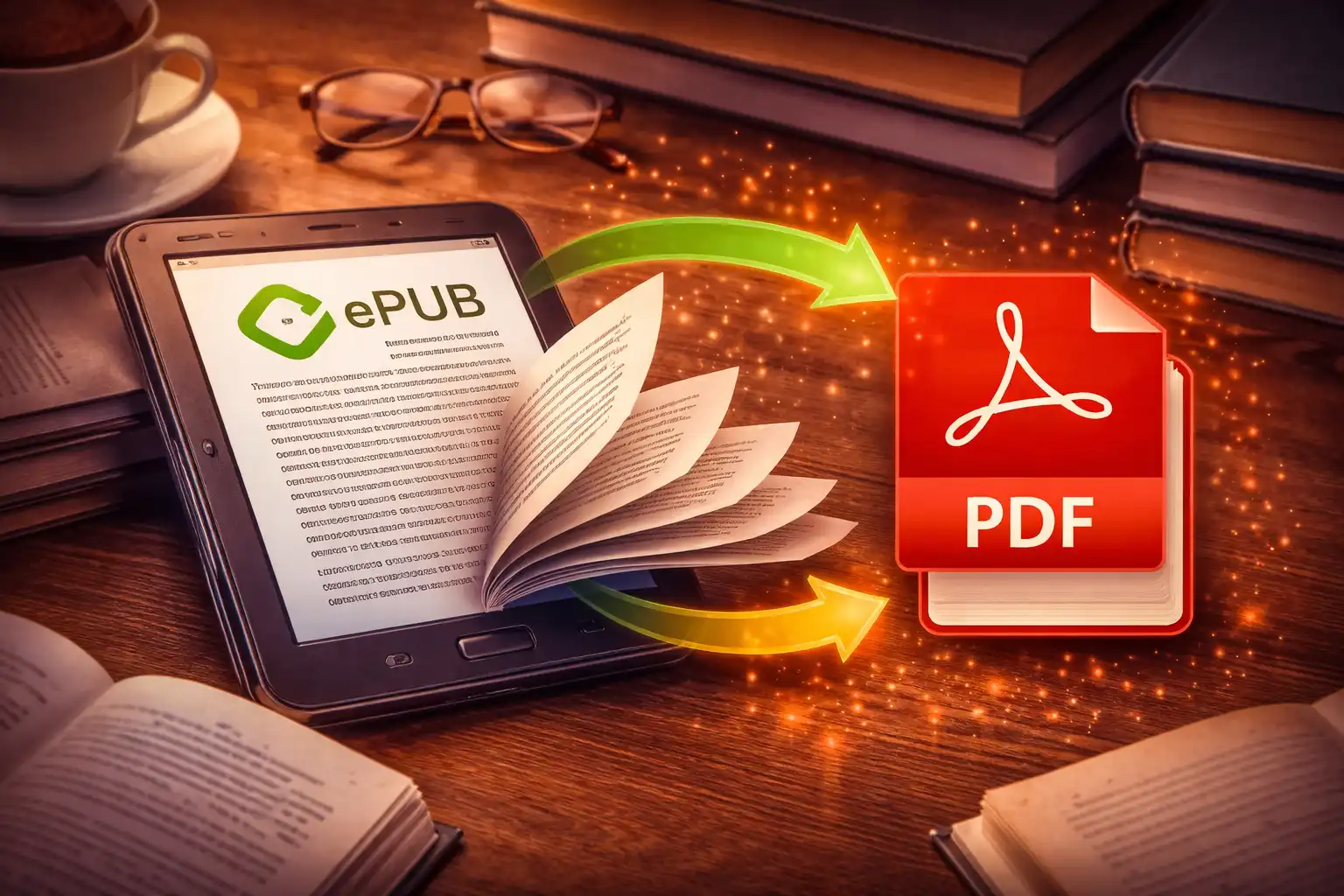
Table of Contents
Overview
The Ebook Converter is a browser-based ebook format conversion tool that handles 7 input formats and 4 output formats entirely on your device. It accepts EPUB, PDF, TXT, HTML, FB2 (FictionBook 2), RTF (Rich Text Format), and Markdown files, and can convert them to EPUB, PDF, TXT, or HTML output. With 25 distinct conversion paths, it covers the vast majority of ebook format transformations that readers, authors, and publishers encounter.
At its core, the converter builds valid EPUB 3.0 packages from scratch -- complete with an OPF manifest defining the reading order via spine idref attributes, XHTML 1.1 content documents, and a navigation document with <nav> elements. It parses FB2 XML with semantic tag conversion, extracts PDF text using Mozilla's pdf.js library, strips RTF control sequences with a 3-pass regex pipeline, and renders Markdown using a custom regex-based engine -- all without any server involvement.
The tool relies on four JavaScript libraries that run entirely in your browser: JSZip 3.10.1 for reading and creating ZIP/EPUB containers, jsPDF 2.5.1 for generating PDF documents with proper typography, pdf.js 3.11.174 for extracting text from PDF pages, and FileSaver 2.0.5 for triggering file downloads. Your ebook content, metadata, and file data never leave your device -- every step from parsing to packaging to downloading happens locally.
Key Features
7 Input Formats
EPUB, PDF, TXT, HTML, FB2 (FictionBook), RTF, and Markdown -- covering every major ebook and text format used worldwide. Auto-detection from file extension means you simply drop a file and the converter knows what to do.
EPUB 3.0 Builder
Creates valid EPUB packages with a full OPF manifest, spine reading order via idref attributes, a <nav> navigation document, XHTML 1.1 content with proper DOCTYPE, and DEFLATE level 9 compression. The mimetype entry is stored uncompressed as required by the EPUB specification.
FB2 XML Parser
Converts FictionBook 2 semantic tags -- <section> to <div>, <title> to <h2>, <emphasis> to <em>, <strong> to <strong>, and <empty-line/> to <br><br> -- producing styled HTML with Georgia serif typography, 720px max-width, and 1.7 line-height.
PDF Text Extraction
Mozilla's pdf.js 3.11.174 renders each page and extracts text content via getTextContent(), assembling a complete text representation of multi-page documents. Supports the full range of PDF encodings and font mappings that pdf.js handles.
Content Preview
See your ebook content before converting: EPUB chapters extracted from up to 10 HTML files, PDF text from the first 5 pages, FB2 body content with tags stripped, RTF with control sequences removed, and Markdown rendered. All previews are capped at 5,000 characters with a "[... truncated]" indicator.
Custom Markdown Engine
A regex-based Markdown renderer supporting # h1 through ### h3 headings, **bold**, *italic*, `code`, - lists converted to <ul>, > blockquotes with left-bordered styling, and --- horizontal rules. No external Markdown library is used -- the entire renderer is custom regex.
RTF Control Sequence Stripping
A 3-pass regex pipeline handles Rich Text Format files: first pass converts \par to newlines, second pass removes {\ control sequences and decodes hex escapes like \'XX, and third pass strips remaining control words matching /\\[a-z]+\d*\s?/gi and collapses excessive newlines.
4 JavaScript Libraries
JSZip 3.10.1 for reading and creating ZIP/EPUB containers, jsPDF 2.5.1 for generating PDF documents with Helvetica typography, pdf.js 3.11.174 for extracting text from PDF pages, and FileSaver 2.0.5 for triggering cross-browser file downloads. All run client-side.
How to Use
- Open the Ebook Converter - Launch the tool and drag-and-drop your ebook file onto the upload area, or click the area to open a file browser. Supported extensions: .epub, .pdf, .txt, .html, .htm, .fb2, .rtf, and .md.
- Auto-Detection - The input format is automatically detected from the file extension. The converter displays the detected format and begins parsing the file immediately to prepare a content preview.
- Verify with Preview - Expand the content preview section to see a summary of your ebook content. For EPUB files, you will see text from the first chapters in spine order. For PDFs, text from the first 5 pages. For FB2, the body content with XML tags stripped. This lets you confirm the file was parsed correctly before converting.
- Select Output Format - Choose your desired output format from the dropdown menu. Only compatible output formats are shown -- for example, an EPUB input offers PDF, TXT, and HTML as outputs. FB2 files offer the most options with all four output formats available.
- Convert - Click the "Convert File" button. A progress bar tracks the three stages: extraction (parsing the source format), conversion (transforming content to the target format), and packaging (assembling the output file). Conversion speed depends on file size and format complexity.
- Download - Your converted ebook downloads automatically with the correct file extension. The filename preserves the original name with the new extension appended -- for example,
mybook.epubconverted to PDF becomesmybook.pdf. - EPUB Output Validation - When converting to EPUB, the output file is a valid EPUB 3.0 package that opens in any standards-compliant ebook reader including Apple Books, Calibre, Kobo, Google Play Books, and most e-ink devices. The package includes a proper
mimetypeentry,META-INF/container.xml, OPF manifest with spine, and XHTML content documents.
Technical Deep Dive
EPUB Parsing: OPF Manifest and Spine Reading Order
When the converter reads an EPUB file, it uses JSZip to unzip the container and locate the .opf file (the OPF Package Document). This file is the heart of every EPUB -- it contains three critical sections: the <metadata> block with title, author, and language information; the <manifest> block that maps unique IDs to file paths within the ZIP; and the <spine> block that defines the reading order.
The spine is what makes chapters appear in the correct sequence. Each <itemref idref="chapter1"/> element in the spine references an item in the manifest by its id attribute. The converter builds a map of id to href from the manifest, then iterates through the spine's idref values to read content files in the author's intended order. If the OPF file is missing or malformed, the converter falls back to reading content files in alphabetical order.
For text extraction, each HTML/XHTML content file has its tags stripped and entities decoded -- specifically , &, <, >, ", and '. For HTML extraction mode, the converter extracts the <body> content from each chapter and joins them with <hr> separators to produce a single combined HTML document.
EPUB 3.0 Builder: Package Structure
When generating EPUB output, the converter creates a standards-compliant EPUB 3.0 package from scratch using JSZip with DEFLATE level 9 compression. The ZIP structure follows the EPUB specification exactly:
First, the mimetype file is added uncompressed (no DEFLATE, no extra fields) with the exact content application/epub+zip and no trailing newline -- this is a strict requirement of the EPUB specification and is what allows ebook readers to identify the file as an EPUB container.
Next, META-INF/container.xml points to the Package Document at OEBPS/content.opf. The OPF file contains: a <dc:identifier> set to ebook-converter-{timestamp} using Date.now() for uniqueness; <dc:title> from the source filename; <dc:language> set to en; a <meta property="dcterms:modified"> timestamp; a manifest declaring the content file and the navigation document (with the nav property); and a spine with an <itemref> pointing to the content chapter.
The content itself is stored as OEBPS/chapter1.xhtml with a proper XHTML 1.1 DOCTYPE declaration. The navigation document at OEBPS/toc.xhtml uses the HTML5 <nav epub:type="toc"> element as required by EPUB 3.0.
FB2 Format: History and Parsing
FictionBook 2 (FB2) is an XML-based ebook format created by Dmitry Gribov in the early 2000s. It became enormously popular in Russia and Eastern Europe as a semantic ebook format -- rather than describing visual layout like HTML, FB2 uses tags that describe the meaning of content. A <title> tag means "this is a title," a <section> tag means "this is a logical section," and <emphasis> means "this text should be emphasized."
The converter's FB2 parser extracts the <body> element and performs semantic tag conversion: <section> becomes <div>, <title> becomes <h2>, <emphasis> becomes <em>, <strong> maps directly to HTML <strong>, and <empty-line/> is converted to <br><br>. The resulting HTML is styled with Georgia serif font, a maximum width of 720px, and a line-height of 1.7 for comfortable reading. For plain text extraction, all XML and HTML tags are simply stripped from the body content.
RTF Stripping: 3-Pass Regex Pipeline
Rich Text Format files contain a mix of readable text and control sequences that define formatting. The converter uses a 3-pass regex pipeline to extract clean text. The first pass converts \par paragraph markers to newline characters. The second pass handles two tasks: removing {\ control group sequences and decoding hexadecimal character escapes in the format \'XX (where XX is a two-digit hex code) back to their actual characters. The third pass removes remaining RTF control words matching the pattern /\\[a-z]+\d*\s?/gi, strips all remaining curly braces, and collapses runs of three or more consecutive newlines down to two. This is a basic parser suitable for simple RTF documents -- complex formatting, embedded objects, and nested groups may not be fully handled.
Custom Markdown Renderer
Rather than including a full Markdown library like marked.js, the converter uses a custom regex-based renderer that covers the most common Markdown syntax. It processes lines sequentially, converting #, ##, and ### prefixes to <h1>, <h2>, and <h3> tags; **text** to <strong>; *text* to <em>; `code` to <code> with a gray background; lines starting with - to <ul><li> list items; lines starting with > to left-bordered <blockquote> elements; and --- to <hr> horizontal rules. Double newlines are wrapped in <p> paragraph tags. The output is styled with Georgia serif typography. Notably, this custom engine does not support links ([text](url)), images (), or tables -- those features would require a full parser rather than line-by-line regex.
PDF Generation with jsPDF
When outputting to PDF, the converter uses jsPDF to create an A4 document with Helvetica typography. The title is rendered in Helvetica Bold at 18pt, and body text uses Helvetica at 10.5pt. All four margins are set to 20mm, with a 5mm line height for readable spacing. Long lines are automatically wrapped using jsPDF's splitTextToSize() method, which calculates line breaks based on the current font metrics and available page width. When content exceeds the page height, the converter automatically inserts a new page and continues rendering -- ensuring that even very long ebooks produce properly paginated PDF output.
Preview System and Truncation
Before conversion, the preview system shows a summary of the source content so you can verify the file was parsed correctly. Each format has a tailored preview strategy: TXT and Markdown files show the first 5,000 characters of raw content; HTML files have tags stripped and whitespace collapsed before showing 5,000 characters; EPUB files combine stripped text from the first 10 HTML content files in spine order; PDF files extract text from the first 5 pages via pdf.js; FB2 files extract the <body> element and strip all tags; and RTF files run through the control sequence stripper. All previews are capped at 5,000 characters, with a [... truncated] indicator appended when content is cut. PDF previews additionally note [... showing first N pages] to clarify the scope.
Conversion Routing: 25 Paths
The converter supports 25 distinct conversion paths across its 7 input and 4 output formats. EPUB converts to PDF, TXT, and HTML. PDF converts to TXT, HTML, and EPUB. TXT converts to PDF, EPUB, and HTML. HTML converts to PDF, EPUB, and TXT. FB2 is the most flexible input with 4 output options: EPUB, PDF, TXT, and HTML. RTF converts to TXT, PDF, HTML, and EPUB. Markdown converts to HTML, PDF, EPUB, and TXT. Each path uses the appropriate extraction method for the source format and the appropriate generation method for the target format, with the content flowing through an intermediate text or HTML representation.
Frequently Asked Questions
mimetype file (uncompressed, exactly application/epub+zip), a META-INF/container.xml pointing to the Package Document, and an OPF file containing metadata, a manifest (listing all files), and a spine (defining reading order). The converter builds this structure from scratch using JSZip, generating a unique identifier with ebook-converter-{timestamp}, XHTML 1.1 content documents, and a <nav epub:type="toc"> navigation document as required by the EPUB 3.0 specification.<title> marks a title, <section> marks a logical chapter, and <emphasis> marks emphasized text. The converter parses these semantic tags and converts them to their HTML equivalents, producing well-structured output regardless of which format you convert to.<manifest> section lists every file in the EPUB with a unique id and its file path (href). The <spine> section then contains a sequence of <itemref idref="..."> elements that reference manifest items by their id. The order of these itemref elements determines the order a reader displays chapters. When the converter parses an EPUB, it reads the spine to extract chapters in the correct sequence rather than just reading files alphabetically.#, ##, ### for h1-h3), bold text (**bold**), italic text (*italic*), inline code (`code`), unordered lists (lines starting with -), blockquotes (lines starting with >), horizontal rules (---), and paragraph wrapping on double newlines. It does not support links ([text](url)), images (), tables, ordered lists, or nested formatting. The engine is a custom regex-based renderer -- not a full Markdown parser like marked.js or CommonMark.Privacy & Security
Your ebooks are processed entirely in your browser using JSZip for EPUB packaging, jsPDF for PDF generation, and pdf.js for text extraction. No book content, metadata, or file data is ever uploaded to any server. The preview, conversion, and download all happen locally -- your reading material remains completely private. Whether you are converting a personal manuscript, a purchased ebook, or a document archive, every byte stays on your machine from start to finish. The four JavaScript libraries (JSZip, jsPDF, pdf.js, FileSaver) all execute client-side with zero network communication during the conversion process.
Ready to convert your ebooks? It's free, private, and runs entirely in your browser.
Launch Ebook Converter →Related

Last Updated: March 26, 2026