OCR Converter
18-language OCR powered by Tesseract.js WebAssembly — extract text from images and PDFs entirely in your browser
Launch OCR Converter →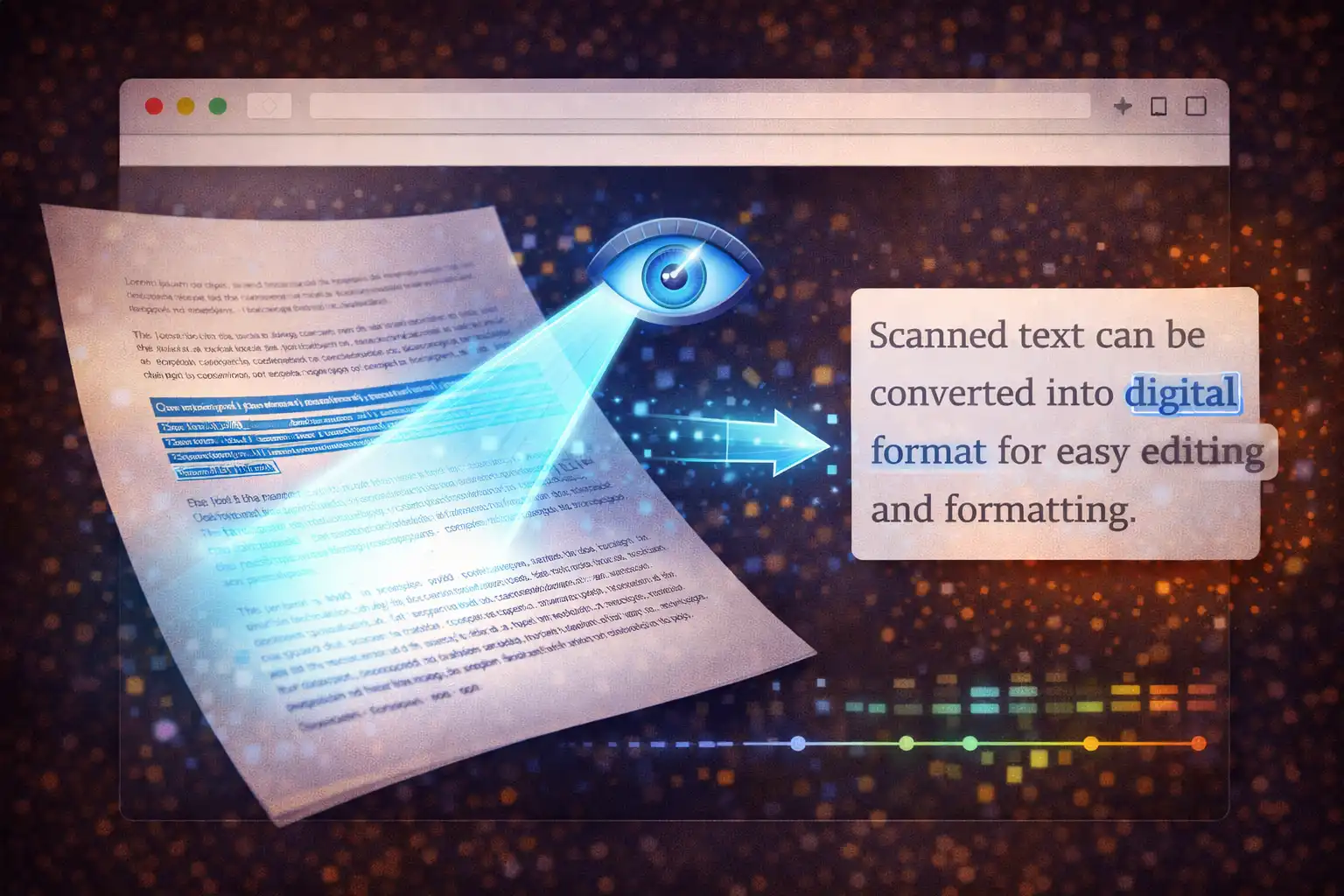
Table of Contents
Overview
The OCR Converter is a browser-based optical character recognition tool that extracts text from images and PDF documents using Tesseract.js 5.1.1, a WebAssembly compilation of the world's most widely-used open-source OCR engine. It supports 18 languages spanning Latin, Cyrillic, CJK (Chinese-Japanese-Korean), Arabic, Devanagari, and Thai scripts, with multi-page PDF processing powered by Mozilla's PDF.js 3.11.174. All processing happens entirely in your browser — no images, PDFs, or extracted text are ever uploaded to any server.
The tool accepts seven image formats (PNG, JPG/JPEG, BMP, WEBP, GIF, TIFF, and PDF) up to 50 MB in size, and outputs extracted text in six formats: plain TXT, Microsoft Word DOCX (via docx.js 8.5.0), PDF (via jsPDF 2.5.1), styled HTML, structured JSON with statistics, and line-by-line CSV. Each recognition includes a confidence score from 0–100%, giving you a quantitative measure of extraction accuracy.
The Tesseract OCR engine has a remarkable history. It was originally developed at Hewlett-Packard Labs in Bristol, England, beginning in 1985 as a proprietary research project. After over two decades of internal development, HP released Tesseract as open-source software in 2006, and Google adopted it as a sponsored project, contributing significant engineering resources. The pivotal upgrade came in 2018 with the addition of LSTM (Long Short-Term Memory) neural network recognition, dramatically improving accuracy for complex scripts, degraded images, and variable fonts. Tesseract.js brings this entire engine — including the LSTM neural networks — to the browser by compiling the C++ codebase to WebAssembly, delivering desktop-grade OCR accuracy without any server dependency.
The OCR Converter relies on five JavaScript libraries totaling approximately 2.6 MB before language data: Tesseract.js (66KB) for the OCR API, the Tesseract Worker (121KB) for the WebAssembly thread, PDF.js (313KB core + 1.1MB worker) for PDF rendering, jsPDF (356KB) for PDF output generation, docx (726KB) for Word document creation, and FileSaver (2.7KB) for cross-browser file downloads. Language data files range from 2–15 MB per language and are downloaded from a CDN on first use, then cached permanently in IndexedDB so subsequent OCR runs start instantly.
Key Features
Tesseract.js 5.1.1
The world's best open-source OCR engine compiled to WebAssembly. Same LSTM neural networks as desktop Tesseract, running in your browser with full recognition accuracy and no server dependency.
18 Languages
English, Spanish, French, German, Italian, Portuguese, Russian, Japanese, Chinese (Simplified + Traditional), Korean, Arabic, Hindi, Thai, Vietnamese, Polish, Dutch, and Turkish — covering Latin, Cyrillic, CJK, Arabic, Devanagari, and Thai scripts.
Multi-Page PDF OCR
PDF.js renders each page at 2x scale to canvas for higher resolution, Tesseract processes pages sequentially, extracted text is joined with page separators, and confidence scores are averaged across all pages.
6 Output Formats
TXT (plain text), DOCX (docx.js with heading and Calibri font), PDF (jsPDF A4 with auto page breaks), HTML (styled with viewport meta), JSON (structured with statistics), and CSV (line-by-line with UTF-8 BOM).
Confidence Scoring
0–100% accuracy estimate from the Tesseract engine for each image or page. Multi-page PDFs show the arithmetic mean across all pages. Color-coded display helps you assess extraction quality at a glance.
Automatic Preprocessing
Otsu thresholding, adaptive binarization, contrast normalization, deskewing, and automatic page segmentation — all handled internally by the WebAssembly engine before character recognition begins.
Real-Time Progress
Status messages ("Loading language data", "Initializing API", "Recognizing text") plus a percentage progress bar that tracks both PDF rendering and OCR recognition stages in real time.
5-Library Architecture
Tesseract.js (OCR engine), PDF.js (PDF rendering), jsPDF (PDF output), docx (DOCX output), and FileSaver (downloads) — all running locally in your browser with zero server communication.
How Tesseract.js Works
Tesseract.js operates through a 3-layer architecture that brings the full power of the desktop Tesseract OCR engine into the browser. Understanding this architecture helps explain both the capabilities and the performance characteristics of browser-based OCR.
Layer 1: JavaScript API
The top layer is the Tesseract.js JavaScript API (66KB), which provides the interface your browser code interacts with. When the OCR Converter calls Tesseract.createWorker(lang, 1, {logger, workerPath}), this layer creates a new Web Worker and establishes communication between the main thread and the worker thread. The second parameter (1) specifies a single worker thread. The logger callback receives progress updates with two properties: m.status (a human-readable stage name like "loading language data", "initializing api", or "recognizing text") and m.progress (a float from 0 to 1 that the OCR Converter converts to a percentage for the progress bar). A fresh worker is created for each OCR run and terminated afterward to ensure clean memory management.
Layer 2: Worker Thread
The middle layer is the Tesseract Worker (tesseract-worker-5.1.1.min.js, 121KB), which runs in a dedicated Web Worker thread separate from the main browser thread. This prevents the computationally intensive OCR processing from freezing the user interface. The worker thread loads the WebAssembly binary, initializes the OCR engine, loads the language data file, and executes the actual recognition pipeline. Because it runs in a Web Worker, the main thread remains responsive — the progress bar updates smoothly, and the user can still interact with the page.
Layer 3: WebAssembly Engine
The bottom layer is the compiled C++ Tesseract engine running as WebAssembly (WASM). This is the same codebase that powers the desktop version of Tesseract, cross-compiled using Emscripten. It includes the LSTM (Long Short-Term Memory) neural network recognizer that was added in the 2018 upgrade, which dramatically improved accuracy compared to the older pattern-matching approach. The WASM engine performs the entire recognition pipeline internally: grayscale conversion, contrast normalization, Otsu thresholding for binarization, adaptive local thresholding, connected component analysis, deskewing, page segmentation (PSM 3 — fully automatic), and finally LSTM-based character recognition.
The LSTM Recognition Process
The LSTM neural network is the core of modern Tesseract's accuracy. Unlike the older approach that matched individual characters against templates, LSTM processes sequences of pixels and learns contextual relationships between characters. It analyzes text line by line: each line is segmented, normalized in height, and fed through the neural network as a sequence. The LSTM network maintains internal memory cells that capture dependencies between characters — for example, recognizing that a "q" is almost always followed by "u" in English. This sequence-based approach is why Tesseract 4+ with LSTM achieves significantly higher accuracy than earlier versions, especially on degraded images, unusual fonts, and complex scripts like Chinese, Japanese, Korean, and Arabic.
Language Data Files
Each language requires a trained data file ranging from 2–15 MB that contains the LSTM network weights, character dictionaries, and language-specific rules. These files are downloaded from a public CDN on first use and cached permanently in the browser's IndexedDB storage. After the initial download, all future OCR runs in that language start immediately without any network request. The OCR Converter supports 18 language data files: eng, spa, fra, deu, ita, por, rus, jpn, chi_sim, chi_tra, kor, ara, hin, tha, vie, pol, nld, and tur.
Internal Preprocessing Pipeline
Before character recognition begins, the WASM engine automatically applies a series of image preprocessing steps. Otsu thresholding is a critical first step: it analyzes the pixel intensity histogram of the entire image to find the optimal threshold value that separates text (dark pixels) from background (light pixels). The algorithm assumes a bimodal histogram — one peak for background and one for text — and calculates the threshold that minimizes intra-class variance. For images with uneven lighting (such as photographs of documents), adaptive binarization supplements Otsu by calculating local thresholds for different regions of the image, handling shadows and lighting gradients that a single global threshold cannot address. Connected component analysis then identifies groups of connected dark pixels, which correspond to individual characters or character fragments. Deskewing detects and corrects slight rotations in the image, and page segmentation (PSM 3, fully automatic) identifies text blocks, columns, and reading order.
Multi-Page PDF Pipeline
For PDF documents, the OCR Converter uses Mozilla's PDF.js (pdf-3.11.174.min.js) to render each page before sending it to Tesseract. The pipeline works as follows: (1) PDF.js loads the PDF file as an ArrayBuffer, (2) each page is rendered to an HTML Canvas element at 2x scale (200% of the original size — higher resolution yields better OCR accuracy because the LSTM network has more pixel data to analyze), (3) the rendered canvases are stored in a pdfPageImages array, (4) Tesseract processes the pages sequentially (page 1, then page 2, then page 3 — not in parallel, because only a single worker thread is used), (5) the extracted text from each page is concatenated with '\n\n--- Page N ---\n\n' separators, and (6) the confidence score is calculated as the arithmetic mean across all pages (totalConf / pageCount). The progress tracking accounts for both the PDF rendering stage and the per-page OCR stages.
6 Output Formats Explained
The OCR Converter generates output in six distinct formats, each created entirely in the browser using client-side JavaScript libraries. No format conversion happens on any server.
1. TXT — Plain Text
The simplest format: raw extracted text saved as a .txt file with UTF-8 encoding. The text is written directly as a Blob with MIME type text/plain. No formatting, no metadata, no structure — just the recognized characters exactly as Tesseract extracted them, with line breaks preserved. This format is universally compatible and ideal for pasting into other applications or further text processing.
2. DOCX — Microsoft Word Document
Generated using docx.js 8.5.0, the DOCX format creates a proper Microsoft Word document with structured content. The document begins with a Heading 1 element containing "OCR Extracted Text", followed by a metadata line that records the source filename, confidence percentage, and extraction date. The extracted text is split by line breaks, and each line becomes a separate Paragraph element in the document. Typography uses Calibri at 11pt for the body text and 16pt for the heading. The resulting .docx file can be opened in Microsoft Word, Google Docs, LibreOffice Writer, and any other word processor that supports the Open XML format.
3. PDF — Portable Document Format
Generated using jsPDF 2.5.1, the PDF output creates an A4 document (210×297mm) with professional formatting. The page uses 20mm margins on all sides, Helvetica font at 11pt for body text, a bold 16pt heading ("OCR Extracted Text"), and an italic 9pt gray metadata line showing source, confidence, and date. The text is rendered with 5.5mm line height, and jsPDF automatically inserts page breaks when text reaches the bottom margin. This format is ideal for archiving extracted text as a permanent, print-ready document.
4. HTML — Styled Web Page
The HTML output creates a complete, self-contained web page with a DOCTYPE declaration, <meta charset="UTF-8">, and <meta name="viewport"> for mobile responsiveness. The body is styled with max-width: 800px, centered with auto margins, and uses the system font stack. Content includes an <h1> title, a <p> metadata block, and a <div> containing the extracted text with newline characters converted to <br> tags. All HTML entities in the extracted text are properly escaped to prevent rendering issues. The file opens directly in any web browser.
5. JSON — Structured Data
The JSON output provides the most detailed and machine-readable format. The structure contains: source (original filename), extractedAt (ISO 8601 timestamp), language (language code used for OCR), confidence (percentage rounded to 1 decimal place), statistics (an object with characters, words, and lines counts), text (the full extracted text as a single string), and paragraphs (an array of strings created by splitting the text on double newlines). This format is ideal for programmatic processing, data pipelines, and integration with other tools or scripts.
6. CSV — Comma-Separated Values
The CSV output structures the extracted text as a spreadsheet-compatible file with one row per line of text. The file begins with a UTF-8 BOM (\uFEFF) to ensure proper character encoding when opened in Excel. The first row contains headers: "Line,Text". Each subsequent row contains a line number and the corresponding text, with the text value enclosed in double quotes and any internal double quotes escaped by doubling them. This format opens directly in Microsoft Excel, Google Sheets, LibreOffice Calc, and any CSV-compatible tool.
How to Use
- Open the OCR Converter — Navigate to the tool and drag-and-drop an image or PDF file onto the upload area, or click to browse. Supported formats: PNG, JPG/JPEG, BMP, WEBP, GIF, TIFF, and PDF (up to 50 MB).
- Preview your file — A preview of your uploaded file appears immediately. For images, the full image is displayed. For PDFs, the first page is rendered as a preview image using PDF.js.
- Select the OCR language — Choose from 18 languages in the dropdown menu. The first time you use a language, the language data file (2–15 MB) is downloaded from a CDN and cached permanently in IndexedDB for all future uses.
- Choose your output format — Select your desired format from the dropdown: TXT (plain text), DOCX (Word document), PDF (formatted document), HTML (web page), JSON (structured data), or CSV (spreadsheet).
- Click "Extract Text" — The progress bar activates, showing real-time status messages: "Loading language data" (first use only), "Initializing API", and "Recognizing text" with percentage completion. For multi-page PDFs, progress tracks each page sequentially.
- Review the results — The extracted text appears in the result area. Check the confidence score (0–100%) and the word, character, and line statistics to assess extraction quality. Scores above 85% indicate good accuracy.
- Copy or download — Click the copy button to copy the extracted text to your clipboard, or click the download button to save the output in your selected format. The file is generated entirely in your browser and downloaded directly.
Frequently Asked Questions
'\n\n--- Page N ---\n\n'. The final confidence score is the arithmetic mean of confidence scores across all pages. The progress bar tracks both the PDF rendering stage and each individual page's OCR stage.{"source": "filename.png", "extractedAt": "2026-03-26T12:00:00.000Z", "language": "eng", "confidence": 94.7, "statistics": {"characters": 1523, "words": 287, "lines": 42}, "text": "full extracted text...", "paragraphs": ["paragraph 1...", "paragraph 2..."]}. The source field contains the original filename, extractedAt is an ISO 8601 timestamp, confidence is rounded to 1 decimal place, statistics provides character, word, and line counts, text contains the complete extracted text as a single string, and paragraphs is an array created by splitting the text on double newline characters. This format is ideal for integration with scripts, APIs, and data processing pipelines.Privacy & Security
OCR of documents is one of the most privacy-sensitive operations you can perform online. Scanned receipts contain financial data, photographed documents contain personal information like names, addresses, and identification numbers, and PDFs may contain confidential business content, legal documents, or medical records. Uploading these to a cloud-based OCR service means entrusting your most sensitive documents to a third party.
The OCR Converter processes everything locally. Tesseract.js runs as WebAssembly in your browser's Web Worker thread, PDF.js renders PDF pages to local Canvas elements, and all output generation — DOCX (docx.js), PDF (jsPDF), HTML, JSON, and CSV — happens via client-side JavaScript libraries running on your device. The only network request is the one-time language data download from a public CDN, which is a generic language model containing no user data and is cached permanently in IndexedDB after the first download. Your images are never uploaded. Your PDFs are never uploaded. Your extracted text is never uploaded. There is no server, no API endpoint, and no cloud processing. You are in complete control of your documents at all times.
Ready to extract text from your images and PDFs? It's free, private, and runs entirely in your browser.
Launch OCR Converter →Related

Last Updated: March 26, 2026