Font Converter
Convert web fonts between TTF, OTF, WOFF & WOFF2 with binary SFNT parsing and compression
Launch Font Converter →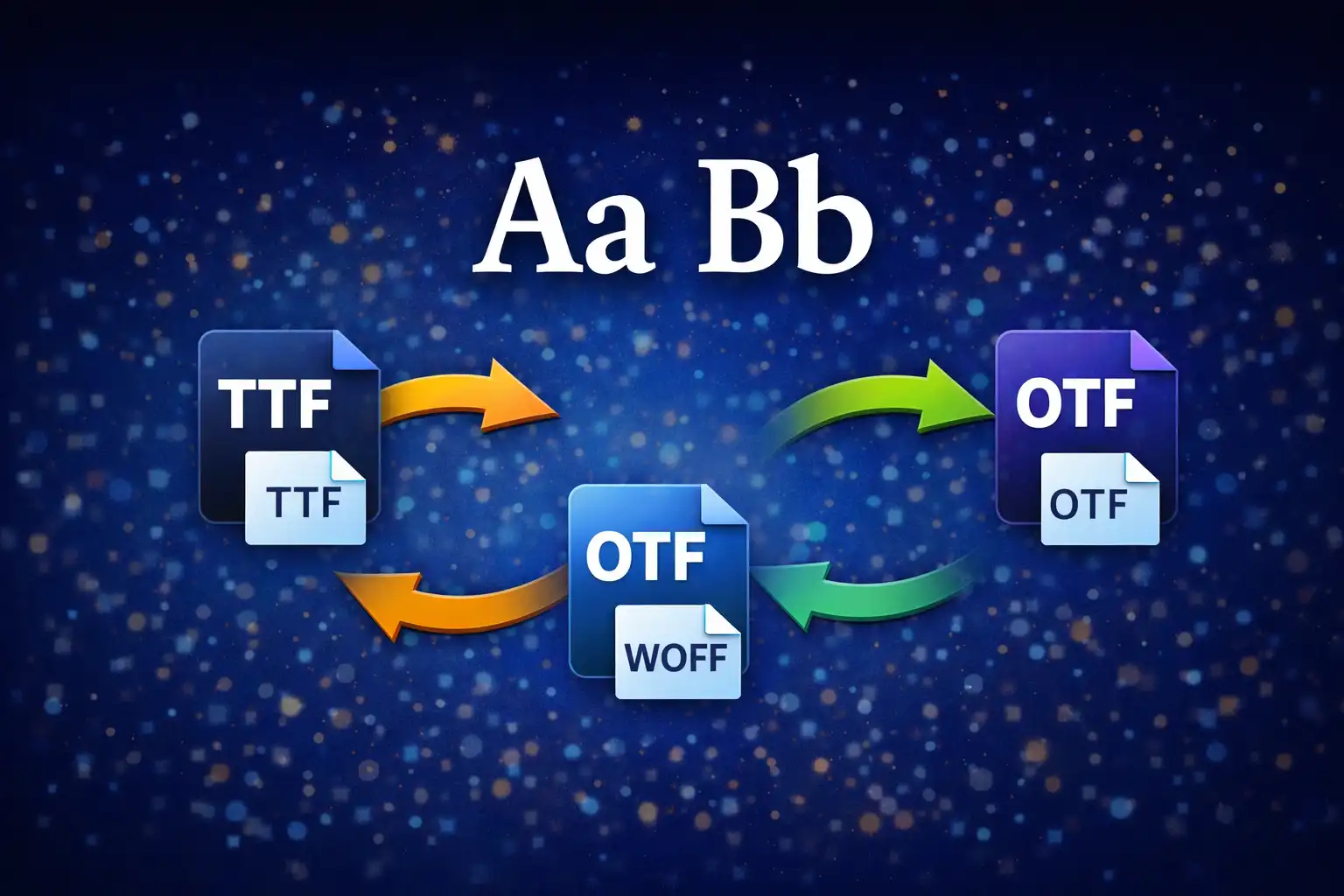
Table of Contents
Overview
The Font Converter is a browser-based tool that converts web font files between four major formats: TTF (TrueType), OTF (OpenType), WOFF (Web Open Font Format), and WOFF2 (Web Open Font Format 2). Unlike server-based converters that upload your proprietary typeface data to remote servers, this tool performs all binary parsing, compression, and repackaging entirely within your browser using JavaScript. Your font files never leave your device.
At its core, the converter works directly with the binary SFNT (Spline Font) container format that underpins all four font types. It reads raw bytes from an ArrayBuffer, parses 12-byte SFNT headers, iterates through 16-byte table directory records, and reconstructs the binary output byte-by-byte using DataView operations. For WOFF encoding, each table is independently compressed using zlib deflate via the pako 2.1.0 library (46KB). For WOFF2, all table data is concatenated and compressed as a single block using the browser's native Brotli implementation via CompressionStream('br').
The tool also provides a live font preview using dynamically injected @font-face rules with blob URLs, a glyph grid displaying up to 120 characters from the ASCII and Latin-1 Extended Unicode ranges, and detailed metadata extraction (font family, style, version, glyph count, units per em) powered by opentype.js 1.3.4. After conversion, a side-by-side file size comparison shows the original and converted sizes with a color-coded percentage change indicator -- green for size reduction, red for size increase.
Key Features
4 Font Formats
Full support for TTF (TrueType with quadratic B-spline outlines, magic number 0x00010000), OTF (OpenType with CFF cubic Bezier outlines, magic 0x4F54544F / 'OTTO'), WOFF (zlib per-table compression, magic 0x774F4646 / 'wOFF'), and WOFF2 (Brotli whole-font compression, magic 0x774F4632 / 'wOF2'). Each format is identified by its 4-byte magic number at offset 0.
Binary SFNT Parsing
Reads the 12-byte SFNT header (uint32 version, uint16 numTables, uint16 searchRange, uint16 entrySelector, uint16 rangeShift) followed by 16-byte table records (uint32 tag, uint32 checksum, uint32 offset, uint32 length) for each of the 63 known table tags including cmap, head, hhea, hmtx, maxp, name, OS/2, post, glyf, loca, CFF , GPOS, GSUB, and more. All offsets are validated and aligned to 4-byte boundaries using the pad4() function: (n + 3) & ~3.
zlib Compression (WOFF)
WOFF encoding compresses each SFNT table independently using pako.deflate() from the pako 2.1.0 library. Tables are sorted alphabetically by tag (a WOFF specification requirement). If the compressed output is larger than the original, the uncompressed data is used instead -- ensuring WOFF files are never unnecessarily bloated. Typical compression yields 20-40% reduction compared to raw TTF.
Brotli Compression (WOFF2)
WOFF2 encoding concatenates all table data into a single block and compresses it using the browser's native CompressionStream('br') Brotli implementation. The table directory uses UIntBase128 variable-length integer encoding (continuation bit on bit 7, 1-5 bytes per value, MSB first) for compact storage. Typical compression yields 40-60% reduction vs raw TTF. Requires Chrome 120+, Edge 120+, or other browsers with Brotli stream support.
Font Preview
Generates a live font preview by creating a blob URL from the font data, injecting a dynamic @font-face CSS rule with a unique font-family name (using an incrementing counter to prevent browser caching), and rendering two sample blocks: a pangram sentence at 2rem for quick visual assessment, and a full character set at 1rem for detailed inspection. MIME types are correctly assigned: font/ttf, font/otf, font/woff, font/woff2.
Glyph Grid
Displays up to 120 individual glyphs in a responsive auto-fill CSS grid. Characters are drawn from two Unicode ranges: printable ASCII U+0021 through U+007E (94 characters covering ! through ~) and Latin-1 Extended U+00C0 through U+00FF (64 characters covering accented letters like À, É, Ñ, Ü). Each glyph cell shows its Unicode codepoint on hover in U+XXXX format. Grid cells are 48px on desktop and 40px on mobile.
Metadata Extraction
Extracts and displays font metadata using opentype.js 1.3.4 (167KB): Font Family name, Subfamily/Style (Regular, Bold, Italic, etc.), Full Name, Version string, total glyph count (read from the maxp table at offset 4 as a uint16), and units per em (the font's internal coordinate grid size, typically 1000 for OTF or 2048 for TTF). Uses the lowMemory: true option for large fonts to avoid excessive memory consumption.
Size Comparison
After conversion, displays a clear before-and-after comparison showing the original file size, the converted file size, and the percentage change. Sizes are automatically formatted with appropriate units (B, KB, or MB with decimal places). Reductions are shown in green (e.g., "37% smaller") and increases in red (e.g., "12% larger"), giving you immediate feedback on the compression efficiency.
Binary Format Deep Dive
Understanding how font files are structured at the binary level is essential to understanding what the Font Converter actually does during conversion. All four supported formats -- TTF, OTF, WOFF, and WOFF2 -- are built on top of the SFNT (Spline Font) container, which organizes font data into a series of tagged tables. Here is a byte-by-byte breakdown of each format's binary structure.
SFNT Container (TTF & OTF)
Both TTF and OTF files use the raw SFNT container format. The file begins with a 12-byte header immediately followed by an array of 16-byte table records.
SFNT Header (12 bytes):
- Bytes 0-3 (uint32) —
sfVersion: The magic number identifying the font type. For TrueType:0x00010000(the value 1.0 in fixed-point notation). For OpenType with CFF outlines:0x4F54544F(the ASCII string'OTTO'). - Bytes 4-5 (uint16) —
numTables: The number of tables in the font. A typical font contains 12-25 tables, though complex fonts may have 40+. - Bytes 6-7 (uint16) —
searchRange: Calculated as(2^floor(log2(numTables))) * 16. Used for binary search optimization in font rasterizers. - Bytes 8-9 (uint16) —
entrySelector: Calculated asfloor(log2(numTables)). The logarithm base 2 of the maximum power of 2 less than or equal to numTables. - Bytes 10-11 (uint16) —
rangeShift: Calculated as(numTables * 16) - searchRange. Completes the binary search parameters.
Table Record (16 bytes each, repeated numTables times):
- Bytes 0-3 (uint32) —
tag: A 4-character ASCII identifier for the table. Examples:'cmap'(character-to-glyph mapping),'head'(font header),'glyf'(glyph outlines for TTF),'CFF '(Compact Font Format outlines for OTF). Converted to/from uint32 using character code bit shifts:(c0 << 24) | (c1 << 16) | (c2 << 8) | c3. - Bytes 4-7 (uint32) —
checksum: A 32-bit checksum of the table data calculated by thecalcChecksum()function. The algorithm treats the table data as an array of 32-bit unsigned integers and sums them with unsigned overflow: for each 4-byte word,sum = (sum + word) >>> 0. The>>> 0operator forces unsigned 32-bit interpretation in JavaScript. - Bytes 8-11 (uint32) —
offset: The byte offset from the beginning of the file to the start of this table's data. Must be 4-byte aligned. - Bytes 12-15 (uint32) —
length: The length of this table's data in bytes (unpadded). The actual storage may be padded to a 4-byte boundary with zero bytes.
After the table directory, the actual table data blocks are stored sequentially. Each block is padded to a 4-byte boundary using the pad4() function: (n + 3) & ~3. This bitwise operation rounds any value up to the nearest multiple of 4 by adding 3, then clearing the bottom 2 bits.
WOFF Header (44 bytes)
The WOFF format wraps an SFNT font with per-table compression. The file begins with a 44-byte header:
- Bytes 0-3 (uint32) —
signature: Magic number0x774F4646(ASCII'wOFF'). - Bytes 4-7 (uint32) —
flavor: The sfnt version of the original font --0x00010000for TrueType or0x4F54544Ffor OpenType CFF. This tells decoders what kind of font is inside the WOFF wrapper. Read by thegetSfntFlavor()helper at bytes 4-8. - Bytes 8-11 (uint32) —
length: Total size of the WOFF file in bytes. - Bytes 12-13 (uint16) —
numTables: Number of font tables. - Bytes 14-15 (uint16) —
reserved: Must be zero. - Bytes 16-19 (uint32) —
totalSfntSize: Total size of the uncompressed SFNT data (used for memory allocation during decompression). - Bytes 20-21 (uint16) —
majorVersion: Major version of the WOFF file (typically 1). - Bytes 22-23 (uint16) —
minorVersion: Minor version of the WOFF file (typically 0). - Bytes 24-27 (uint32) —
metaOffset: Offset to metadata block (0 if none). - Bytes 28-31 (uint32) —
metaLength: Compressed length of metadata (0 if none). - Bytes 32-35 (uint32) —
metaOrigLength: Uncompressed length of metadata (0 if none). - Bytes 36-39 (uint32) —
privOffset: Offset to private data block (0 if none). - Bytes 40-43 (uint32) —
privLength: Length of private data block (0 if none).
WOFF Table Directory Entry (20 bytes each):
- Bytes 0-3 (uint32) —
tag: Same 4-character table tag as SFNT. - Bytes 4-7 (uint32) —
offset: Offset to the compressed table data within the WOFF file. - Bytes 8-11 (uint32) —
compLength: Length of the compressed table data. If equal toorigLength, the data is stored uncompressed. - Bytes 12-15 (uint32) —
origLength: Original uncompressed length of the table data. - Bytes 16-19 (uint32) —
origChecksum: Checksum of the original uncompressed table data.
During WOFF encoding (sfntToWoff()), the converter sorts all tables alphabetically by tag (as required by the WOFF specification), then compresses each table independently with pako.deflate(). If the compressed output is not smaller than the original, the uncompressed data is stored instead and compLength is set equal to origLength. This ensures the WOFF file is never larger than necessary.
WOFF2 Header (48 bytes)
WOFF2 uses a more compact binary format with variable-length integer encoding for the table directory:
- Bytes 0-3 (uint32) —
signature: Magic number0x774F4632(ASCII'wOF2'). - Bytes 4-7 (uint32) —
flavor: The sfnt version of the original font (0x00010000or0x4F54544F). - Bytes 8-11 (uint32) —
length: Total WOFF2 file size in bytes. - Bytes 12-13 (uint16) —
numTables: Number of font tables. - Bytes 14-15 (uint16) —
reserved: Must be zero. - Bytes 16-19 (uint32) —
totalSfntSize: Total size of uncompressed font data. - Bytes 20-23 (uint32) —
totalCompressedSize: Total size of the compressed data block (all tables compressed together as one Brotli stream). - Bytes 24-25 (uint16) —
majorVersion: Major version (typically 1). - Bytes 26-27 (uint16) —
minorVersion: Minor version (typically 0). - Bytes 28-31 (uint32) —
metaOffset: Offset to metadata block. - Bytes 32-35 (uint32) —
metaLength: Compressed metadata length. - Bytes 36-39 (uint32) —
metaOrigLength: Original metadata length. - Bytes 40-43 (uint32) —
privOffset: Offset to private data. - Bytes 44-47 (uint32) —
privLength: Private data length.
WOFF2 Table Directory (variable length per entry):
Unlike WOFF's fixed 20-byte entries, WOFF2 table directory entries use a compact variable-length encoding. Each entry contains:
- Byte 0 (uint8) —
flags: Bits 0-5 encode the table tag as an index into a list of 63 known font table tags. If the index is 63 (0x3F), the tag is stored as an explicit 4-byte value following this byte. Bits 6-7 encode a preprocessing transformation applied to the table (0 = none, 1 = glyf/loca transform, 2 = hmtx transform). - Variable bytes —
tag: Only present if the flags index is 63. A 4-byte explicit tag value. - Variable bytes —
origLength: Original table length encoded as UIntBase128. - Variable bytes —
transformLength: Only present if a transform is applied (transform bits nonzero, or forglyf/locatables which always have transform metadata). Encoded as UIntBase128.
UIntBase128 Encoding Algorithm
WOFF2 uses UIntBase128 to encode integers compactly. This variable-length encoding represents values using 1 to 5 bytes, with a continuation bit on the most significant bit (bit 7) of each byte. The algorithm works as follows:
- Each byte carries 7 bits of data (bits 0-6) and 1 continuation bit (bit 7).
- If bit 7 is set (
0x80), more bytes follow. If bit 7 is clear, this is the last byte. - Bytes are ordered MSB first -- the most significant 7-bit chunk is written first.
- Writing: The value is split into 7-bit chunks. Starting from the most significant non-zero chunk, each chunk is written with bit 7 set (except the last chunk). For example, the value 16384 (
0x4000) encodes as[0x81, 0x80, 0x00]-- three bytes carrying 7+7+7 = 21 bits of data. - Reading: Bytes are read one at a time. The accumulator is left-shifted by 7 and OR'd with the lower 7 bits. Reading stops when bit 7 is clear. The decoder validates that there are no leading
0x80bytes (which would be a padded zero), checks for overflow at the0xFE000000boundary, and enforces the maximum of 5 bytes per value.
This encoding is more space-efficient than fixed 4-byte integers for the small values typically found in font table directories. A table length of 1000 bytes encodes in just 2 bytes ([0x87, 0x68]) instead of 4.
Key Binary Helper Functions
calcChecksum(data): Computes a 32-bit unsigned checksum by treating the input as a sequence of 4-byte big-endian unsigned integers and summing them. Each 4-byte word is read viaDataView.getUint32(), added to the running sum, and the result is forced to unsigned 32-bit with>>> 0. If the data length is not a multiple of 4, the final partial word is zero-padded on the right.pad4(n): Rounds a byte count up to the nearest 4-byte boundary:(n + 3) & ~3. The expression~3produces the bitmask0xFFFFFFFC, which clears the bottom 2 bits after adding 3 ensures any non-aligned value is pushed to the next boundary.tagToUint32(tag): Converts a 4-character ASCII string to a 32-bit unsigned integer by shifting each character's code point:(charCodeAt(0) << 24) | (charCodeAt(1) << 16) | (charCodeAt(2) << 8) | charCodeAt(3). For example,'cmap'becomes0x636D6170.uint32ToTag(val): Reverses the above, extracting 4 characters from a 32-bit integer using right-shifts and masking with& 0xFF.getSfntFlavor(data): Reads 4 bytes at offset 4 of a WOFF or WOFF2 file to determine theflavorfield. Returns'truetype'if the value is0x00010000or'cff'if it is0x4F54544F. This tells the converter whether the wrapped font uses TrueType or CFF outlines.
How to Use
- Open the Font Converter -- Navigate to the Font Converter page and drag-and-drop your font file onto the upload area, or click to browse. Supported input formats are
.ttf,.otf,.woff, and.woff2. - Automatic Format Detection -- The converter reads the first 4 bytes of the file to identify the magic number:
0x00010000for TTF,0x4F54544Ffor OTF,0x774F4646for WOFF, or0x774F4632for WOFF2. The detected format is displayed along with font metadata, a live preview, and the glyph grid. - Review the Font Preview -- Examine the pangram text sample (rendered at 2rem) and the full character set (at 1rem) to verify your font loaded correctly. The preview uses a dynamically injected
@font-facerule with a blob URL. - Inspect the Glyph Grid -- Browse the 120-character grid showing printable ASCII (U+0021 through U+007E) and Latin-1 Extended (U+00C0 through U+00FF) glyphs. Hover over any glyph to see its Unicode codepoint in
U+XXXXformat. - Select Your Output Format -- Choose from the dropdown menu. Only valid conversions are shown -- for example, TTF to OTF is not available because generating CFF outlines from TrueType data is computationally impractical in a browser. If your browser does not support
CompressionStream('br'), the WOFF2 output option is hidden. - Click Convert -- The converter parses the binary SFNT structure, extracts all table data, applies the appropriate compression or decompression (zlib for WOFF, Brotli for WOFF2), rebuilds the table directory, recalculates checksums, and assembles the output file. The size comparison appears: original size vs. converted size with percentage change.
- Download Your Font -- Click the download button to save your converted font file with the correct file extension (
.ttf,.otf,.woff, or.woff2) and the proper MIME type. The file is generated as a blob and downloaded via a temporary anchor element.
Conversion Matrix
Not all conversions between font formats are possible in a browser environment. The table below shows which conversions the Font Converter supports and why certain paths are unavailable:
- TTF → WOFF: Supported. The raw SFNT tables are compressed individually with zlib and wrapped in a 44-byte WOFF header.
- TTF → WOFF2*: Supported (conditional). All table data is Brotli-compressed via
CompressionStream('br'). Requires Chrome 120+, Edge 120+, or another browser with native Brotli stream support. - OTF → TTF: Supported. Uses opentype.js to parse CFF cubic Bezier outlines and convert them to TrueType quadratic B-splines. Minor curve approximation differences may occur.
- OTF → WOFF: Supported. The OTF SFNT tables are zlib-compressed per-table.
- OTF → WOFF2*: Supported (conditional). Same Brotli requirement as above.
- WOFF → TTF/OTF: Supported. Each table is individually decompressed using
pako.inflate()and the raw SFNT is reconstructed. The output format (TTF or OTF) is determined by the WOFFflavorfield at bytes 4-7. - WOFF → WOFF2*: Supported (conditional). The WOFF is first decompressed to raw SFNT, then re-compressed with Brotli.
- WOFF2 → TTF/OTF: Supported. The Brotli-compressed block is decompressed and the SFNT is reconstructed. Output format is based on the WOFF2
flavorfield. - WOFF2 → WOFF: Supported. Decompressed from Brotli, then re-compressed per-table with zlib.
- TTF → OTF: Not supported. Converting TrueType outlines to CFF (Compact Font Format) requires generating cubic Bezier outlines, CFF charstring encoding, subroutinization, and CFF index structures -- operations that are computationally impractical in a browser environment.
* WOFF2 output is conditionally available. If your browser does not provide CompressionStream('br') for Brotli compression, the WOFF2 option is automatically hidden from the output format dropdown. As of early 2026, Chrome 120+, Edge 120+, and Opera 106+ support this API. Safari and Firefox do not yet support Brotli via CompressionStream.
A note on table transforms: The WOFF2 specification defines optional transforms for the glyf, loca, and hmtx tables that can improve compression. The Font Converter detects these transforms during WOFF2 decoding but does not fully reverse complex glyf transforms -- if a WOFF2 file uses glyf table transformation, the converter will throw a 'glyf_transform_not_implemented' error. Most WOFF2 files generated by standard tools do use this transform, so decoding WOFF2 files may fail for some fonts. WOFF2 encoding from TTF/OTF does not apply transforms.
Frequently Asked Questions
0x00010000), OTF (OpenType Font with CFF outlines, magic number 0x4F54544F), WOFF (Web Open Font Format with per-table zlib compression, magic number 0x774F4646), and WOFF2 (Web Open Font Format 2 with whole-font Brotli compression, magic number 0x774F4632). Each format is automatically detected by reading the first 4 bytes of the uploaded file.glyf table holds TrueType outlines; the CFF table holds OpenType CFF outlines.0x7F. The value 128 requires two bytes: [0x81, 0x00] (the first byte carries the high bit with continuation flag, the second carries the low 7 bits). The maximum encodable value uses 5 bytes and can represent integers up to 2^35 - 1, though the WOFF2 spec limits values to 32-bit unsigned integers. The decoder validates that no leading byte is 0x80 (which would be a padded zero) and checks for overflow at the 0xFE000000 boundary.CompressionStream('br') API. This is a relatively new web standard that is not yet universally available. As of early 2026, it is supported in Chrome 120+, Edge 120+, and Opera 106+, but is not yet available in Safari or Firefox. The Font Converter detects this at runtime -- if your browser lacks Brotli stream support, the WOFF2 output option is automatically hidden from the format dropdown. WOFF2 decoding (reading WOFF2 files) uses DecompressionStream('br'), which has similar browser requirements. If you need WOFF2 output, use a Chromium-based browser.!) through U+007E (~), covering all standard keyboard characters including letters, digits, and punctuation; plus 64 Latin-1 Extended characters from U+00C0 (À) through U+00FF (ÿ), covering accented characters common in European languages like À, É, Ñ, Ö, ß, and þ. Hovering over any glyph cell displays its Unicode codepoint in the standard U+XXXX hexadecimal notation. The grid uses CSS auto-fill with 48px cells on desktop and 40px cells on mobile for a responsive layout.fvar table with design variation axes like weight, width, and slant) are processed by the Font Converter as binary data. When converting between WOFF/WOFF2 and TTF/OTF, the variable font tables (fvar, gvar, STAT, avar, MVAR, HVAR, VVAR, cvar) are preserved byte-for-byte during compression and decompression -- they are treated the same as any other SFNT table. However, the converter does not specifically optimize for variable fonts, and the metadata display does not show variation axes. The font preview renders the default instance of the variable font.ArrayBuffer data with no network calls. No font data, binary content, file names, or metadata are ever transmitted to any server. The blob URLs created for font preview are local to your browser session and are revoked after use. Your font files, whether they contain proprietary typeface designs, commercial licenses, or personal projects, remain entirely on your device throughout the entire conversion process.Privacy & Security
Font files can contain proprietary typeface data, licensing information, and embedded metadata including designer names, foundry details, and copyright notices. The Font Converter processes everything locally using pako for zlib compression and opentype.js for font parsing. No font data, binary content, or metadata is ever transmitted to any server. The binary SFNT parsing reads your font's raw bytes directly from an in-memory ArrayBuffer -- there are no XMLHttpRequests, no fetch calls, no WebSocket connections, and no server-side processing of any kind. Blob URLs created for the font preview are scoped to your browser tab and automatically revoked. Your typography assets remain completely on your device.
Ready to convert your fonts? It's free, private, and runs entirely in your browser.
Launch Font Converter →Related

Last Updated: March 26, 2026