Text Case Converter: 15 Transformations from camelCase to CONSTANT_CASE
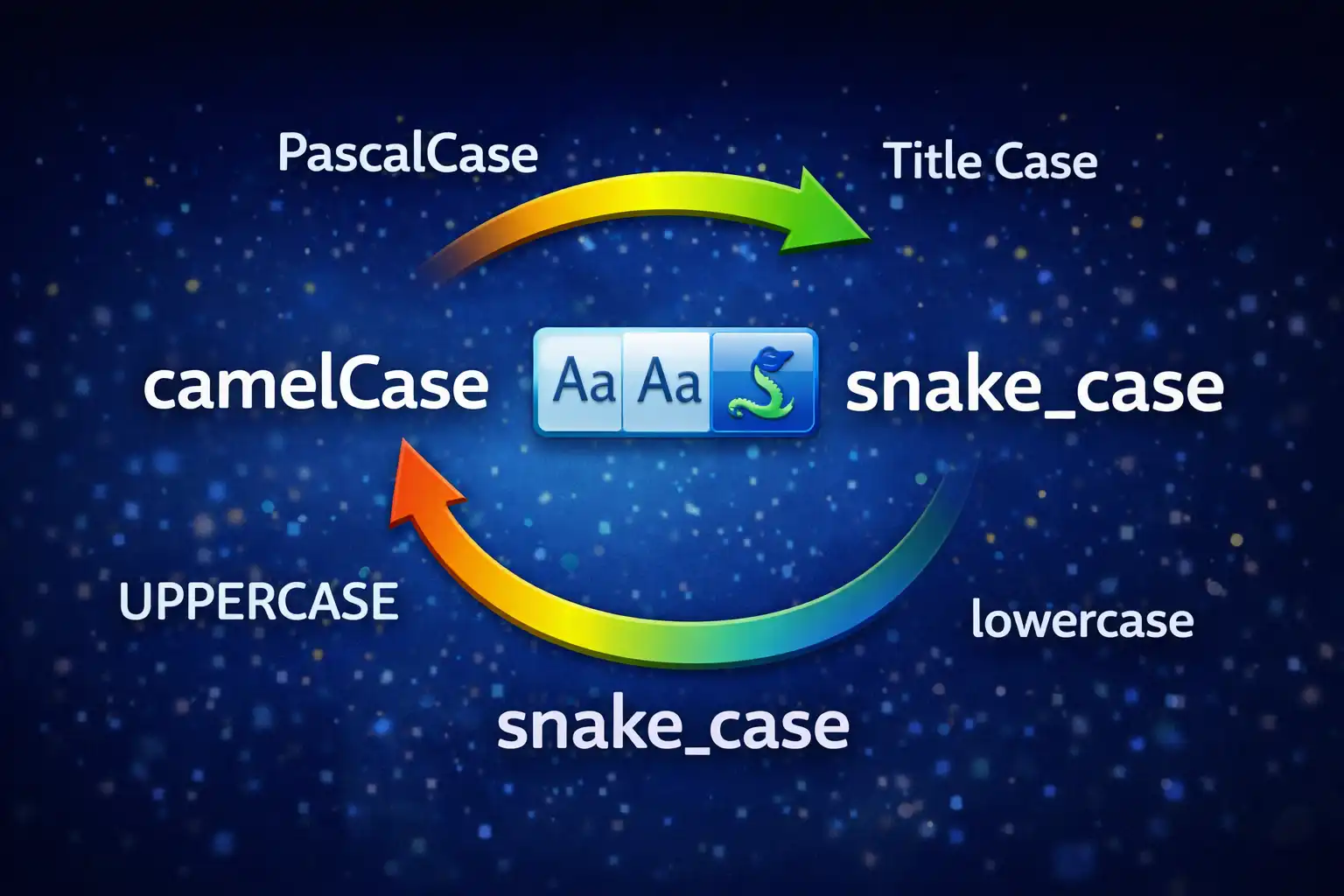
Table of Contents
- What Is the Text Case Converter?
- 15 Case Transformations at a Glance
- Natural Language Cases: Title, Sentence & Capitalize
- Programming Naming Conventions: camelCase, PascalCase, snake_case & More
- The Tokenization Engine: How Word Boundaries Are Detected
- Handling Acronyms & Edge Cases
- Alternating, Inverse & Decorative Cases
- Smart Statistics: Abbreviation-Aware Sentence Counting
- File Upload: 16 Code & Text Formats
- Privacy: Zero Data Transmission
- When to Use Each Case (Programming Language Guide)
- DataForge vs. ConvertCase, CaseConverter.com & TextFixer
- Frequently Asked Questions
- Conclusion
Naming conventions are one of programming's oldest and most consequential decisions. Pick the wrong case style in a Python codebase and your linter screams. Use camelCase in a CSS custom property and every front-end developer on the team raises an eyebrow. Write a database column in PascalCase and your ORM breaks. Beyond programming, anyone writing headlines, formatting legal documents, or preparing content for publication has to think about case: title case for headings, sentence case for body text, UPPERCASE for legal disclaimers. The Text Case Converter on ZeroDataUpload handles all of this with 15 distinct case transformations, an intelligent tokenization algorithm that understands camelCase boundaries and acronyms, real-time statistics with abbreviation-aware sentence counting, and file upload supporting 16 text and code formats — all running 100% client-side with zero data uploads.
1. What Is the Text Case Converter?
The Text Case Converter is a browser-based text transformation tool that converts any input text between 15 case formats instantly. Type or paste text into the input area, click any of the 15 case buttons, and the output updates immediately. The tool covers the full spectrum from basic transformations like UPPERCASE and lowercase through natural language conventions like Title Case and Sentence case to programmer-specific formats like camelCase, PascalCase, snake_case, kebab-case, dot.case, path/case, CONSTANT_CASE, and Train-Case, plus decorative options like aLtErNaTiNg CaSe and iNVERSE cASE.
What makes this converter different from a simple toUpperCase() call is its tokenization engine. Before any case transformation can happen, the tool must first figure out where words begin and end — and in programming identifiers, there are no spaces. The string HTTPSConnectionManager contains three words (HTTPS, Connection, Manager), but they are fused together with nothing but capitalization patterns as clues. The converter's regex-based tokenizer splits on camelCase boundaries, consecutive uppercase-to-lowercase transitions, underscores, hyphens, dots, and slashes, then recombines the tokens according to the target case's rules. This is the same problem that IDEs, code refactoring tools, and linters solve — and it is surprisingly hard to get right.
On top of the 15 transformations, the tool provides four real-time statistics (character count, word count, sentence count, and line count), a file upload system that accepts 16 text and code file formats up to 5MB, copy-to-clipboard with a Ctrl+Enter keyboard shortcut, and download with an automatic filename pattern that appends the selected case name. Everything processes locally in JavaScript. Your text never leaves your browser.
2. 15 Case Transformations at a Glance
Here is the complete list of all 15 transformations the tool supports, organized by category:
Basic Case
- UPPERCASE — Converts every character to its uppercase form using JavaScript's native
toUpperCase(). Input: "hello world" becomes "HELLO WORLD". - lowercase — Converts every character to its lowercase form using
toLowerCase(). Input: "Hello World" becomes "hello world".
Natural Language Case
- Title Case — Capitalizes the first letter of each word except for a list of 24 small words (articles, prepositions, conjunctions). The first word of each line is always capitalized regardless. Input: "the quick brown fox jumps over the lazy dog" becomes "The Quick Brown Fox Jumps over the Lazy Dog".
- Sentence case — Capitalizes only the first letter after sentence-ending punctuation (.!?) followed by whitespace. Uses abbreviation-aware processing to avoid false positives. Input: "hello world. how are you?" becomes "Hello world. How are you?"
- Capitalize Words — Capitalizes the first letter of every word unconditionally, with no exceptions list. Input: "the quick brown fox" becomes "The Quick Brown Fox". Unlike Title Case, small words like "the," "in," and "of" are also capitalized.
Programming Case
- camelCase — First word lowercase, subsequent words capitalized, no separators. Input: "get user name" becomes "getUserName".
- PascalCase — Every word capitalized, no separators. Input: "get user name" becomes "GetUserName". Also called UpperCamelCase.
- snake_case — All lowercase, words joined by underscores. Input: "Get User Name" becomes "get_user_name".
- kebab-case — All lowercase, words joined by hyphens. Input: "Get User Name" becomes "get-user-name".
- dot.case — All lowercase, words joined by dots. Input: "Get User Name" becomes "get.user.name".
- path/case — All lowercase, words joined by forward slashes. Input: "Get User Name" becomes "get/user/name".
- CONSTANT_CASE — All uppercase, words joined by underscores. Also known as SCREAMING_SNAKE_CASE. Input: "get user name" becomes "GET_USER_NAME".
- Train-Case — Each word capitalized, joined by hyphens. Input: "get user name" becomes "Get-User-Name".
Decorative Case
- Alternating case — Alternates between lowercase and uppercase for each alphabetic character. A counter tracks position and skips non-alphabetic characters. Input: "hello world" becomes "hElLo WoRlD".
- Inverse/Toggle case — Swaps the case of every character: uppercase becomes lowercase and vice versa. Input: "Hello World" becomes "hELLO wORLD".
3. Natural Language Cases: Title, Sentence & Capitalize
Title Case, Sentence case, and Capitalize Words may sound similar, but they serve fundamentally different purposes and follow different rules.
Title Case is the most complex of the three. It follows a rule set inspired by major style guides (AP, Chicago, APA): capitalize the first letter of every word except for a predefined list of small words that should remain lowercase when they appear in the middle of a title. The converter uses a list of 24 small words: a, an, the, in, on, at, by, for, to, of, and, but, or, nor, is, it, so, yet, up, as, if, with, from, into. The first word of each line is always capitalized regardless of whether it appears in the small words list. This means "a tale of two cities" becomes "A Tale of Two Cities" — the leading "a" is capitalized because it is the first word, while "of" remains lowercase because it is a preposition in the small words list.
Title Case processing works line by line. Each line is treated as an independent title, which is important when converting multi-line input like a list of headings or song titles. The algorithm splits each line into words, checks each word against the small words list (case-insensitive), capitalizes or lowercases accordingly, and always forces the first word to be capitalized.
Sentence case mimics natural writing: capitalize the first letter of each sentence, leave everything else lowercase. The challenge is determining where sentences begin. The algorithm looks for sentence-ending punctuation — periods, exclamation marks, and question marks — followed by one or more whitespace characters. The first character after that whitespace is capitalized. The first character of the entire text is also always capitalized. This handles straightforward cases like "hello world. how are you? fine!" converting to "Hello world. How are you? Fine!" But what about "Dr. Smith went to Washington"? Without special handling, the period after "Dr" would trigger a new sentence, incorrectly capitalizing "Smith" as the start of a new sentence. The converter's abbreviation-aware preprocessing (detailed in section 8) solves this.
Capitalize Words is the simplest of the three: capitalize the first letter of every single word, no exceptions. There is no small words list, no sentence detection — just blind first-letter capitalization. "the art of war" becomes "The Art Of War." This is technically incorrect title case for English, but it is exactly what many applications need: formatting a database field name for display, generating heading text where every word should be prominent, or preparing text where the distinction between "of" and "Of" does not matter.
4. Programming Naming Conventions: camelCase, PascalCase, snake_case & More
Programming naming conventions exist because code has no spaces in identifiers. When you name a variable, function, class, or constant, you need a way to visually separate the words within that identifier. Different programming languages and communities have adopted different conventions, and violating them is not just a style issue — it can trigger linter errors, break framework conventions, confuse other developers, and even cause runtime errors in case-sensitive languages.
camelCase (also called lowerCamelCase) is the dominant convention in JavaScript, TypeScript, Java, and Swift. The first word is entirely lowercase, and each subsequent word starts with an uppercase letter: getUserProfile, isValidEmail, handleClickEvent. In JavaScript, virtually every variable, function, and object property follows camelCase. The DOM API uses it (getElementById, addEventListener), React uses it for props and state (onClick, useState), and Node.js uses it for module exports. Using snake_case in a JavaScript codebase immediately marks you as someone coming from Python.
PascalCase (also called UpperCamelCase) capitalizes every word including the first: UserProfile, HttpClient, DatabaseConnection. It is the standard for class names in nearly every object-oriented language: JavaScript classes (class EventEmitter), Python classes (class DataProcessor), Java classes (class StringBuilder), C# classes and methods (class FileStream, GetResponse()). In React, PascalCase is required for component names — a component named userCard will not render because React treats lowercase tag names as HTML elements. TypeScript interfaces and type aliases also follow PascalCase: interface UserConfig, type ApiResponse.
snake_case is the convention in Python, Ruby, Rust, and database schemas. All letters are lowercase, words separated by underscores: get_user_profile, is_valid_email, database_connection. Python's PEP 8 style guide mandates snake_case for functions, variables, and module names. Rust follows the same convention. SQL databases traditionally use snake_case for table and column names: user_accounts, created_at, last_login_date. PostgreSQL actually folds unquoted identifiers to lowercase, making snake_case the natural choice.
kebab-case uses hyphens instead of underscores: get-user-profile, main-content, nav-bar-item. It is the standard in CSS (custom properties like --font-size-large, class names like .nav-bar-item), HTML attributes (data-user-id), URL slugs (/blog/text-case-converter-guide), and CLI flags (--output-format). Lisp dialects use it for function names. Notably, kebab-case identifiers are invalid in most programming languages because the hyphen is interpreted as a minus operator — you cannot name a JavaScript variable user-name because the engine reads it as user minus name.
CONSTANT_CASE (also called SCREAMING_SNAKE_CASE) uses all uppercase letters with underscores: MAX_RETRY_COUNT, API_BASE_URL, DEFAULT_TIMEOUT_MS. It is universally used for constants across nearly all languages — JavaScript's const MAX_SIZE = 1024, Python's MAX_CONNECTIONS = 100, Java's static final int BUFFER_SIZE = 8192, and C's #define MAX_PATH_LENGTH 260. Environment variables also follow this convention: DATABASE_URL, NODE_ENV, AWS_ACCESS_KEY_ID.
dot.case and path/case are less common but serve specific purposes. Dot.case appears in Java package names (com.example.myapp), Python module paths (django.contrib.auth), and configuration keys (server.port, logging.level.root). Path/case mirrors filesystem paths and is useful for generating URL segments or directory structures from identifiers.
Train-Case capitalizes each word and joins them with hyphens: Get-User-Name, Content-Type, X-Request-Id. It is the standard for HTTP header names. Every HTTP header you have ever seen — Content-Type, Accept-Encoding, X-Forwarded-For, Cache-Control — follows Train-Case.
5. The Tokenization Engine: How Word Boundaries Are Detected
The tokenization algorithm is the heart of the Text Case Converter. Before any transformation can happen, the tool must decompose the input into individual words — and for programming identifiers, this means detecting word boundaries where there are no spaces, only capitalization patterns and separator characters.
The tokenizer uses a four-step regex pipeline:
text.replace(/([a-z])([A-Z])/g, '$1 $2')        // Step 1: camelCase split
    .replace(/([A-Z]+)([A-Z][a-z])/g, '$1 $2')   // Step 2: acronym split
    .replace(/[_\-./\\]+/g, ' ')                  // Step 3: separators to spaces
    .replace(/[^\w\s]/g, ' ')                     // Step 4: punctuation to spaces
    .trim().split(/\s+/).filter(Boolean)           // Step 5: split and clean
Step 1: /([a-z])([A-Z])/g — This regex finds any lowercase letter immediately followed by an uppercase letter and inserts a space between them. This is the classic camelCase boundary detection. The string getUserName contains two such boundaries: the "t" followed by "U" and the "r" followed by "N". After this step, getUserName becomes get User Name. The regex uses capture groups $1 and $2 to preserve both characters while adding a space between them.
Step 2: /([A-Z]+)([A-Z][a-z])/g — This is the acronym handler, and it is the most subtle part of the pipeline. Consider the string HTTPSConnection. Step 1 would not split it correctly because the transition from "S" (uppercase) to "C" (uppercase) does not match the lowercase-to-uppercase pattern. Step 2 looks for one or more uppercase letters followed by an uppercase letter and a lowercase letter. In HTTPSConnection, the pattern matches HTTPS followed by Co — the [A-Z]+ captures "HTTP" and the [A-Z][a-z] captures "SC" ... wait, let us trace more carefully. The [A-Z]+ matches "HTTPS" greedily, then backtracks to find [A-Z][a-z] matching "Co". So $1 is "HTTPS" minus the last character = "HTTP" ... actually, the regex engine matches ([A-Z]+) as "HTTP" and ([A-Z][a-z]) as "SC"? No. Let us trace it precisely: [A-Z]+ greedily matches "HTTPSC", then the engine needs [A-Z][a-z] to follow. There is nothing left after "HTTPSC" at that point except "onnection" which starts with lowercase. So the engine backtracks: [A-Z]+ matches "HTTPS" and [A-Z][a-z] would need "Co" — yes, "C" is uppercase and "o" is lowercase. So $1 = "HTTPS" and $2 = "Co", producing "HTTPS Connection". But wait, that means the regex actually splits it as "HTTPS" + space + "Connection", which is exactly correct. The acronym "HTTPS" stays intact as a single token, and "Connection" becomes a separate word. Similarly, XMLHttpRequest becomes "XML Http Request" — the XML acronym is preserved, "Http" becomes its own word, and "Request" another.
Step 3: /[_\-./\\]+/g — This converts all common programming separators to spaces. Underscores (snake_case), hyphens (kebab-case), dots (dot.case), forward slashes (path/case), and backslashes are all replaced with spaces. The + quantifier handles multiple consecutive separators: my__double__snake becomes my double snake rather than my double snake with extra spaces.
Step 4: /[^\w\s]/g — Any remaining punctuation or special characters that are not word characters (\w = letters, digits, underscore) or whitespace (\s) are replaced with spaces. This catches parentheses, brackets, colons, semicolons, and any other non-alphanumeric characters that might appear in the input.
Step 5: .trim().split(/\s+/).filter(Boolean) — Finally, the processed string is trimmed of leading/trailing whitespace, split on any whitespace sequences, and empty strings are filtered out. The result is a clean array of word tokens ready for reassembly in any case format.
This pipeline handles an remarkably wide range of inputs. Natural language like "Hello World" passes through steps 1 and 2 unchanged (no camelCase boundaries), step 3 unchanged (no separators), step 4 unchanged (no special punctuation), and splits cleanly into ["Hello", "World"]. Programming identifiers like getUserProfileData split into ["get", "User", "Profile", "Data"] at step 1. Mixed inputs like HTTPS_CONNECTION_MANAGER split at step 3 into ["HTTPS", "CONNECTION", "MANAGER"]. The tokens are then recombined by the target case function — snake_case joins them with underscores after lowercasing, PascalCase capitalizes each and concatenates, and so on.
6. Handling Acronyms & Edge Cases (HTTPSConnection → https_connection)
Acronyms are the hardest part of case conversion because they break the simple one-letter-per-word assumption. The word "HTTPS" is five uppercase letters that form a single semantic unit, but naive camelCase-to-snake_case conversion might split it into individual letters or treat the entire run of uppercase as one token only to clip the last letter.
The two-step regex approach handles this correctly. Let us trace several real-world examples through the pipeline:
HTTPSConnectionManager — Step 1 finds no lowercase-to-uppercase transitions within "HTTPS" (all uppercase) but finds one between the "n" (lowercase) in "Connection" and the "M" (uppercase) in "Manager": produces "HTTPSConnection Manager". Step 2 then processes "HTTPSConnection": [A-Z]+ matches "HTTPSC" greedily, backtracks until [A-Z][a-z] matches "Co", yielding "HTTPS" + space + "Connection". Final result: ["HTTPS", "Connection", "Manager"]. Convert to snake_case: https_connection_manager. Convert to kebab-case: https-connection-manager.
XMLHttpRequest — Step 1 finds the "l" to "H" boundary (XMLHttp) and the "p" to "R" boundary (HttpRequest), producing "XML Http Request". Step 2 has no remaining multi-uppercase runs to split. Tokens: ["XML", "Http", "Request"]. Convert to snake_case: xml_http_request. Convert to camelCase: xmlHttpRequest.
getHTTPSUrl — Step 1 finds "t" to "H" (get + HTTPS) and "S" to "U"? No — "S" is uppercase and "U" is uppercase. Actually, "l" (lowercase) in "Url" ... let us trace carefully. The string is g-e-t-H-T-T-P-S-U-r-l. Step 1 finds "t" (lowercase) followed by "H" (uppercase): "get HTTPSUrl". Then "S" (uppercase) followed by "U" (uppercase) — no match (both uppercase). Then no more lowercase-to-uppercase boundaries. Step 2 processes "HTTPSUrl": [A-Z]+ matches "HTTPSU" greedily, backtracks until [A-Z][a-z] matches "Ur" — so $1 is "HTTPS" and $2 is "Url". Result: "get HTTPS Url". Tokens: ["get", "HTTPS", "Url"]. Convert to snake_case: get_https_url.
parseJSON5Data — Step 1 finds "e" to "J" and "5" is not a letter so no pattern, then "a" (the a in Data? no, let us check) — actually "N" (uppercase) followed by "5" does not match. "5" followed by "D" (uppercase)? "5" is not lowercase, so no match for Step 1. Step 2: "JSON5" contains no [A-Z][a-z] transition after the uppercase run. The "5" breaks the uppercase letter sequence. The tokenizer handles this because step 4 treats digits as word characters (\w), so "JSON5" stays together as a single token. Tokens: ["parse", "JSON5", "Data"]. This is a case where human judgment would agree — "JSON5" is a single concept name.
7. Alternating, Inverse & Decorative Cases
Alternating case (also called studly caps or spongebob case, after the Mocking SpongeBob meme) produces output like "hElLo WoRlD" by toggling between lowercase and uppercase for each alphabetic character. The implementation uses a counter that increments only on alphabetic characters, skipping spaces, digits, and punctuation. This means the alternation pattern is consistent regardless of word breaks: in "hello world," the "h" is position 0 (lowercase), "e" is 1 (uppercase), "l" is 2 (lowercase), "l" is 3 (uppercase), "o" is 4 (lowercase), the space is skipped, "w" is 5 (uppercase), "o" is 6 (lowercase), "r" is 7 (uppercase), "l" is 8 (lowercase), "d" is 9 (uppercase). The counter skipping non-alpha characters prevents spaces from disrupting the visual rhythm.
Inverse case (also called toggle case) is simpler: every character's case is flipped. Uppercase becomes lowercase, lowercase becomes uppercase. "Hello World" becomes "hELLO wORLD". This is useful for fixing text accidentally typed with Caps Lock on — if someone types "hELLO wORLD" thinking Caps Lock was off, running Inverse case produces the intended "Hello World". It is a character-by-character operation with no tokenization required.
Both decorative cases are pure character-level operations. They do not need the tokenization engine because they do not care about word boundaries. They iterate through each character, check if it is alphabetic, and transform it according to their rule. The alternating case just adds a counter to track the alternation state.
8. Smart Statistics: Abbreviation-Aware Sentence Counting
The converter provides four real-time statistics that update on every keystroke: character count, word count, sentence count, and line count. Character count is the string length. Word count splits on whitespace and counts non-empty tokens. Line count splits on newlines. All three are straightforward. Sentence counting, however, is genuinely difficult because periods do double duty in English — they end sentences, but they also appear inside abbreviations.
Consider the text: "Dr. Smith arrived at 3 p.m. and met with Prof. Jones from the U.S. Department of Energy." A naive sentence counter that splits on periods would count 5 sentences. A human reader counts 1. The converter solves this with an abbreviation preprocessing step that neutralizes abbreviation periods before counting.
The tool maintains a list of 30+ common abbreviations: Mr., Mrs., Ms., Dr., Prof., Sr., Jr., Inc., Ltd., Corp., Co., vs., etc., approx., dept., est., govt., all twelve month abbreviations (Jan. through Dec.), and country/region abbreviations like U.S., U.K., D.C., E.U. Before counting sentences, the algorithm creates a working copy of the text and replaces the period in each recognized abbreviation with a middle dot character (U+00B7, ·). "Dr. Smith" becomes "Dr· Smith" in the working copy. Now the only remaining periods are actual sentence-ending periods. The sentence counter splits on .!? and counts non-empty segments.
The labels for each statistic dynamically switch between singular and plural forms: "1 character" vs. "2 characters," "1 word" vs. "5 words," "1 sentence" vs. "3 sentences," "1 line" vs. "10 lines." This detail is small but it demonstrates the level of polish in the tool — every label updates in real time with correct grammar.
Here is a concrete example of how the abbreviation preprocessing works. Input text: "Mrs. Johnson called Dr. Williams at the U.S. embassy on Jan. 15th. The meeting lasted two hours." Step 1: Replace abbreviation periods — "Mrs· Johnson called Dr· Williams at the U·S· embassy on Jan· 15th. The meeting lasted two hours." Step 2: Count sentence-ending punctuation — only 2 periods remain (after "15th" and "hours"), so the sentence count is 2. This matches human reading: the first sentence ends after "15th" and the second after "hours."
9. File Upload: 16 Code & Text Formats
The converter accepts file uploads in 16 text and code formats, covering the most common file types a developer or writer would need to transform: .txt, .csv, .json, .md, .html, .xml, .js, .ts, .py, .css, .sql, .yaml, .yml, .log, .ini, and .env. The maximum file size is 5MB, which comfortably covers virtually any text file — 5MB of plain text is roughly 5 million characters or about 800,000 words.
File upload is particularly useful for batch operations. Suppose you have a SQL migration file with table and column names in PascalCase and you need to convert them to snake_case for PostgreSQL. Upload the .sql file, click snake_case, and the entire file is transformed instantly. Or you have a .env file with variable names in mixed case and want to standardize them all to CONSTANT_CASE. Or you have a CSS file and want to audit whether all custom properties follow kebab-case convention by converting the file and comparing.
The file reader uses the browser's FileReader API to read the file contents as text. The file never leaves the browser — no upload to a server, no cloud processing, no temporary storage. The FileReader reads the file from the local filesystem into a JavaScript string, the string is placed in the input textarea, and from there the normal conversion flow applies. After conversion, you can use the Download button to save the result as a new file, automatically named with the pattern filename-{case}.txt — for example, uploading schema.sql and converting to snake_case produces a download named schema-snake_case.txt.
10. Privacy: Zero Data Transmission
The Text Case Converter follows ZeroDataUpload's core principle: your data never leaves your device. Every transformation, every statistic calculation, every file read happens in your browser's JavaScript engine. There is no server receiving your text, no API endpoint processing your conversions, no database storing your input, and no analytics tracking what you type.
This matters because text case conversion often involves sensitive content. Developers convert variable names from proprietary codebases. Writers process draft manuscripts. Database administrators transform schema definitions containing table structures that reveal business logic. System administrators convert configuration file contents with server names, paths, and sometimes credentials. None of this data should pass through a third-party server, and with the Text Case Converter, none of it does.
The tool loads once and runs entirely offline after the initial page load. You can disconnect from the internet after the page loads and continue converting text. The only network requests are the initial HTML, CSS, and JavaScript files, plus Google Analytics and AdSense scripts. The conversion logic itself makes zero network calls.
11. When to Use Each Case (Programming Language Guide)
Choosing the correct case convention is not a matter of personal preference — it is determined by the language, framework, and context you are working in. Here is a comprehensive guide:
JavaScript / TypeScript
- Variables and functions: camelCase —
getUserData,isAuthenticated,handleSubmit - Classes and interfaces: PascalCase —
UserService,ApiResponse,EventEmitter - Constants: CONSTANT_CASE —
MAX_RETRIES,API_BASE_URL,DEFAULT_TIMEOUT - React components: PascalCase (required) —
UserCard,NavBar,LoginForm - File names (React): PascalCase —
UserCard.tsx,LoginForm.jsx - File names (Node.js): kebab-case —
user-service.js,auth-middleware.ts
Python
- Variables and functions: snake_case —
get_user_data,is_authenticated,calculate_total - Classes: PascalCase —
UserProfile,DatabaseConnection,HttpClient - Constants: CONSTANT_CASE —
MAX_CONNECTIONS,DEFAULT_PORT,API_KEY - Modules and packages: snake_case —
user_service.py,data_processor.py - Private attributes: _snake_case (leading underscore) —
_internal_cache,_validate_input
CSS / SCSS / HTML
- Class names: kebab-case —
.nav-bar-item,.btn-primary,.card-header - Custom properties: kebab-case —
--font-size-lg,--color-primary,--spacing-md - Data attributes: kebab-case —
data-user-id,data-toggle-state - BEM methodology: kebab-case with __ and -- —
.block__element--modifier - SCSS variables: kebab-case —
$font-size-base,$color-primary
Java / Kotlin
- Variables and methods: camelCase —
getUserName,isValid,processPayment - Classes and interfaces: PascalCase —
StringBuilder,ArrayList,HttpServlet - Constants: CONSTANT_CASE —
MAX_VALUE,DEFAULT_CHARSET,EMPTY_LIST - Packages: dot.case (lowercase) —
com.example.myapp,org.apache.commons
Rust
- Variables and functions: snake_case —
get_user,parse_config,is_empty - Types and traits: PascalCase —
HashMap,Vec,Iterator - Constants: CONSTANT_CASE —
MAX_BUFFER_SIZE,PI - Crate names: snake_case —
serde_json,tokio_core
Go
- Exported identifiers: PascalCase —
GetUser,HttpClient,NewServer - Unexported identifiers: camelCase —
getUser,httpClient,newServer - Packages: lowercase (single word) —
fmt,http,json - Constants: PascalCase or camelCase (based on visibility) —
MaxRetries,defaultTimeout
Ruby
- Variables and methods: snake_case —
get_user,valid?,calculate_total - Classes and modules: PascalCase —
ActiveRecord,ApplicationController - Constants: CONSTANT_CASE —
MAX_RETRIES,DEFAULT_PORT
C / C++
- Functions (C): snake_case —
get_user_input,read_file - Methods (C++): camelCase or snake_case (varies by codebase) — both are common
- Classes (C++): PascalCase —
FileReader,StringBuffer - Macros/constants: CONSTANT_CASE —
MAX_PATH,NULL,INT_MAX
Databases (SQL)
- Table names: snake_case —
user_accounts,order_items,payment_methods - Column names: snake_case —
first_name,created_at,is_active - Keywords: UPPERCASE —
SELECT,FROM,WHERE,JOIN
HTTP / APIs
- Headers: Train-Case —
Content-Type,Authorization,X-Request-Id - URL paths: kebab-case —
/api/user-profiles,/blog/latest-posts - JSON keys: camelCase (JavaScript convention) or snake_case (Python/Ruby convention)
- Environment variables: CONSTANT_CASE —
DATABASE_URL,PORT,NODE_ENV
12. DataForge vs. ConvertCase, CaseConverter.com & TextFixer
Several online tools offer text case conversion, but they vary significantly in scope, intelligence, and privacy.
ConvertCase.net is one of the most popular case converters, frequently appearing at the top of Google results. It supports approximately 10 case types: uppercase, lowercase, title case, sentence case, capitalized case, alternating case, inverse case, and a download option. However, it lacks programming-specific cases entirely — no camelCase, no PascalCase, no snake_case, no kebab-case, no CONSTANT_CASE. For anyone converting between programming naming conventions, ConvertCase.net is a non-starter. It also does not provide the intelligent tokenization needed to split identifiers like HTTPSConnectionManager into meaningful words. Its statistics feature counts characters, words, sentences, and lines, but without abbreviation-aware processing, so "Dr. Smith" inflates the sentence count.
CaseConverter.com offers a similar feature set to ConvertCase.net: uppercase, lowercase, title case, sentence case, capitalized case, alternating case, and inverse case. It adds a text replacement feature and a word counter. Like ConvertCase.net, it lacks programming cases and intelligent tokenization. The site is functional but does not attempt to serve the developer audience that needs camelCase, snake_case, and PascalCase conversions.
TextFixer.com takes a different approach with a collection of individual tool pages rather than a unified converter. You navigate to separate pages for uppercase, lowercase, title case, and so on. This fragmented experience requires multiple page loads to try different conversions on the same text. TextFixer does offer some programming-related tools on separate pages, but they are not integrated into a single interface. The site also shows heavier advertising than average, which can impact the conversion experience on mobile devices.
The ZeroDataUpload Text Case Converter differentiates itself in several key areas: 15 case types (vs. 7-10 on alternatives), including all major programming naming conventions; intelligent tokenization that correctly handles camelCase boundaries and acronyms; abbreviation-aware sentence counting with 30+ recognized abbreviations; file upload supporting 16 formats up to 5MB; 100% client-side processing with no server-side data handling; and a unified interface where all 15 transformations are one click away. The trade-off is that the tool is more focused — it does case conversion and does it comprehensively, rather than bundling tangentially related text utilities.
13. Frequently Asked Questions
What is the difference between Title Case and Capitalize Words?
Title Case follows English style guide conventions by keeping 24 small words (a, an, the, in, on, at, by, for, to, of, and, but, or, nor, is, it, so, yet, up, as, if, with, from, into) in lowercase when they appear in the middle of a title. The first word is always capitalized regardless. Capitalize Words simply capitalizes the first letter of every word with no exceptions. "the lord of the rings" becomes "The Lord of the Rings" in Title Case but "The Lord Of The Rings" in Capitalize Words.
How does the tool handle acronyms like HTTP, JSON, or API?
The tokenization engine uses a two-step regex process specifically designed for acronyms. When it encounters a run of uppercase letters followed by a capitalized word (like HTTPSConnection), it correctly identifies "HTTPS" as one token and "Connection" as another. The first regex splits camelCase boundaries (lowercase-to-uppercase transitions), and the second regex splits acronym boundaries (uppercase run followed by uppercase-then-lowercase). This ensures HTTPSConnection becomes https_connection in snake_case, not h_t_t_p_s_connection.
Can I convert entire files?
Yes. The tool accepts file uploads in 16 formats: .txt, .csv, .json, .md, .html, .xml, .js, .ts, .py, .css, .sql, .yaml, .yml, .log, .ini, and .env. The maximum file size is 5MB. After conversion, you can download the result as a text file with an automatically generated filename that includes the target case name.
Is there a keyboard shortcut for copying the output?
Yes. Press Ctrl+Enter (Cmd+Enter on Mac) to copy the converted text to your clipboard. The tool uses the modern Clipboard API (navigator.clipboard.writeText()) for reliable cross-browser copy functionality.
Why would I need dot.case or path/case?
dot.case is used in Java package names (com.example.myapp), configuration file keys (server.port, logging.level), and object property access paths. path/case mirrors filesystem directory structures and URL segments. Both are niche but invaluable when you need them — converting a PascalCase class name to a Java package path or generating URL slugs from identifier names.
Does the sentence counter handle abbreviations?
Yes. The tool preprocesses 30+ common abbreviations (Mr., Mrs., Dr., Prof., Inc., Ltd., Corp., Jan. through Dec., U.S., U.K., D.C., and more) by temporarily replacing their periods with middle dots before counting sentences. This prevents "Dr. Smith arrived." from being counted as 2 sentences — the period after "Dr" is neutralized, leaving only the sentence-ending period after "arrived" to be counted.
What is CONSTANT_CASE used for?
CONSTANT_CASE (also called SCREAMING_SNAKE_CASE) is the universal convention for constant values across programming languages: MAX_RETRIES, API_BASE_URL, DEFAULT_TIMEOUT_MS. It is also the standard for environment variables (DATABASE_URL, NODE_ENV, AWS_SECRET_KEY) and C/C++ preprocessor macros (#define MAX_PATH 260). The all-caps formatting serves as a visual signal that the value should not be changed at runtime.
What is the difference between camelCase and PascalCase?
The only difference is the first letter. camelCase starts with a lowercase letter (getUserName), while PascalCase starts with an uppercase letter (GetUserName). In most languages, camelCase is used for variables, functions, and methods, while PascalCase is reserved for classes, interfaces, types, and constructors. In Go, the distinction carries semantic meaning: PascalCase identifiers are exported (public) and camelCase identifiers are unexported (private).
Does the tool work offline?
Yes. Once the page is fully loaded in your browser, all conversion functionality works without an internet connection. The JavaScript that powers the tokenization engine, case transformations, statistics calculation, and clipboard operations runs entirely in your browser. The only features that require connectivity are the initial page load and Google Analytics/AdSense scripts.
How does Alternating case handle spaces and numbers?
The alternating case algorithm maintains a counter that only increments on alphabetic characters. Spaces, numbers, punctuation, and other non-letter characters are passed through unchanged without advancing the counter. This means the lowercase/uppercase pattern is consistent across word boundaries: "hello world" becomes "hElLo WoRlD" — the counter does not reset or skip at the space, so "w" continues the alternation from where "o" left off.
14. Conclusion
The Text Case Converter is a comprehensive text transformation toolkit that covers the full spectrum from basic UPPERCASE/lowercase through natural language conventions like Title Case and Sentence case to every major programming naming convention: camelCase, PascalCase, snake_case, kebab-case, dot.case, path/case, CONSTANT_CASE, and Train-Case, plus decorative options like alternating and inverse case. Its intelligent tokenization engine — powered by a carefully sequenced regex pipeline — correctly handles camelCase word boundaries, multi-letter acronyms like HTTPS and XML, and mixed separators from underscores to dots to slashes. The abbreviation-aware sentence counter goes beyond what any competitor offers, recognizing 30+ abbreviations to deliver accurate statistics without false sentence breaks at "Dr." or "U.S."
With 15 transformations available in a single interface, file upload supporting 16 code and text formats up to 5MB, clipboard integration with keyboard shortcuts, and download with automatic case-based filenames, the tool handles everything from converting a single variable name to transforming an entire migration script. It serves the JavaScript developer who needs camelCase, the Python developer who needs snake_case, the CSS author who needs kebab-case, the DevOps engineer who needs CONSTANT_CASE for environment variables, and the writer who needs proper Title Case or Sentence case for their headings.
Everything runs 100% client-side. Your text — whether it is a proprietary codebase, a draft manuscript, a database schema, or a configuration file — never leaves your browser. Type, convert, copy, download, and move on. No accounts, no uploads, no tracking. Just 15 case transformations, one intelligent tokenizer, and the privacy you expect from ZeroDataUpload.
Related Articles

Published: March 26, 2026