CipherBox: 15 Text Encodings with Morse Audio, Binary, Braille & More
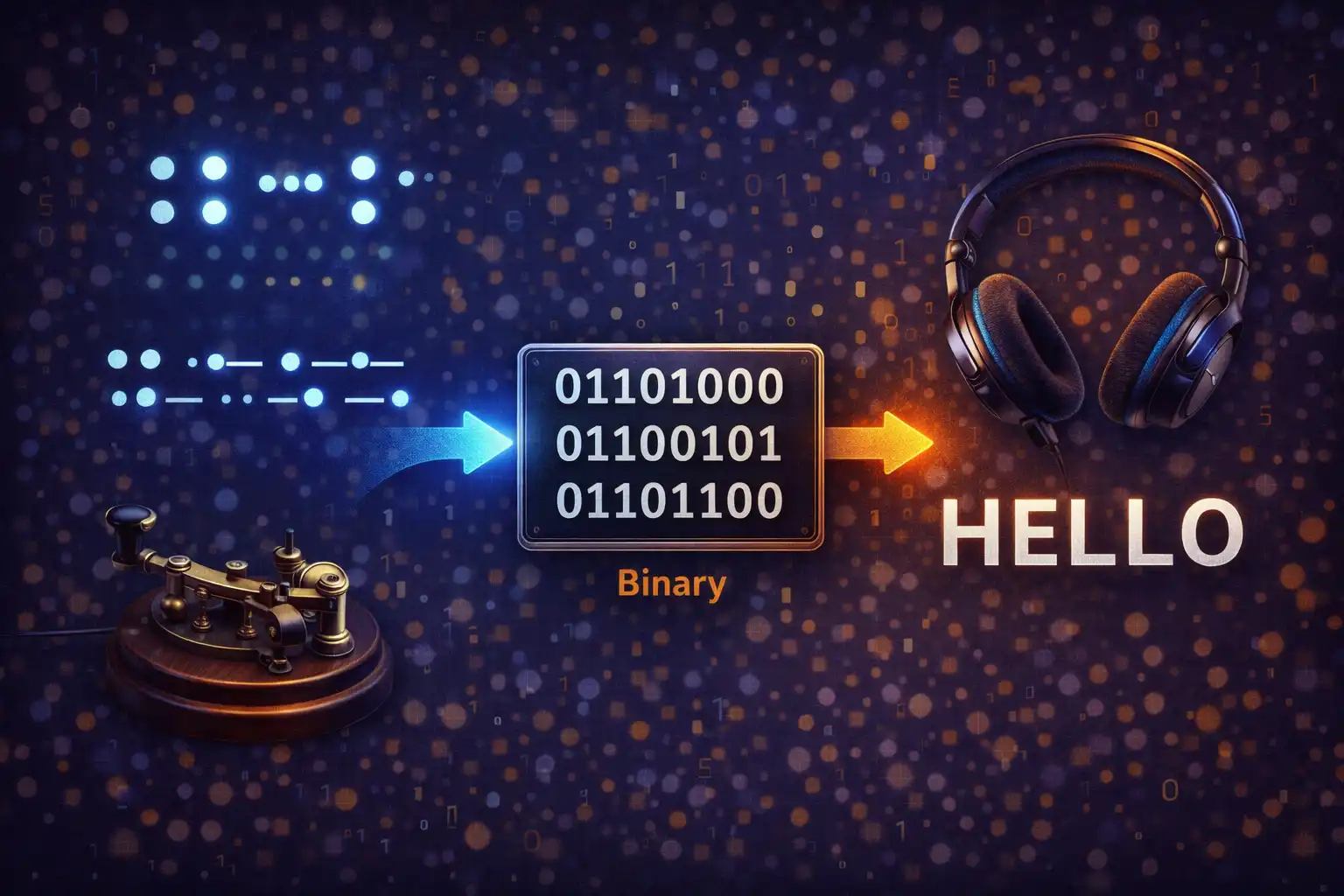
Table of Contents
- What Is CipherBox?
- 15 Encodings at a Glance
- Morse Code: From Telegraph to Web Audio
- Binary, Hexadecimal & Octal
- Braille: Unicode Patterns for Accessibility
- NATO Phonetic Alphabet
- Classical Ciphers: ROT13, Caesar, Atbash & A1Z26
- Reverse, Upside Down & Pig Latin
- Morse Audio Synthesis: Web Audio API Deep Dive
- The Reference Table
- File Upload & Download
- Privacy: Zero Data Transmission
- vs. dCode, CyberChef & Rumkin
- Frequently Asked Questions
- Conclusion
1. What Is CipherBox?
CipherBox is a browser-based text encoding converter that transforms plain text into 15 different encoding formats — and back again — entirely on your device. Whether you need Morse code with real-time audio playback, binary representation for a computer science lesson, Braille Unicode output for accessibility research, or a quick ROT13 decode of a Reddit spoiler, CipherBox handles it all without transmitting a single byte to any server.
The tool was built around a simple idea: encoding and decoding text should not require trusting a third party with your data. Every conversion, every audio tone, and every file export happens inside your browser using standard Web APIs. There is no backend, no database, no login, and no tracking of your input. You type, CipherBox converts in real time, and the result stays on your machine.
CipherBox supports bidirectional conversion — a swap button instantly exchanges the source and target formats along with their text content — and includes features like file upload (up to 2 MB), download as .txt, clipboard integration, character and word counts, a collapsible reference table spanning five encodings across 36 characters, and full dark/light theme support. It is, in short, 15 encoding tools collapsed into one focused interface.
2. 15 Encodings at a Glance
Before diving deep into each format, here is the full roster of encodings CipherBox supports:
| # | Encoding | Type | Key Detail |
|---|---|---|---|
| 1 | Morse Code | Signal encoding | 57 characters, audio playback at 600 Hz |
| 2 | Binary | Numeric base | 8-bit UTF-8 per character, space-separated |
| 3 | Braille | Tactile writing | Unicode U+2800–U+28FF, Grade 1, ʼ prefix for numbers |
| 4 | NATO Phonetic | Spelling alphabet | Alpha–Zulu, “Niner” not “Nine” |
| 5 | ROT13 | Substitution cipher | Self-inverse Caesar shift of 13 |
| 6 | Caesar Cipher | Substitution cipher | Variable shift 0–25, configurable slider |
| 7 | Atbash | Substitution cipher | Reverse alphabet (A↔Z), self-inverse |
| 8 | A1Z26 | Numeric substitution | A=1, Z=26, dash-separated, / for spaces |
| 9 | Reverse | Text transformation | Full character reversal via spread operator |
| 10 | Upside Down | Text transformation | 76 character mapping pairs + reversal |
| 11 | Pig Latin | Language game | 35 consonant clusters, case-preserving |
| 12 | Base64 | Binary-to-text | RFC 4648 via btoa() |
| 13 | Hexadecimal | Numeric base | Uppercase, space-separated |
| 14 | Octal | Numeric base | Base-8, 3-digit zero-padded |
| 15 | Plain Text | Pass-through | Identity transform for format swapping |
Each format converts in real time as you type. The bidirectional swap button lets you flip the source and destination formats instantly, carrying the text with it so you can verify a round-trip encode-decode in one click.
3. Morse Code: From Telegraph to Web Audio
Samuel Morse and Alfred Vail developed Morse code in the 1830s for use with the electric telegraph. The original “American Morse” used variable-length dashes and intra-character spaces; the version we use today is International Morse Code, standardized by the International Telecommunication Union. CipherBox implements the full ITU set: 26 letters, 10 digits, and 21 punctuation marks — 57 characters total.
The encoding uses two symbols: a short signal called a dot (written as .) and a long signal called a dash (written as -). Here are some of the most common mappings:
| Character | Morse | Character | Morse | Character | Morse |
|---|---|---|---|---|---|
| A | .- | N | -. | 0 | ----- |
| B | -... | O | --- | 1 | .---- |
| C | -.-. | P | .--. | 2 | ..--- |
| D | -.. | Q | --.- | 3 | ...-- |
| E | . | R | .-. | 4 | ....- |
| S | ... | T | - | 5 | ..... |
| H | .... | U | ..- | SOS | ...---... |
Timing is everything in Morse code. The fundamental unit is the dot length, calculated from the operator’s speed in words per minute (WPM). CipherBox uses the standard formula:
dotLen = 1.2 / WPM (seconds)From that single value, every other timing interval is derived: a dash lasts 3 × dotLen, the silence between symbols within a letter (symbol gap) is 1 × dotLen, the silence between letters (letter gap) is 3 × dotLen, and the silence between words (word gap) is 7 × dotLen. At the default 15 WPM, a dot lasts 80 ms, a dash lasts 240 ms, and a word gap stretches to 560 ms.
CipherBox provides a WPM slider ranging from 5 (leisurely, dot = 240 ms) to 30 (fast operator, dot = 40 ms). Audio playback is covered in depth in the Web Audio API section below.
4. Binary, Hexadecimal & Octal: Machine Languages
Computers operate on binary — ones and zeros — and humans have devised shorthand notations to make those bit patterns readable. CipherBox implements three numeric base encodings that represent text as numbers.
Binary (Base-2)
Each character is converted to its UTF-8 code point and expressed as an 8-bit binary number. The letter “A” (code point 65) becomes 01000001. A space separates each byte, making the output easy to parse visually. The word “Hi” encodes as 01001000 01101001. Decoding splits on spaces, parses each group with parseInt(byte, 2), and reconstructs the original string.
Hexadecimal (Base-16)
Hexadecimal condenses every 4 bits into a single character (0–9, A–F), halving the visual length of binary output. CipherBox outputs uppercase hex values separated by spaces: “Hi” becomes 48 69. During decoding, any 0x prefix is automatically stripped, so pasting values from developer tools works without manual cleanup.
Octal (Base-8)
Octal groups bits into sets of three and was historically important in early computing when word sizes were multiples of three (PDP-8, for instance). CipherBox zero-pads each value to three digits: “Hi” becomes 110 151. While less common today than hex, octal still appears in Unix file permission notation (chmod 755) and some programming language escape sequences.
5. Braille: Unicode Patterns for Accessibility
Louis Braille invented his tactile writing system in 1824 at the Royal Institute for Blind Youth in Paris. He was just 15 years old. The system uses raised dots arranged in a 2×3 cell (later extended to 2×4 for computer Braille) to represent letters, numbers, punctuation, and formatting indicators.
CipherBox implements Grade 1 Braille, the uncontracted form where each letter maps to exactly one Braille cell. This differs from Grade 2 (contracted Braille), which uses 189 contractions and short-form words to reduce length — “the” becomes a single cell ⠠, for example. Grade 1 is used for learning, signage, and situations where letter-by-letter accuracy matters.
The Unicode Braille Patterns block spans U+2800 to U+28FF, providing 256 possible dot combinations. Each code point encodes which of the eight dots in a cell are raised, using a bitfield: dot 1 is bit 0 (U+2801), dot 2 is bit 1 (U+2802), and so on. CipherBox maps standard English letters to their Braille equivalents:
H = ⠳   E = ⠑   L = ⠇   L = ⠇   O = ⠕
“HELLO” → ⠳⠑⠇⠇⠕
Numbers in Braille require a numeric indicator (⠼) before the digits. The digits 1–9 and 0 reuse the same cell patterns as letters A–J, so without the numeric prefix, “1” and “A” would be indistinguishable. CipherBox inserts the ⠼ prefix automatically during encoding and detects it during decoding.
Decoding Braille is handled with a two-pass approach: the first pass scans for multi-character patterns (like the numeric indicator followed by a letter-cell that should be interpreted as a digit), and the second pass resolves single-cell mappings. This prevents the decoder from misinterpreting a number prefix as a standalone character.
6. NATO Phonetic Alphabet: Clear Communication
The NATO phonetic alphabet — formally the International Radiotelephony Spelling Alphabet — was adopted in 1956 by NATO, the International Civil Aviation Organization (ICAO), and the International Telecommunication Union (ITU). Its purpose is unambiguous voice communication: spelling out “B” as “Bravo” eliminates confusion with “D,” “E,” “P,” or “T” on a noisy radio channel.
CipherBox maps all 26 letters (Alpha through Zulu) and the digits 0–9 (Zero through Niner). Note the deliberate spelling: it is “Niner,” not “Nine,” to avoid confusion with the German word “nein” (no). Spaces between words in the input are represented as / in the output.
For example, “SOS” encodes as Sierra Oscar Sierra, and “Hi there” becomes Hotel India / Tango Hotel Echo Romeo Echo. Decoding reverses the process: each word is looked up in a reverse map, and / tokens are converted back to spaces.
The NATO alphabet is widely used beyond the military — call centers, aviation, emergency services, and amateur radio operators rely on it daily. CipherBox makes it easy to convert a name, address, or serial number into phonetic spelling for dictation over the phone.
7. Classical Ciphers: ROT13, Caesar, Atbash & A1Z26
ROT13
ROT13 is a special case of the Caesar cipher that shifts every letter by 13 positions. Because the English alphabet has 26 letters, applying ROT13 twice returns the original text — the operation is its own inverse. This property made ROT13 popular on Usenet in the 1980s for hiding spoilers and punchlines: readers who wanted to see the hidden text simply applied ROT13 again.
CipherBox’s ROT13 implementation is case-preserving. Uppercase “A” (code point 65) shifts to “N” (78), while lowercase “a” (97) shifts to “n” (110). Non-alphabetic characters — digits, punctuation, spaces, emoji — pass through unchanged.
Caesar Cipher
Julius Caesar reportedly used a substitution cipher with a shift of 3 to protect military correspondence around 58 BC. In CipherBox, the shift is configurable from 0 to 25 via a dedicated number input that appears only when Caesar Cipher is selected. A shift of 3 turns “ATTACK” into “DWWDFN.” Decoding uses the complementary shift: 26 - shift. A shift of 13 is identical to ROT13, and a shift of 0 is a pass-through.
Atbash
Atbash is one of the oldest known ciphers, originating in ancient Hebrew scripture. The name comes from the first and last letters of the Hebrew alphabet: Aleph-Tav-Bet-Shin, describing the substitution pattern — the first letter maps to the last, the second to the second-last, and so on. In English: A↔Z, B↔Y, C↔X, and so forth. Like ROT13, Atbash is self-inverse: encoding and decoding are the same operation.
“HELLO” becomes “SVOOL.” Atbash appears in the Hebrew Bible — the word “Sheshach” in the Book of Jeremiah is believed to be an Atbash encoding of “Babel” (Babylon).
A1Z26
A1Z26 is the simplest numeric cipher: each letter is replaced by its position in the alphabet. A = 1, B = 2, ... Z = 26. Letters within a word are separated by dashes, and words are separated by slashes. “HELLO” encodes as 8-5-12-12-15. CipherBox preserves this convention for clean output and reliable round-trip decoding. Non-alphabetic characters that are not spaces are passed through as-is.
8. Text Transformations: Reverse, Upside Down & Pig Latin
Reverse
The Reverse transform mirrors the entire input string character by character. CipherBox uses JavaScript’s spread operator to handle Unicode correctly: [...input].reverse().join(''). This ensures that multi-byte characters (emoji, accented letters, CJK characters) are reversed as whole code points rather than being split into broken surrogate pairs. “Hello World” becomes “dlroW olleH.”
Upside Down
Upside Down text maps 76 character pairs to their visual inversions from various Unicode blocks and then reverses the result so it reads correctly when the screen is flipped. The letter “a” becomes “ɐ,” “b” becomes “q,” “e” becomes “ǝ,” and so on — drawing from Latin Extended, IPA Extensions, and other Unicode ranges. “Hello World” produces “plroΜ ollǝH” (approximate rendering depending on your font). The mapping is self-inverse when combined with reversal, so encoding and decoding use the same function.
Pig Latin
Pig Latin is an English language game with roots in medieval word play; the earliest known reference dates to around 1386 in Chaucer’s era, though the modern rules solidified in the late 19th century. The rules are deceptively simple: if a word starts with a vowel, append “way”; if it starts with one or more consonants, move the consonant cluster to the end and append “ay.”
CipherBox recognizes 35 valid English consonant onsets — not just single consonants, but multi-letter clusters like chr, phr, sch, scr, shr, sph, spl, spr, squ, str, thr, thw, bl, br, ch, cl, cr, dr, dw, fl, fr, gl, gr, kn, ph, pl, pr, qu, sc, sh, sk, sl, sm, sn, sp, st, sw, tr, tw, wh, and wr. The algorithm checks longest clusters first so that “strong” correctly moves “str” (not just “s”) to produce “ongstray.”
The implementation is also case-preserving: “Hello” becomes “Ellohay” (capital shifts to the new first letter), and trailing punctuation is detected and reattached after the suffix. “Hello, world!” becomes “Ellohay, orldway!”
9. Morse Audio Synthesis: Web Audio API Deep Dive
CipherBox does not play pre-recorded audio files for Morse code. Instead, it synthesizes tones in real time using the Web Audio API, the same low-level browser API used by digital audio workstations, synthesizers, and game engines. Here is exactly how it works.
The Audio Graph
Each playback session constructs a minimal audio processing graph with three nodes:
AudioContext— the master clock and destination. CipherBox creates a freshAudioContextfor every playback and closes the previous one, preventing resource leaks from stale contexts.OscillatorNode— generates a continuous sine wave at 600 Hz. Sine waves produce a clean, pure tone without harmonics, mimicking the classic Morse sidetone heard in amateur radio receivers. The oscillator runs for the entire duration of the message; silence between symbols is achieved by controlling the gain, not by stopping and restarting the oscillator.GainNode— controls amplitude. It sits between the oscillator and the audio context’s destination (your speakers). By scheduling gain changes along the audio context’s timeline, CipherBox turns the tone on and off with smooth transitions.
The signal chain is: OscillatorNode → GainNode → AudioContext.destination.
Gain Envelope and Timeline Scheduling
Abruptly switching gain between 0 and 0.4 would produce audible clicks (a phenomenon called spectral splatter). CipherBox avoids this by using a gain envelope with 5 ms fade-in and 5 ms fade-out ramps on every dot and dash:
// For each dot or dash at time t with duration d:
gainNode.gain.setValueAtTime(0, t);                // start silent
gainNode.gain.linearRampToValueAtTime(0.4, t + 0.005); // fade in over 5 ms
gainNode.gain.setValueAtTime(0.4, t + d - 0.005);      // sustain at 0.4
gainNode.gain.linearRampToValueAtTime(0, t + d);        // fade out over 5 ms
All of these calls use AudioParam timeline methods, meaning the entire Morse message — every dot, dash, and silence — is scheduled in advance on the audio thread before a single sample is rendered. This approach is sample-accurate: timing jitter from JavaScript’s main thread event loop cannot affect playback once the schedule is committed.
Timing Calculations
Given a WPM value from the slider (range 5–30, default 15), the engine calculates:
dotLen   = 1.2 / WPM          // e.g., 1.2 / 15 = 0.08 s (80 ms)
dashLen  = 3 × dotLen          // 240 ms at 15 WPM
symbolGap = 1 × dotLen         // silence between . and - within a letter
letterGap = 3 × dotLen         // silence between letters
wordGap   = 7 × dotLen         // silence between words (560 ms at 15 WPM)
The algorithm walks through the Morse string character by character, advancing a currentTime cursor. For each dot or dash, it schedules the gain envelope at currentTime, advances by the symbol duration plus the symbol gap. At space characters (letter boundaries), it advances by letterGap; at / characters (word boundaries), it advances by wordGap. The total duration is calculated, and the oscillator is set to stop at that time. A Play button starts playback, and a Stop button calls audioContext.close() to halt immediately.
10. The Reference Table: Learn As You Convert
CipherBox includes a collapsible reference table that maps every letter (A–Z) and digit (0–9) across five encodings simultaneously: Morse Code, Binary, NATO Phonetic, Braille, and Hexadecimal. The table serves as both a quick lookup and a learning tool.
For instance, the row for “A” shows:
| Char | Morse | Binary | NATO | Braille | Hex |
|---|---|---|---|---|---|
| A | .- | 01000001 | Alpha | ⠁ | 41 |
The table is collapsed by default to keep the interface clean, but expands with a single click. It is particularly useful for students learning Morse code or Braille, as they can type a word in the input, see the converted output, and cross-reference individual characters in the table without switching to a separate resource.
11. File Upload & Download
Not all text lives in your clipboard. CipherBox supports file upload for seven common text-based formats: .txt, .csv, .json, .md, .html, .xml, and .log. The size limit is 2 MB — large enough for substantial documents but small enough to ensure instant in-browser processing without lag.
Uploaded files are read using the FileReader API with readAsText(). The contents populate the input field, and real-time conversion kicks in immediately. This is useful for batch-converting log files to hexadecimal for analysis, encoding configuration files to Base64 for embedding, or converting documentation to Morse code for a creative presentation.
On the output side, the Download button saves the converted text as a .txt file named cipherbox-{format}-output.txt — for example, cipherbox-morse-output.txt or cipherbox-binary-output.txt. The download uses a dynamically created <a> element with a Blob URL, so the file is generated entirely in memory without any server round-trip.
Clipboard integration is also built in: a Paste button reads from the clipboard using the Clipboard API (with an execCommand('paste') fallback for older browsers), and a Copy button writes the output to the clipboard with a visual confirmation.
12. Privacy: Zero Data Transmission
CipherBox is part of the ZeroDataUpload platform, and it lives up to the name. Here is what “zero data upload” means in practice:
- No server processing. Every encoding and decoding algorithm runs as client-side JavaScript in your browser. The page does not make
fetch()orXMLHttpRequestcalls to any API. - No data storage. There is no database, no session, no cookies that track your input. Your text exists only in the browser’s DOM and is discarded when you close the tab.
- No authentication. There is no login, no account, no user profile. You open the page and start converting.
- Offline capable. Once the page is loaded, all conversions work without an internet connection. The Web Audio API for Morse playback is a browser-native feature that requires no external resources.
- Open inspection. Because everything is client-side HTML, CSS, and JavaScript, you can open your browser’s DevTools and read every line of code that touches your data. There is no minified backend, no WebAssembly black box, no third-party encoding library phoning home.
This architecture is particularly important when converting sensitive content — passwords, internal codes, proprietary text, personal messages. With CipherBox, you do not have to trust a server operator’s privacy policy because there is no server operator involved in the conversion.
13. CipherBox vs. dCode, CyberChef & Rumkin
Several established tools overlap with CipherBox’s functionality. Here is how they compare:
dCode (dcode.fr)
dCode is a French-origin platform with over 800 tools covering ciphers, math, games, and linguistics. It is impressive in breadth but operates on a server-based model: when you encode or decode text, your input is sent to dCode’s servers for processing and the result is returned. This means your data leaves your browser. dCode also displays significant advertising and requires page reloads between tools. For privacy-sensitive work, the server round-trip is a dealbreaker.
CyberChef (GCHQ)
CyberChef is an open-source “Cyber Swiss Army Knife” developed by GCHQ, the UK’s signals intelligence agency. It runs entirely in the browser (like CipherBox) and offers a powerful drag-and-drop “recipe” interface for chaining operations. However, its power comes with complexity: the interface presents hundreds of operations in a categorized sidebar, and building a multi-step recipe requires understanding the pipeline model. CyberChef is excellent for security professionals but intimidating for someone who just wants to convert “Hello” to Morse code. It also lacks Morse audio playback and Braille output.
Rumkin (rumkin.com)
Rumkin’s cipher tools have been online since the early 2000s and cover many classical ciphers (Caesar, Vigenere, Atbash, and others). The site processes text client-side, which is good for privacy. However, the design is dated — it uses 2000s-era layouts with no responsive design for mobile — and each cipher lives on a separate page with no unified interface. There is no audio playback, no Braille support, no file upload, and no dark mode.
Where CipherBox Fits
CipherBox does not try to compete with dCode’s 800 tools or CyberChef’s recipe chaining. Instead, it focuses on doing 15 encodings exceptionally well in a single, unified interface with real-time bidirectional conversion, audio synthesis, file I/O, and guaranteed privacy. If you need a quick, trustworthy encoding tool that works on your phone and never touches a server, CipherBox is purpose-built for that.
14. Frequently Asked Questions
1. Is CipherBox free to use?
Yes, completely free. There is no premium tier, no usage limits, and no account required. You open the page and start converting immediately.
2. Does my text get sent to a server?
No. Every encoding and decoding operation runs as JavaScript in your browser. Your text never leaves your device. You can verify this by opening the Network tab in your browser’s DevTools — no requests are made when you type or convert.
3. Can I hear Morse code audio?
Yes. When Morse Code is selected as the output format, Play and Stop buttons appear. Clicking Play synthesizes the Morse audio in real time using the Web Audio API at 600 Hz. You can adjust the speed from 5 to 30 words per minute using the WPM slider.
4. What is the difference between ROT13 and Caesar Cipher?
ROT13 is a Caesar cipher with a fixed shift of 13. Because 13 is exactly half of 26 (the alphabet length), ROT13 is self-inverse — applying it twice returns the original text. Caesar Cipher in CipherBox lets you choose any shift from 0 to 25 via a slider, making it a generalized version of ROT13.
5. Does CipherBox support Grade 2 (contracted) Braille?
Currently, CipherBox implements Grade 1 Braille only, where each letter maps to one Braille cell. Grade 2 Braille uses 189 contractions and abbreviations that reduce text length but add significant complexity. Grade 1 ensures accurate, unambiguous character-by-character conversion.
6. What file types can I upload?
CipherBox accepts .txt, .csv, .json, .md, .html, .xml, and .log files up to 2 MB in size. The file contents are read as plain text and fed into the selected encoding.
7. Why does the NATO alphabet use "Niner" instead of "Nine"?
The NATO phonetic alphabet uses “Niner” to avoid confusion with the German word “nein” (meaning “no”), which sounds identical to “nine” on noisy radio channels. This distinction has been part of the standard since its 1956 adoption.
8. How does the bidirectional swap work?
Clicking the swap button exchanges both the selected encoding formats and the text content simultaneously. If you have “Hello” in the input field converting to Morse in the output field, clicking swap moves the Morse text into the input field, sets the input format to Morse and the output format to Plain Text, and converts back — verifying a perfect round-trip.
9. Can I use CipherBox offline?
Yes. Once the page has loaded in your browser, all conversions and Morse audio playback work without an internet connection. The Web Audio API is a built-in browser feature, and all encoding logic is embedded in the page’s JavaScript.
10. How does Pig Latin handle words like "school" or "string"?
CipherBox detects 35 multi-letter consonant clusters at the start of words. For “school,” it identifies “sch” as the onset and produces “oolschay.” For “string,” it identifies “str” and produces “ingstray.” The algorithm checks longest clusters first to ensure the maximum consonant onset is captured before defaulting to shorter matches.
15. Conclusion
Text encoding is one of the oldest problems in communication — from Caesar’s shifted alphabet in 58 BC to Louis Braille’s raised dots in 1824 to Samuel Morse’s telegraph code in the 1830s to the NATO phonetic alphabet in 1956 to modern standards like Base64 and Unicode. CipherBox brings 15 of these encoding systems together in a single browser-based interface where every conversion is instant, bidirectional, and completely private.
The tool is not trying to replace CyberChef for complex multi-step security analysis or dCode for obscure historical ciphers. What it does offer is a focused, fast, and trustworthy encoding experience: type text, pick a format, and see the result in real time — with Morse audio you can actually listen to, Braille Unicode you can copy into accessibility documents, and file I/O for batch processing. All without creating an account, installing software, or sending your data anywhere.
Whether you are a student learning Morse code, a developer debugging Base64-encoded payloads, a writer adding NATO phonetic spelling to a screenplay, or just someone who wants to write “Hello” in Braille (⠳⠑⠇⠇⠕) — CipherBox is built for you.
Related Articles

Published: March 26, 2026