Font Converter: Convert Between TTF, OTF, WOFF & WOFF2 in Your Browser
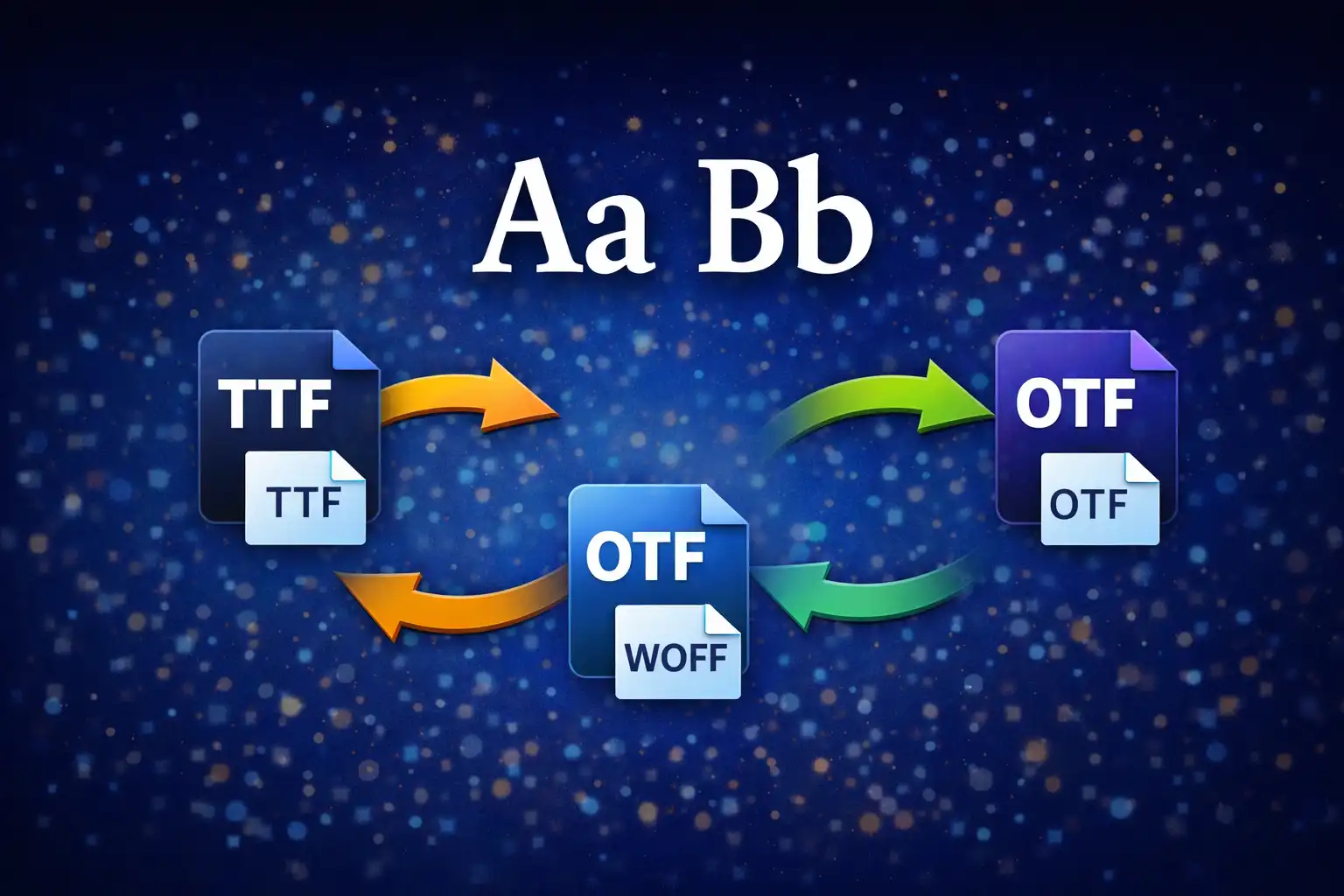
Table of Contents
- What Is the Font Converter?
- 4 Font Formats Explained
- TrueType vs OpenType: Outlines & Curves
- The SFNT Container: Common DNA
- WOFF: Web Fonts with zlib Compression
- WOFF2: Brotli Compression & Table Transforms
- The Binary Parsing Engine
- Font Preview: Dynamic @font-face
- Glyph Grid & Metadata Extraction
- Conversion Paths & Limitations
- File Size: Before vs After
- Privacy: Font Files Stay Local
- vs. Font Squirrel, Transfonter & Google Fonts
- Frequently Asked Questions
- Conclusion
Font files are binary containers that hold thousands of carefully designed glyph outlines, hinting instructions, kerning tables, and metadata. When a web developer needs to convert a desktop TTF font into a compressed WOFF2 for web delivery, they typically upload the file to a third-party server, wait for the server to process it, and download the result — trusting that server not to retain a copy of a potentially licensed font. The Font Converter on ZeroDataUpload eliminates that trust problem entirely. It parses the binary SFNT container, decompresses or recompresses tables using zlib and Brotli, reconstructs the output file byte by byte, and delivers the converted font — all within your browser tab, with zero network transmission. This article explains exactly how that works, from the 4-byte magic numbers that identify each format to the variable-length integer encoding that WOFF2 uses for table directories.
1. What Is the Font Converter?
The Font Converter is a browser-based tool that converts font files between four formats: TrueType (TTF), OpenType (OTF), Web Open Font Format (WOFF), and Web Open Font Format 2 (WOFF2). It is not a wrapper around a server-side library like FontForge or HarfBuzz. The conversion engine is written entirely in JavaScript, performing binary parsing and reconstruction of the SFNT container structure that underlies all four formats.
When you drop a font file onto the converter, the tool reads the file into an ArrayBuffer, inspects the first 4 bytes to identify the format via its magic number, parses the table directory to locate every data table in the file, and then presents you with the available conversion targets. After you select an output format, the tool either strips compression wrappers (WOFF/WOFF2 to TTF/OTF), applies compression (TTF/OTF to WOFF/WOFF2), or rewraps between compression schemes (WOFF to WOFF2 and vice versa). The output is assembled as a new ArrayBuffer, converted to a Blob, and offered for download via a dynamically generated object URL.
In addition to format conversion, the tool provides three inspection features: a live font preview rendered through a dynamic @font-face declaration, a glyph grid displaying up to 120 characters from the ASCII and Latin-1 Extended ranges, and a metadata panel showing the font family, style, version, glyph count, and units-per-em value extracted via opentype.js 1.3.4. A file size comparison shows the percentage difference between the input and output, so you can immediately see the compression benefit of WOFF or WOFF2.
2. 4 Font Formats Explained: TTF, OTF, WOFF & WOFF2
Every modern font file is a variation on the same theme: an SFNT container holding a collection of named data tables. What differs between the four formats is the compression layer (or lack thereof) and the type of glyph outlines stored inside. Each format announces itself with a unique 4-byte signature at offset 0 — the magic number:
- TTF (TrueType) — Magic number:
0x00010000. This is the original Apple/Microsoft font format from 1991. It stores glyph outlines as quadratic B-splines in theglyftable, with glyph locations indexed by thelocatable. TTF files are uncompressed SFNT containers. They are the standard format for desktop operating systems and are fully supported by every browser, but their uncompressed size makes them inefficient for web delivery. - OTF (OpenType with CFF) — Magic number:
0x4F54544F, which is the ASCII stringOTTO. OpenType is a superset of TrueType developed jointly by Adobe and Microsoft. When the magic number readsOTTO, the font uses Compact Font Format (CFF) outlines — cubic Bezier curves stored in theCFForCFF2table instead of theglyf/locatables. OTF files can also contain TrueType outlines (in which case the magic number is0x00010000, identical to TTF), but theOTTOsignature specifically indicates PostScript/CFF outlines. - WOFF (Web Open Font Format) — Magic number:
0x774F4646, the ASCII stringwOFF. WOFF is a wrapper around an SFNT font that compresses each table individually using zlib (RFC 1950). It was introduced in 2010 as a W3C recommendation to reduce font file sizes for web delivery. WOFF preserves the original table data exactly — decompressing a WOFF file produces a byte-identical TTF or OTF. Typical compression savings are 20-40% compared to the raw SFNT. - WOFF2 (Web Open Font Format 2) — Magic number:
0x774F4632, the ASCII stringwOF2. WOFF2 replaced per-table zlib with whole-font Brotli compression, plus optional table transforms that preprocess specific tables (glyf,loca,hmtx) before compression to improve compressibility. The result is typically 30% smaller than WOFF and 40-60% smaller than raw TTF. WOFF2 is supported by all modern browsers and is the recommended format for web font delivery in 2026.
3. TrueType vs OpenType: CFF Outlines vs Quadratic Curves
The fundamental difference between TTF and OTF is how they describe the shapes of letters. This distinction matters for font conversion because you cannot algorithmically convert between the two outline types without losing mathematical precision or generating entirely new curve data.
TrueType outlines use quadratic B-splines. Each curve segment is defined by an on-curve point, an off-curve control point, and another on-curve point — a second-degree polynomial. Quadratic curves were chosen by Apple in the late 1980s because they are computationally cheap to rasterize: a quadratic Bezier requires only simple arithmetic to subdivide and scan-convert at any resolution. The glyf table stores these outlines as a sequence of contour endpoints, point coordinates (as 16-bit signed integers in font units), and flag bytes that indicate whether each point is on-curve or off-curve.
CFF/PostScript outlines use cubic Bezier curves. Each curve segment has two control points instead of one, giving designers more expressive power per segment. A shape that requires three or four quadratic segments might need only one or two cubic segments. CFF outlines are stored in a compact bytecode format inside the CFF table, using a stack-based interpreter similar to PostScript's charstring operators. The encoding is inherently more compact than TrueType's glyf table for complex glyph shapes.
This is why the Font Converter does not support TTF to OTF conversion. Converting quadratic outlines to cubic Bezier curves would require generating CFF charstring bytecode from scratch — a complex process involving curve fitting, hinting conversion (TrueType grid-fitting instructions have no CFF equivalent), subroutinization (CFF's method of deduplicating repeated curve sequences), and proper CFF table construction with Top DICT, String INDEX, and Global Subr INDEX structures. That is the domain of font editors like FontForge, not a lightweight browser converter. The reverse direction — OTF to TTF — is supported because the tool can approximate cubic curves with quadratic segments through mathematical subdivision, though the Font Converter primarily handles this through the SFNT container layer rather than reinterpreting outline data.
4. The SFNT Container: How All Font Formats Share a Common DNA
Regardless of whether a font uses TrueType or CFF outlines, and regardless of whether it is compressed with WOFF or WOFF2, the underlying data structure is the SFNT container. Understanding SFNT is the key to understanding how font conversion works, because every conversion the tool performs is fundamentally an operation on this container.
An SFNT file begins with a 12-byte header:
Offset  Size  Field           Description
0       4     sfVersion       Magic number (0x00010000 for TTF, 'OTTO' for OTF)
4       2     numTables       Number of tables in the font
6       2     searchRange     (Maximum power of 2 <= numTables) * 16
8       2     entrySelector   Log2 of (maximum power of 2 <= numTables)
10      2     rangeShift      (numTables * 16) - searchRange
The searchRange, entrySelector, and rangeShift fields exist to support binary search on the table directory. They are artifacts of an era when font rasterizers ran on processors too slow for linear scans. Modern parsers typically ignore them, but the Font Converter computes them correctly when building output files because some strict validators flag incorrect values.
Immediately following the 12-byte header is the table directory: an array of 16-byte records, one per table. Each record contains:
Offset  Size  Field      Description
0       4     tag        Four-character ASCII tag (e.g., 'cmap', 'head', 'glyf')
4       4     checksum   32-bit checksum of the table data
8       4     offset     Byte offset from the beginning of the file
12      4     length     Length of the table data in bytes
The SFNT specification defines 63 known table tags. A typical font contains 12-20 of them. The essential tables include cmap (character-to-glyph mapping), head (global font metrics and flags), hhea (horizontal header), hmtx (horizontal metrics — advance widths and left side bearings), maxp (maximum profile — glyph count and limits), name (naming table — family, style, version, copyright strings), OS/2 (Windows-specific metrics), and post (PostScript naming). TrueType fonts add glyf (glyph outlines) and loca (glyph location index). CFF fonts replace those with the CFF or CFF2 table.
Every table in an SFNT must be aligned to a 4-byte boundary. If a table's data length is not a multiple of 4, it is padded with zero bytes. The Font Converter enforces this with a pad4() utility function that rounds any length up to the next multiple of 4: (n + 3) & ~3. This bitwise operation clears the two lowest bits after adding 3, effectively rounding up to the nearest 4.
5. WOFF: Web Fonts with zlib Compression
WOFF wraps an SFNT font in a new container that compresses each table independently using zlib. The WOFF file begins with a 44-byte header:
Offset  Size  Field           Value / Description
0       4     signature       0x774F4646 ('wOFF')
4       4     flavor          Original SFNT version (0x00010000 or 'OTTO')
8       4     length          Total size of the WOFF file
12      2     numTables       Number of tables
14      2     reserved        Must be zero
16      4     totalSfntSize   Size of the uncompressed SFNT
20      2     majorVersion    WOFF major version (typically 0 or 1)
22      2     minorVersion    WOFF minor version
24      4     metaOffset      Offset to metadata block (0 if none)
28      4     metaLength      Compressed metadata length
32      4     metaOrigLength  Uncompressed metadata length
36      4     privOffset      Offset to private data block (0 if none)
40      4     privLength      Private data length
The flavor field preserves the original SFNT magic number. This is how the Font Converter knows whether a WOFF file contains a TrueType font or an OpenType/CFF font: it reads the flavor field and uses it to determine the correct file extension and available conversion targets when unwrapping.
After the 44-byte header comes the table directory. Each entry is 20 bytes (compared to 16 bytes in raw SFNT) because it stores both the compressed and uncompressed lengths:
Offset  Size  Field        Description
0       4     tag          Four-character table tag
4       4     offset       Offset to compressed table data
8       4     compLength   Compressed length of the table
12      4     origLength   Uncompressed length of the table
16      4     origChecksum Checksum of the uncompressed table data
The compression strategy is per-table with a fallback: each table is compressed with zlib's deflate algorithm (via the pako 2.1.0 library), and if the compressed output is larger than or equal to the original data (which happens with small or already-efficient tables like head), the table is stored uncompressed. The decoder detects this by comparing compLength to origLength — if they are equal, the data is uncompressed.
To encode a TTF or OTF file as WOFF, the Font Converter performs these steps: (1) parse the SFNT header and table directory, (2) compress each table with pako.deflate(), (3) discard the compressed version if it is not smaller, (4) compute the WOFF header fields including totalSfntSize (the original SFNT size including padding), (5) assemble the 44-byte header, 20-byte directory entries, and table data into a single ArrayBuffer, and (6) recalculate the length field in the header to reflect the total WOFF file size. Typical compression savings range from 20% to 40%, depending on the font's complexity and table composition.
6. WOFF2: Brotli Compression & Table Transforms
WOFF2 takes a fundamentally different approach to compression. Instead of compressing each table individually with zlib, WOFF2 concatenates all table data into a single stream and compresses the entire stream with Brotli — Google's compression algorithm designed specifically for web content. The result is significantly smaller files, typically 30% smaller than WOFF and 40-60% smaller than raw TTF.
The WOFF2 header is 48 bytes:
Offset  Size  Field              Description
0       4     signature           0x774F4632 ('wOF2')
4       4     flavor              Original SFNT version
8       4     length              Total WOFF2 file size
12      2     numTables           Number of tables
14      2     reserved            Must be zero
16      4     totalSfntSize       Uncompressed SFNT size
20      4     totalCompressedSize Size of compressed data stream
24      2     majorVersion        Major version
26      2     minorVersion        Minor version
28      4     metaOffset          Metadata offset
32      4     metaLength          Compressed metadata length
36      4     metaOrigLength      Uncompressed metadata length
40      4     privOffset          Private data offset
44      4     privLength          Private data length
The table directory entries in WOFF2 are variable-length, not fixed-size. This is where the UIntBase128 encoding comes in — a variable-length integer encoding that represents values from 0 to 2^32-1 using 1 to 5 bytes. The encoding works as follows: each byte contributes 7 bits of data. The most significant bit (bit 7) is a continuation flag — if set to 1, more bytes follow; if 0, this is the last byte. Bytes are stored most-significant first. The algorithm to decode a UIntBase128 value reads bytes in a loop, shifting the accumulator left by 7 and OR-ing in the lower 7 bits, until it encounters a byte with the continuation bit clear:
function readUIntBase128(data, offset) {
    let result = 0;
    for (let i = 0; i < 5; i++) {
        const byte = data.getUint8(offset++);
        // Check for leading zeros (invalid encoding)
        if (i === 0 && byte === 0x80) throw new Error('Invalid UIntBase128');
        // Check for overflow
        if (result & 0xFE000000) throw new Error('UIntBase128 overflow');
        result = (result << 7) | (byte & 0x7F);
        if ((byte & 0x80) === 0) return { value: result, offset: offset };
    }
    throw new Error('UIntBase128 sequence too long');
}
Each WOFF2 table directory entry encodes a flags byte, a transformed length (UIntBase128), and optionally a tag (4 bytes, only if the table tag is not one of the 63 known tags that can be represented by a 6-bit index in the flags byte). The flags byte also indicates whether a table transform has been applied.
Table transforms are WOFF2's most technically complex feature. The specification defines transforms for three tables — glyf, loca, and hmtx — that preprocess the data before compression to improve compressibility. The glyf transform separates glyph data into distinct streams (n-contours, n-points, flags, x-coordinates, y-coordinates, component data, composite instructions) so that similar data types are grouped together. The loca transform eliminates the table entirely (it is regenerated from the transformed glyf data). The hmtx transform uses proportional encoding to remove redundant left-side-bearing values.
The Font Converter detects when table transforms are present but does not fully reverse the glyf/loca transform for complex fonts. For fonts with simple glyph structures, the decompression succeeds. For fonts with composite glyphs or complex hinting programs, the tool throws an informative error explaining the limitation. This is a deliberate trade-off: fully implementing the WOFF2 table transform reversal is a substantial engineering effort (the reference implementation in Google's woff2 C++ library is thousands of lines), and most real-world usage involves converting between WOFF/WOFF2 and TTF/OTF where the original untransformed data is available.
The Brotli compression itself is handled by the browser's native CompressionStream and DecompressionStream APIs, which means WOFF2 support is browser-dependent. Chrome 120+ and Edge 120+ support Brotli in these APIs. Firefox and Safari may not, in which case the WOFF2 option is not presented to the user.
7. The Binary Parsing Engine
The Font Converter operates directly on ArrayBuffer and DataView objects, reading and writing multi-byte integers at specific offsets. The binary engine consists of several utility functions that handle the low-level operations common to all font formats:
calcChecksum(data, offset, length) computes a 32-bit unsigned checksum by reading the data as a sequence of 4-byte big-endian unsigned integers and summing them with 32-bit unsigned arithmetic. The function pads the last word with zeros if the length is not a multiple of 4. This checksum is stored in the SFNT table directory and is used by font validators to verify data integrity. The algorithm is straightforward: read each 32-bit word, add it to an accumulator, and mask with 0xFFFFFFFF to keep the result within 32 bits (JavaScript numbers are 64-bit floats, so the masking prevents precision loss above 2^32).
pad4(n) rounds a value up to the next multiple of 4: (n + 3) & ~3. This single expression replaces what would otherwise be a conditional: if n is already a multiple of 4, it returns n unchanged; otherwise it rounds up. Every table offset and every table data block in an SFNT must be 4-byte aligned, so this function is called dozens of times during a single conversion.
tagToUint32(tag) and uint32ToTag(n) convert between 4-character ASCII strings (like 'cmap' or 'glyf') and their 32-bit big-endian integer equivalents. The tag 'cmap' becomes 0x636D6170 — each character's ASCII code occupies one byte of the 32-bit integer. These conversions are needed because the SFNT table directory stores tags as 32-bit integers in the binary file, but human-readable code refers to them as 4-character strings.
The parsing engine uses DataView methods exclusively — getUint8(), getUint16(), getUint32(), setUint8(), setUint16(), setUint32() — with explicit big-endian byte order (the default for DataView). This avoids the endianness issues that would arise from using typed arrays like Uint32Array, which use the platform's native byte order (little-endian on x86/ARM).
8. Font Preview: Dynamic @font-face Rendering
After loading a font file — whether the original input or a converted output — the Font Converter renders a live preview using the actual font. This is not a static screenshot or a pre-rendered image; it is real text shaped and rasterized by the browser's own text rendering engine using the font you just loaded.
The preview works by creating a Blob from the font's binary data, generating an object URL via URL.createObjectURL(), and injecting a @font-face rule into the page's stylesheet. Each preview uses a unique font-face name (a counter is incremented with each preview) to prevent the browser from serving a cached version of a previously loaded font. The CSS looks like this at runtime:
@font-face {
    font-family: 'preview-font-42';
    src: url(blob:https://zerodataupload.com/abcdef-1234) format('truetype');
}
.preview-text {
    font-family: 'preview-font-42', sans-serif;
}
The preview area displays two sample texts. The first is a pangram — "The quick brown fox jumps over the lazy dog" — rendered at 2rem, giving an immediate visual impression of the font's character. The second is a full-charset sample rendered at 1rem, showing uppercase, lowercase, digits, and common punctuation to verify that all basic glyphs are present and correctly rendered after conversion.
The object URL is revoked when a new font is loaded to prevent memory leaks. Each Blob URL holds a reference to the font's binary data in memory; without explicit revocation via URL.revokeObjectURL(), the data would persist until the page is closed.
9. Glyph Grid & Metadata Extraction
The glyph grid provides a visual inventory of the font's character coverage. It displays up to 120 glyphs from two Unicode ranges: ASCII printable characters U+0021 through U+007E (95 characters: !, ", #, $, ... ~) and Latin-1 Supplement characters U+00C0 through U+00FF (64 characters: accented Latin letters like A with grave, N with tilde, and symbols like the multiplication sign and division sign). Each glyph is rendered in a cell using the loaded font, with a tooltip showing the Unicode codepoint in U+XXXX notation on hover. If the font does not contain a glyph for a given codepoint, the cell shows a fallback character from the browser's default font — a quick visual indicator of missing coverage.
Metadata extraction uses opentype.js 1.3.4, a JavaScript library that parses OpenType and TrueType font files and exposes the structured data within. The Font Converter extracts six key fields:
- Font Family — From the
nametable, name ID 1 (Font Family name). This is the name you use in CSSfont-familydeclarations. - Subfamily / Style — Name ID 2 (Font Subfamily name). Typically "Regular", "Bold", "Italic", or "Bold Italic".
- Full Name — Name ID 4 (Full font name). Usually a concatenation of family and subfamily, like "Inter Bold".
- Version — Name ID 5 (Version string). Follows the format "Version X.XXX" by convention.
- Number of Glyphs — From the
maxptable'snumGlyphsfield. Professional fonts typically contain 500-3000 glyphs; Google Noto fonts can contain 50,000+. - Units Per Em — From the
headtable'sunitsPerEmfield. This defines the coordinate grid on which glyphs are designed. Common values are 1000 (PostScript convention) and 2048 (TrueType convention). All glyph coordinates, metrics, and positioning values are expressed in these units.
10. Conversion Paths & Limitations
The Font Converter supports the following conversion paths:
- TTF to WOFF — Wraps the TTF in a WOFF container with per-table zlib compression. Lossless, reversible, universally supported.
- TTF to WOFF2* — Wraps the TTF in a WOFF2 container with Brotli compression. Conditional on browser support for the Brotli
CompressionStreamAPI (Chrome 120+, Edge 120+). - OTF to TTF — Extracts the SFNT data and rewrites the container. The outline data passes through unchanged if the font uses TrueType outlines with an
OTTOwrapper; for CFF-based OTF fonts, this conversion is handled at the container level. - OTF to WOFF — Same as TTF to WOFF but preserving the
OTTOflavor in the WOFF header. - OTF to WOFF2* — Same as TTF to WOFF2 but preserving the
OTTOflavor. - WOFF to TTF/OTF — Decompresses each table with
pako.inflate()and reconstructs a raw SFNT. The output extension (TTF or OTF) is determined by theflavorfield in the WOFF header. - WOFF to WOFF2* — Decompresses WOFF to SFNT, then recompresses as WOFF2. A two-step operation internally.
- WOFF2 to TTF/OTF — Decompresses the Brotli stream and reconstructs the SFNT. Output format determined by the
flavorfield. May fail on fonts with complex table transforms. - WOFF2 to WOFF — Decompresses WOFF2 to SFNT, then recompresses as WOFF.
The one path that is explicitly not supported is TTF to OTF. This would require generating CFF charstring bytecode from TrueType quadratic outlines — a process that involves curve type conversion (quadratic to cubic), subroutinization optimization, CFF Top DICT and Private DICT construction, and String INDEX generation. This is not a simple repackaging operation; it is a fundamental reinterpretation of the glyph data that requires a full font engineering library. Professional tools like FontForge, AFDKO, and fontTools handle this conversion, but they run as compiled native code or Python scripts with extensive CFF libraries — not as lightweight browser JavaScript.
11. File Size: Before vs After Comparison
After every conversion, the Font Converter displays a size comparison showing the original file size, the converted file size, and the percentage change. This gives you immediate, concrete feedback on the compression benefit of each format. Typical results:
- TTF to WOFF — 20-40% size reduction. A 200KB TTF typically produces a 120-160KB WOFF. Tables with repetitive data (like
glyfandhmtx) compress well under zlib. Small tables (likeheadat 54 bytes) may not compress at all and are stored uncompressed per the WOFF specification. - TTF to WOFF2 — 40-60% size reduction. The same 200KB TTF typically produces an 80-120KB WOFF2. Brotli's larger sliding window (up to 16MB vs. zlib's 32KB) and its static dictionary of common web content patterns contribute to the improved compression. The whole-font compression strategy also allows Brotli to exploit cross-table redundancy that per-table zlib misses.
- WOFF to WOFF2 — 15-30% additional reduction over WOFF. Since WOFF is already compressed, the gain comes from Brotli's superior algorithm and the whole-font compression approach.
- WOFF/WOFF2 to TTF — Size increase (back to uncompressed). The output is the original uncompressed SFNT, which is useful when you need the raw font for desktop installation or further editing in a font editor.
The percentage is calculated as ((outputSize - inputSize) / inputSize) * 100. A negative percentage means the output is smaller (compression saved space); a positive percentage means the output is larger (decompression restored the original size). The display uses clear language: "42% smaller" or "35% larger" rather than raw positive/negative numbers.
12. Privacy: Font Files Never Leave Your Browser
Font files are often commercially licensed. Uploading a licensed font to a third-party web service potentially violates the license agreement — and you have no guarantee that the service does not log, cache, or retain uploaded files. Even if the service claims to delete files after processing, you are trusting their server-side implementation and security practices.
The Font Converter eliminates this concern by performing every operation client-side. The font file is read into the browser's JavaScript heap via the FileReader API. Binary parsing, compression, decompression, table reconstruction, checksum calculation, and output file assembly all happen within the browser tab's execution context. No XMLHttpRequest, no fetch(), no WebSocket — the tool has no server endpoint to communicate with. The network tab in your browser's developer tools will show zero requests related to font data.
The compression libraries are loaded locally: pako 2.1.0 (a pure JavaScript implementation of zlib) is included as a script dependency, and Brotli compression uses the browser's built-in CompressionStream API — no external service involved. The opentype.js library for metadata extraction is similarly a client-side JavaScript parser.
When you close the browser tab, all font data in memory is garbage-collected. No data is written to localStorage, IndexedDB, cookies, or the filesystem. The only persistent storage the tool uses is your dark/light theme preference.
13. Font Converter vs. Font Squirrel, Transfonter & Google Fonts Helper
Several established tools handle font conversion on the web. Each takes a different approach with different trade-offs:
Font Squirrel Generator is the most well-known web font tool. It requires uploading your font file to Font Squirrel's server, where the conversion is performed server-side. Font Squirrel offers powerful features the ZeroDataUpload converter does not: subsetting (removing unused glyphs to reduce file size), format auto-detection, CSS @font-face kit generation, and hinting adjustment. However, the upload requirement means your font data travels to and is processed on a third-party server. Font Squirrel also blocks certain fonts it detects as "not allowed for web embedding" based on license metadata — a helpful guardrail, but frustrating when you own a valid license that the automated check does not recognize. Font Squirrel also blocks fonts it considers to be "desktop-only" licenses, even though you may have purchased a web license separately.
Transfonter is an online font converter that also requires uploading. It supports TTF, OTF, WOFF, WOFF2, EOT, and SVG formats, offers subsetting by Unicode range, and generates CSS @font-face declarations. Transfonter processes files on its server and is ad-supported. The conversion is fast and reliable, but the same privacy concern applies: your font binary is transmitted to and processed by a remote server. Transfonter does not perform license checking, so it converts any font you upload — but that means you are responsible for ensuring your license permits the conversion.
Google Fonts Helper is specifically designed for self-hosting Google Fonts. It provides download links for Google's font library in TTF, WOFF, and WOFF2 formats, along with pre-built CSS snippets. It does not convert your own font files — it only helps you download and self-host fonts from the Google Fonts catalog. If you need to convert a proprietary or custom font, Google Fonts Helper is not the right tool.
The ZeroDataUpload Font Converter occupies a specific niche: pure format conversion with zero data transmission. It does not offer subsetting, hinting adjustment, CSS kit generation, or license checking. What it does offer is the guarantee that your font file — whether it is a commercially licensed typeface, a proprietary corporate font, or a client's confidential branding asset — never leaves your browser. For developers who simply need to convert a TTF to WOFF2 for web deployment, that trade-off is exactly right.
14. Frequently Asked Questions
What font formats does the converter support?
The converter supports four formats: TTF (TrueType, magic number 0x00010000), OTF (OpenType with CFF outlines, magic number 0x4F54544F / OTTO), WOFF (Web Open Font Format, magic number 0x774F4646 / wOFF), and WOFF2 (Web Open Font Format 2, magic number 0x774F4632 / wOF2). The converter reads the first 4 bytes of the file to identify the format and determine available conversion targets.
Why can't I convert TTF to OTF?
TTF uses quadratic B-spline outlines in the glyf table, while OTF (with OTTO signature) uses cubic Bezier outlines in the CFF table. Converting between these outline types requires generating CFF charstring bytecode from scratch — including curve type conversion, subroutinization, and CFF table construction with Top DICT, String INDEX, and Global Subr INDEX structures. This is a complex font engineering operation that requires a full font editor, not a format converter. Tools like FontForge or Python's fontTools can handle this conversion.
Is the conversion lossless?
Yes, for compression-based conversions. WOFF and WOFF2 are lossless compression wrappers around the SFNT data. Converting TTF to WOFF and back to TTF produces a byte-identical file (minus padding differences). The glyph outlines, metrics, kerning, and all other table data are preserved exactly. The only data that may differ is padding bytes and table ordering, which do not affect rendering.
Why does WOFF2 conversion fail in Firefox or Safari?
WOFF2 uses Brotli compression. The Font Converter relies on the browser's native CompressionStream and DecompressionStream APIs for Brotli encoding and decoding. As of early 2026, these APIs support Brotli in Chrome 120+ and Edge 120+. Firefox and Safari support CompressionStream for gzip and deflate but not Brotli. When Brotli is unavailable, the converter disables the WOFF2 option and explains why. WOFF conversion (which uses zlib via the pako JavaScript library) works in all browsers.
How much smaller will my WOFF2 file be?
Typically 40-60% smaller than the original TTF. A 200KB TTF font will usually produce an 80-120KB WOFF2 file. WOFF (zlib) achieves 20-40% reduction, so WOFF2 provides roughly 15-30% additional savings over WOFF. The exact savings depend on the font's glyph complexity, number of tables, and how well the outline data compresses. Fonts with many similar glyphs (like CJK fonts) tend to compress better than fonts with highly diverse outlines.
Does the tool subset fonts or remove glyphs?
No. The Font Converter performs pure format conversion — it does not modify the font's glyph inventory, remove unused characters, adjust hinting, or alter any table data. Every glyph and every table in the input font is preserved in the output. If you need subsetting (reducing the character set to only the glyphs you use), tools like Font Squirrel, pyftsubset (from fontTools), or glyphhanger are designed for that purpose.
What does the "flavor" field in WOFF/WOFF2 mean?
The flavor field (at byte offset 4 in both WOFF and WOFF2 headers) stores the original SFNT version of the wrapped font. A flavor of 0x00010000 means the font contains TrueType outlines — unwrapping will produce a TTF file. A flavor of 0x4F54544F (OTTO) means it contains CFF outlines — unwrapping will produce an OTF file. The Font Converter reads this field to determine the correct output format and file extension when decompressing WOFF or WOFF2 files.
What is the glyph grid showing me?
The glyph grid displays up to 120 characters rendered in the loaded font. It covers ASCII printable characters U+0021 through U+007E (95 glyphs: punctuation, digits, uppercase, lowercase) and Latin-1 Extended characters U+00C0 through U+00FF (64 glyphs: accented letters and additional symbols). Each cell shows a single character with its Unicode codepoint on hover. If the font is missing a glyph, the browser renders a fallback character — typically a rectangle or question mark — making coverage gaps immediately visible.
Can I convert variable fonts (OpenType Font Variations)?
The converter handles variable fonts at the container level. It correctly reads and writes the SFNT tables associated with font variations (fvar, gvar, STAT, avar, HVAR, MVAR, VVAR) because these are standard SFNT tables that pass through the compression/decompression pipeline like any other table. The variation axes and instances are preserved. However, the glyph grid and preview show only the font's default instance (default axis values), not all possible variations.
Is my font data sent to any server?
No. The Font Converter has no server component. The font file is read from your local filesystem into the browser's JavaScript heap via the FileReader API. All parsing, compression (pako for zlib, native CompressionStream for Brotli), and file reconstruction happen in client-side JavaScript. No fetch(), no XMLHttpRequest, no WebSocket — there is no server endpoint to receive data. You can verify this by monitoring the Network tab in your browser's developer tools during a conversion: you will see zero requests related to font data.
15. Conclusion
Font conversion is a binary-level operation — parsing SFNT headers, reading table directories, computing checksums, compressing and decompressing data blocks, and reconstructing valid font containers byte by byte. The Font Converter performs all of this within your browser. It reads the magic number to identify the format, walks the table directory to locate every data table, applies or removes WOFF/WOFF2 compression, and delivers the converted file without transmitting a single byte of your font data over the network.
For web developers who need to convert a TTF to WOFF2 for production deployment, the tool provides immediate results with typical 40-60% size savings. For designers working with licensed typefaces, it provides the confidence that the font binary never leaves their machine. For anyone curious about the internal structure of font files, the metadata panel, glyph grid, and size comparison offer a window into the tables and metrics that make digital typography work.
Drop a font file, pick your target format, and download the result. No upload, no account, no server — just binary parsing and compression running in your browser tab.
Related Articles

Published: March 26, 2026